- Ink Cartridges
- HP Ink Cartridges
- Deskjet F4583 Ink Cartridges
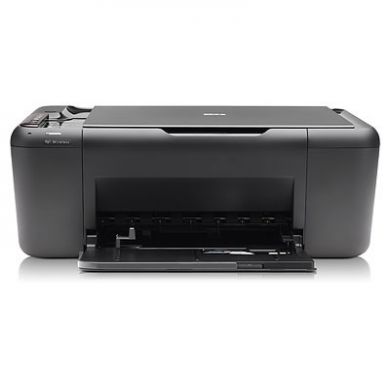
HP Deskjet F4583 Ink Cartridges
The following6 products are guaranteed to work in your HP Deskjet F4583 printer:
6 products
Sets of ink cartridges for HP Deskjet F4583 printer:

- 1x600pages
- 1x440pages
FREE next-day delivery when you order before 5:15pm
- Contains
CC641EE, CC644EE
FREE next-day delivery when you order before 5:15pm

- 1x200pages
- 1x165pages
FREE next-day delivery when you order before 5:15pm
- Lowest online price guarantee
FREE next-day delivery when you order before 5:15pm
Black ink cartridges for HP Deskjet F4583 printer:

- 1x600pages
Next-day delivery when you order before 5:15pm
Next-day delivery when you order before 5:15pm

- 1x200pages
Next-day delivery when you order before 5:15pm
- Lowest online price guarantee
Next-day delivery when you order before 5:15pm
Colour ink cartridges for HP Deskjet F4583 printer:

- 1x440pages
Next-day delivery when you order before 5:15pm
Next-day delivery when you order before 5:15pm

- 1x165pages
Next-day delivery when you order before 5:15pm
- Lowest online price guarantee
Next-day delivery when you order before 5:15pm
What ink does the HP Deskjet F4583 use?
The HP Deskjet F4583 uses HP 300 ink cartridges. HP 300 ink comes in black; the black cartridge prints 200 pages.
HP Deskjet F4583 Printer Review
Expert review of the HP Deskjet F4583 printer
'%20/%3e%3cpath%20d='M%205.454545454545455,0.6060606060606061,1.8181818181818181,12.000000000000002,10.90909090909091,4.7272727272727275,0,4.7272727272727275,9.090909090909092,12.000000000000002z'%20fill='%23d8d8d8'%20transform='translate(24,0)'%20/%3e%3cpath%20d='M%205.454545454545455,0.6060606060606061,1.8181818181818181,12.000000000000002,10.90909090909091,4.7272727272727275,0,4.7272727272727275,9.090909090909092,12.000000000000002z'%20fill='%23d8d8d8'%20transform='translate(36,0)'%20/%3e%3cpath%20d='M%205.454545454545455,0.6060606060606061,1.8181818181818181,12.000000000000002,10.90909090909091,4.7272727272727275,0,4.7272727272727275,9.090909090909092,12.000000000000002z'%20fill='%23d8d8d8'%20transform='translate(48,0)'%20/%3e%3c/svg%3e)
'%20/%3e%3cpath%20d='M%205.454545454545455,0.6060606060606061,1.8181818181818181,12.000000000000002,10.90909090909091,4.7272727272727275,0,4.7272727272727275,9.090909090909092,12.000000000000002z'%20fill='%23edd400'%20transform='translate(24,0)'%20/%3e%3cpath%20d='M%205.454545454545455,0.6060606060606061,1.8181818181818181,12.000000000000002,10.90909090909091,4.7272727272727275,0,4.7272727272727275,9.090909090909092,12.000000000000002z'%20fill='%23edd400'%20transform='translate(36,0)'%20/%3e%3cpath%20d='M%205.454545454545455,0.6060606060606061,1.8181818181818181,12.000000000000002,10.90909090909091,4.7272727272727275,0,4.7272727272727275,9.090909090909092,12.000000000000002z'%20fill='%23edd400'%20transform='translate(48,0)'%20/%3e%3c/svg%3e)
The all-in-one HP Deskjet F4583 produces high-quality prints using thermal inkjet orienting technology. It also has scanning and copying features and is an all around efficient machine ideal for homes and small offices.
Design
Boasting a monthly duty cycle of 3,000 impressions and a paper weight capability of 60-280 g/m2, the HP Deskjet F4583 gives a bang for its buck. It has a copier with zooming capability of 25% to 400% plus a scanner maximum resolution of 19200 x 19200. For easy scanning, an image editor is included.
Advantages
The HP Deskjet F4583 is compatible with both Macintosh and Windows OS systems, and supports both USB or Wi-Fi, making it a good choice for shared workspaces. This Energy Star qualified printer only consumes 20 watts during activity. It produces high-quality documents and is capable of printing excellent photos. HP claims that the production process that the Deskjet F4583 goes through does not generate ozone gas. The company likewise offers a recycling program.
Disadvantages
Compared to other all-in-one printers, the HP Deskjet F4583 does not have a fax feature. However, its print speed is decent at 28 ppm (black) and 22 ppm (coloured). The easy no PC-printing features (straight from the USB or memory card) also makes it a practical solution.