- Ink Cartridges
- HP Ink Cartridges
- Officejet Pro L7480 Ink Cartridges
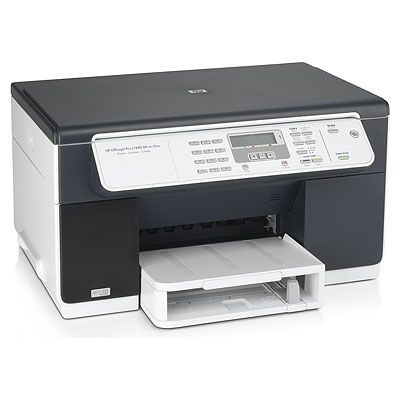
HP Officejet Pro L7480 Ink Cartridges
The following5 products are guaranteed to work in your HP Officejet Pro L7480 printer:
5 products
Sets of ink cartridges for HP Officejet Pro L7480 printer:
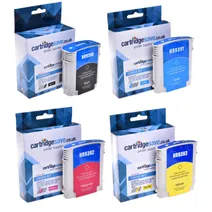
- 1x2580pages
- 1x1840pages
- 1x2190pages
- 1x1650pages
FREE next-day delivery when you order before 5:15pm
- Contains
C9396AE, C9391AE, C9392AE, C9393AE
FREE next-day delivery when you order before 5:15pm
Black ink cartridges for HP Officejet Pro L7480 printer:
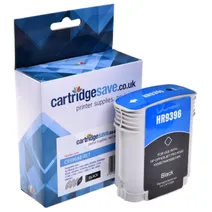
- 1x2450pages
Next-day delivery when you order before 5:15pm
Next-day delivery when you order before 5:15pm
Cyan ink cartridges for HP Officejet Pro L7480 printer:
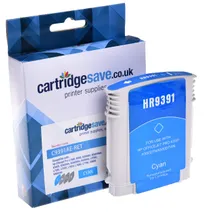
- 1x1840pages
Next-day delivery when you order before 5:15pm
Next-day delivery when you order before 5:15pm
Magenta ink cartridges for HP Officejet Pro L7480 printer:
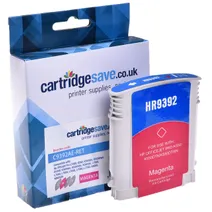
- 1x1980pages
Next-day delivery when you order before 5:15pm
Next-day delivery when you order before 5:15pm
Yellow ink cartridges for HP Officejet Pro L7480 printer:
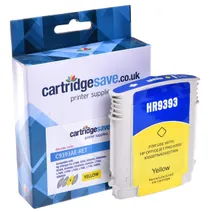
- 1x1650pages
Next-day delivery when you order before 5:15pm
Next-day delivery when you order before 5:15pm
Buy The Best HP L7480 Ink Cartridge
HP L7480 printers produce stunning document and image prints. At some time your HP L7480 will run low on printer ink, and when it finally does happen you'll soon discover that replacement HP L7480 ink is generally expensive. Thank goodness you have no need to lose any sleep about coughing up the high costs you'll get on the high street because here at Cartridge Save you can get all the HP L 7480 cartridges you will need at ultra low prices. Save a lot of money on your ink by shopping online with Cartridge Save!
Incredible Value On Every Cartridge
Why spend more to buy the L-7480 original cartridge or L7480 compatible ink down the high street when it is far more straight forward to save your hard earned cash buying online with Cartridge Save. You enjoy perfect confidence when you buy your Officejet Pro L7480 ink cartridges from us because they are all protected by a no quibble money back guarantee. Don't forget that every single order also comes with free delivery on all orders placed over £30 , typically arriving the following business day!
What ink does the HP Officejet Pro L7480 use?
The HP Officejet Pro L7480 uses Cartridge Save 88XL ink cartridges. Cartridge Save 88XL ink comes in cyan; the cyan cartridge prints 1,840 pages.
HP Officejet Pro L7480 Printer Review
Expert review of the HP Officejet Pro L7480 printer
'%20/%3e%3cpath%20d='M%205.454545454545455,0.6060606060606061,1.8181818181818181,12.000000000000002,10.90909090909091,4.7272727272727275,0,4.7272727272727275,9.090909090909092,12.000000000000002z'%20fill='%23d8d8d8'%20transform='translate(24,0)'%20/%3e%3cpath%20d='M%205.454545454545455,0.6060606060606061,1.8181818181818181,12.000000000000002,10.90909090909091,4.7272727272727275,0,4.7272727272727275,9.090909090909092,12.000000000000002z'%20fill='%23d8d8d8'%20transform='translate(36,0)'%20/%3e%3cpath%20d='M%205.454545454545455,0.6060606060606061,1.8181818181818181,12.000000000000002,10.90909090909091,4.7272727272727275,0,4.7272727272727275,9.090909090909092,12.000000000000002z'%20fill='%23d8d8d8'%20transform='translate(48,0)'%20/%3e%3c/svg%3e)
'%20/%3e%3cpath%20d='M%205.454545454545455,0.6060606060606061,1.8181818181818181,12.000000000000002,10.90909090909091,4.7272727272727275,0,4.7272727272727275,9.090909090909092,12.000000000000002z'%20fill='%23edd400'%20transform='translate(24,0)'%20/%3e%3cpath%20d='M%205.454545454545455,0.6060606060606061,1.8181818181818181,12.000000000000002,10.90909090909091,4.7272727272727275,0,4.7272727272727275,9.090909090909092,12.000000000000002z'%20fill='%23edd400'%20transform='translate(36,0)'%20/%3e%3cpath%20d='M%205.454545454545455,0.6060606060606061,1.8181818181818181,12.000000000000002,10.90909090909091,4.7272727272727275,0,4.7272727272727275,9.090909090909092,12.000000000000002z'%20fill='%23edd400'%20transform='translate(48,0)'%20/%3e%3c/svg%3e)
This all-in-one printer comes with a copier and a scanner, which makes it fit for home businesses and small offices that need a user-friendly and reliable device. While the HP Officejet Pro L7480 is a speedy multifunction printer that promises lower ownership and printing costs, it occasionally suffers from paper jam and system errors.
Design
The HP Officejet Pro L7480 is a heavy all-in-one device at 9.7 Kg, but fairly compact for the small office at 19.5x15.9x10.75 inches (WxDxH). It uses the HP thermal inkjet technology and prints at a maximum resolution of 4800x1200 dpi (colour). It has a CCD flatbed scanner and a digital copier. The display is lightly wider and bigger for better viewing, and it is conveniently placed on an angled control panel for easier access.
Advantages
The 64MB memory is just right for producing up to 36 ppm in monochrome and 35 ppm in colour. Users can enjoy high-resolution scans at up to 19200 dpi and print as many documents as they can with the HP Officejet Pro L7480, which boasts a 600-sheet-capacity paper tray. The drop-on-demand thermal inkjet printing method ensures that you can save ink when using the HP Officejet Pro L7480.
Disadvantages
Paper jam is one of the common issues with the HP Officejet Pro L7480. Sometimes, the control panel display shows the 'paper jam' message even if there is no issue. Some users also report losing their files after using the HP Solution Centre to scan.