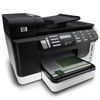
HP Officejet Pro 8500 All-in-One Ink Cartridges
The following 5 products are guaranteed to work in your HP Officejet Pro 8500 All-in-One printer:
5 products are guaranteed to work in your printer:
Switch & Save
Save up to 50% with Cartridge Save own-brand
Guaranteed to be like-for-like alternatives to the originals. Learn more
Sets of ink cartridges for HP Officejet Pro 8500 All-in-One printer:
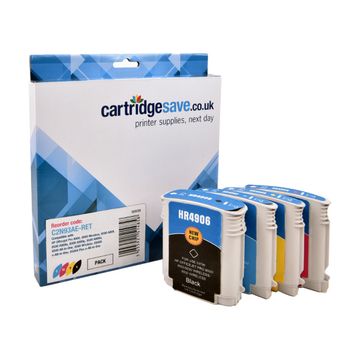
Compatible HP 940XL High Capacity 4 Colour Ink Cartridge Multipack - (C2N93AE)


- Contains C4906AE, C4907AE, C4908AE, C4909AE
- Made from recycled HP cartridges
Pack of 4 cartridges 4 pack |
0.4p per page
(4 pack)
- 2,200
- 1,400
- 1,400
- 1,400
- Contains C4906AE, C4907AE, C4908AE, C4909AE
- Contains C4906AE, C4907AE, C4908AE, C4909AE
FREE next-day delivery
- Buy more, save money
- 2 £30.62 inc VAT
- 3+ £29.17 inc VAT
Black ink cartridges for HP Officejet Pro 8500 All-in-One printer:
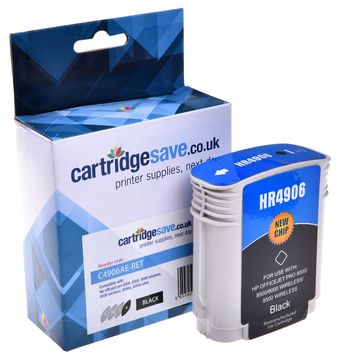
Compatible HP 940XL High Capacity Black Ink Cartridge - (C4906AE)
- Made from recycled HP cartridges
Pack of 1 cartridges 1 pack |
0.4p per page
(1 pack)
- 2,200
FREE next-day delivery
- Buy more, save money
- 2 £10.42 inc VAT
- 3+ £9.82 inc VAT
Cyan ink cartridges for HP Officejet Pro 8500 All-in-One printer:
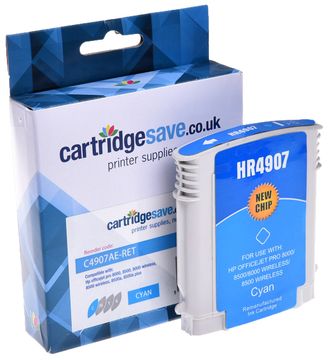
Compatible HP 940XL High Capacity Cyan Ink Cartridge - (C4907AE)
- Made from recycled HP cartridges
Pack of 1 cartridges 1 pack |
0.7p per page
(1 pack)
- 1,400
FREE next-day delivery
- Buy more, save money
- 2 £10.18 inc VAT
- 3+ £9.58 inc VAT
Magenta ink cartridges for HP Officejet Pro 8500 All-in-One printer:
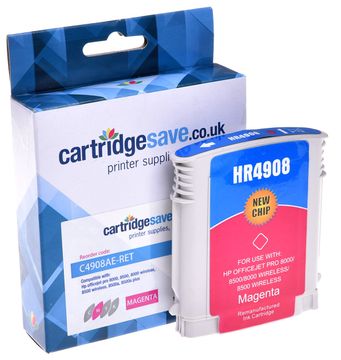
Compatible HP 940XL High Capacity Magenta Ink Cartridge - (C4908AE)
- Made from recycled HP cartridges
Pack of 1 cartridges 1 pack |
0.7p per page
(1 pack)
- 1,400
FREE next-day delivery
- Buy more, save money
- 2 £10.18 inc VAT
- 3+ £9.58 inc VAT
Yellow ink cartridges for HP Officejet Pro 8500 All-in-One printer:
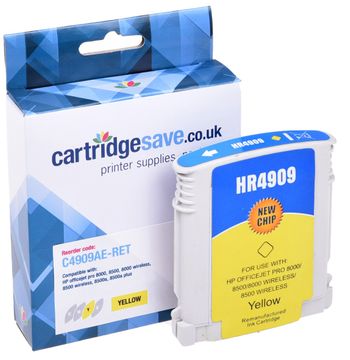
Compatible HP 940XL High Capacity Yellow Ink Cartridge - ( C4909AE)
- Made from recycled HP cartridges
Pack of 1 cartridges 1 pack |
0.7p per page
(1 pack)
- 1,400
FREE next-day delivery
- Buy more, save money
- 2 £10.18 inc VAT
- 3+ £9.58 inc VAT
What ink does the HP Officejet Pro 8500 All-in-One use?
The HP Officejet Pro 8500 All-in-One uses HP 940XL ink cartridges. HP 940XL ink comes in black and multicolour; the black cartridge prints 2,200 pages, the multicolour cartridge prints 1,400 pages.
HP Officejet Pro 8500 All-in-One Printer Review
Expert review of the HP Officejet Pro 8500 All-in-One printer
Targeting the business market, the HP Officejet Pro 8500 All-in-One is a definite must have for average-use businesses. It allows networking, wireless connectivity, and packs 4 different machines into one compact and easy to use device. This all-in-one boasts fast print speeds, high-volume capacity, and other exceptional functions, not to mention a wide range of connectivity options. However, the HP Officejet Pro 8500 All-in-One does not have autodial fax buttons. Also, a dual paper input tray would have been useful.
Design
The HP Officejet Pro 8500 All-in-One has a relatively small footprint, measuring 13.03 inches high, 19.45 inches wide, and 18.86 inches deep. The addition of built in features like the auto-duplexer and auto document feeder make it a little bigger than previous models. The HP Officejet Pro 8500 All-in-One is also equipped with a 3.45 inch touch screen display and a scanner bay. There is an external card reader right at the bottom front of the machine's control panel, which supports Memory Stick, SD, Compact Flash, and xD. A PictBridge port is also at hand.
Advantages
The HP Officejet Pro 8500 All-in-One gives users a number of connectivity options – (1) through a network using the Ethernet port, (2) through a USB cord, and (3) through wireless networking. Set up is pretty simple and easy; just follow the onscreen instructions. Print quality is not compromised by the addition of other features, and print speeds are still impressive at 11.35ppm, although photos come out much slower.
Disadvantages
Undoubtedly packed with useful features, the HP Officejet Pro 8500 All-in-One still doesn't have autodial fax buttons and a dual paper tray. It does not have Bluetooth connectivity, but it does come with standard USB, Ethernet, and wireless interface.