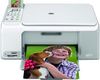
HP Photosmart C4180 Ink Cartridges
The following 8 products are guaranteed to work in your HP Photosmart C4180 printer:
8 products are guaranteed to work in your printer:
Switch & Save
Save up to 50% with Cartridge Save own-brand
Guaranteed to be like-for-like alternatives to the originals. Learn more
Sets of ink cartridges for HP Photosmart C4180 printer:
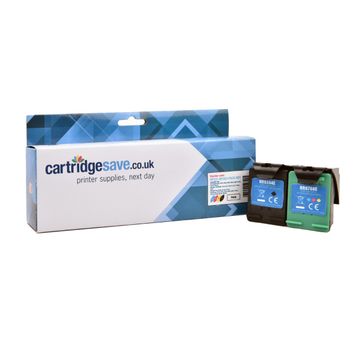
Compatible HP 337 / HP 343 Black & Tri-Colour Ink Cartridge Multipack


- Contains C9364EE, C8766EE
- Made from recycled HP cartridges
Pack of 2 cartridges 2 pack |
5.4p per page
(2 pack)
- 400
- 330
- Contains C9364EE, C8766EE
- Contains C9364EE, C8766EE
FREE next-day delivery
- Buy more, save money
- 2 £43.39 inc VAT
- 3+ £41.60 inc VAT
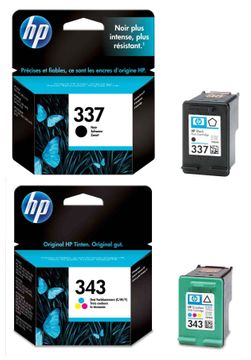
HP 337 / HP 343 Black & Tri-Colour Ink Cartridge Multipack
- Contains C9364EE, C8766EE
- Lowest online price guarantee
Pack of 2 cartridges 2 pack |
9.8p per page
(2 pack)
- 400
- 330
- Contains C9364EE, C8766EE
- Lowest online price guarantee
- Contains C9364EE, C8766EE
- Lowest online price guarantee
FREE next-day delivery
- Buy more, save money
- 2 £83.58 inc VAT
- 3+ £82.61 inc VAT
Black ink cartridges for HP Photosmart C4180 printer:
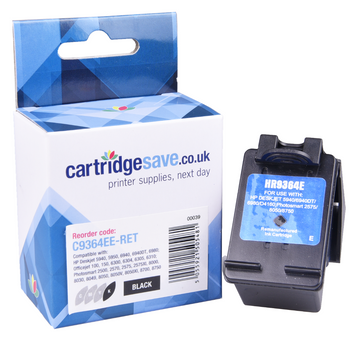
Compatible HP 337 Black Printer Cartridge - (C9364EE)
- Made from recycled HP cartridges
Pack of 1 cartridges 1 pack |
4.4p per page
(1 pack)
- 420
FREE next-day delivery
- Buy more, save money
- 2 £19.68 inc VAT
- 3+ £18.52 inc VAT
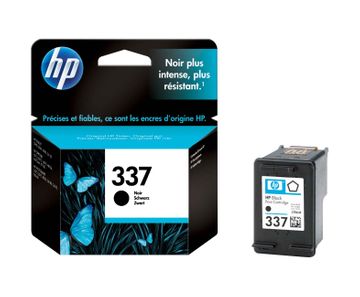
Pack of 1 cartridges 1 pack |
8.1p per page
(1 pack)
- 420
- Lowest online price guarantee
- Lowest online price guarantee
FREE next-day delivery
- Buy more, save money
- 2 £38.76 inc VAT
- 3+ £37.97 inc VAT
Colour ink cartridges for HP Photosmart C4180 printer:
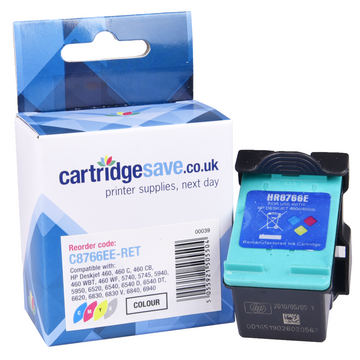
Compatible HP 343 Tri-Colour Printer Cartridge - (C8766EE)
- Made from recycled HP cartridges
Pack of 1 cartridges 1 pack |
6.9p per page
(1 pack)
- 330
FREE next-day delivery
- Buy more, save money
- 2 £24.30 inc VAT
- 3+ £23.02 inc VAT
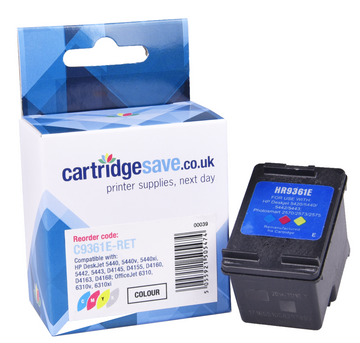
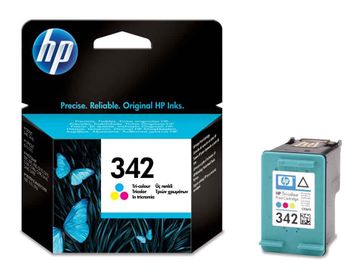
Compatible HP 342 Light User Tri-Colour Printer Cartridge - (C9361EE)
- Made from recycled HP cartridges
Pack of 1 cartridges 1 pack |
10.6p per page
(1 pack)
- 175
FREE next-day delivery
- Buy more, save money
- 2 £19.44 inc VAT
- 3+ £18.28 inc VAT
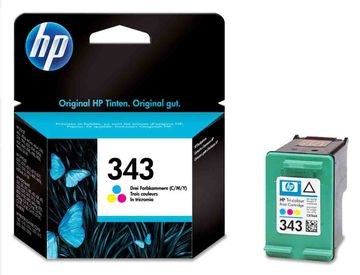
Pack of 1 cartridges 1 pack |
12.5p per page
(1 pack)
- 330
- Lowest online price guarantee
- Lowest online price guarantee
FREE next-day delivery
- Buy more, save money
- 2 £47.56 inc VAT
- 3+ £46.74 inc VAT
Pack of 1 cartridges 1 pack |
19.1p per page
(1 pack)
- 175
- Lowest online price guarantee
- Lowest online price guarantee
FREE next-day delivery
- Buy more, save money
- 2 £37.54 inc VAT
- 3+ £36.62 inc VAT
Buy HP Photosmart C4180 Ink Online
How are the ink levels on your HP Photosmart C4180 printer? Have you checked them lately? While you got a great price on your HP Photosmart C4180, you'll eventually run out of ink. When you do, you will learn, if you haven't already, how expensive HP C4180 ink tends to be. You could go to your local computer or electronics store, but you'd pay a lot of money. We offer you your HP Photosmart C4180 ink cartridges, in both colour and black cartridges, at amazingly low prices.
Free Delivery On All C4180 Cartridges
Every HP Photosmart C4180 ink cartridge we sell at Cartridge Save is covered by a no hassle money back guarantee. We are so convinced of the excellent build quality and spectacular printouts of our HP C4180 cartridges that if you are not completely satisfied, you can send it back to us and you will receive a full refund. We also give you free home delivery on all your HP Photosmart C4180 ink as standard. That's right, every cartridge you buy will be delivered free to you, usually the next day. Order your HP Photosmart C4180 cartridges from Cartridge Save today and start saving now!
What ink does the HP Photosmart C4180 use?
The HP Photosmart C4180 uses HP 343 ink cartridges. HP 343 ink comes in tri-colour; the tri-colour cartridge prints 330 pages.
HP Photosmart C4180 Printer Review
Expert review of the HP Photosmart C4180 printer
The Photosmart C4180 all-in-one device is marketed by HP as a home office printer. The twin-cartridge inkjet with built in flatbed scanner and copier can handle a multitude of tasks and thanks to improved plug and print functionality, you can even print without having to turn on your PC. If you are looking for a printer that prints at a reasonable resolution then the C4180 is fine. However, if you're looking for professional photographic quality then look at some of the higher-end models in the Photosmart range.
Design
HP have rolled out the same design across the entire Photosmart range, and the C4180 is no exception to the rule. The build quality is fantastic and the white and grey gloss finish looks superb. There is a small LCD display on the top of the printer, navigating the menu is easy and the function buttons are fairly intuitive - you can copy, scan and print at the click of a button. There are also two memory cards slots on the side. The paper input tray can hold 100 sheets which is fairly large; however there is no dedicated output tray which will pose a problem if you print large documents. The printer has a single USB port at the rear for connection to a PC or laptop. Installing new HP C4180 cartridges is easy and requires no technical skill.
Advantages
The HP Photosmart C4180 printer does a fairly reasonable job of printing text and colour graphics - quality and speed is impressive for an inkjet. The scanner and copier produced accurate reproductions although this did take longer than the quoted 30 pages per minute and was nearer to 10 pages per minute. The C4180 is ultra-compatible and will connect with the majority of memory cards (Compact Flash, Memory Stick, MMC and SD).
Disadvantages
The HP C4180 printer doesn't really excel in any one department; it's an average all-rounder that will do an OK job at most things. Photographic printing is one area which is below par, the quality isn't great and print speeds are sluggish. The printer could also benefit with additional networking capabilities which would open it up to households with more than one computer.