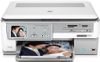
HP Photosmart C8183 Ink Cartridges
The following 8 products are guaranteed to work in your HP Photosmart C8183 printer:
8 products are guaranteed to work in your printer:
Switch & Save
Save up to 50% with Cartridge Save own-brand
Guaranteed to be like-for-like alternatives to the originals. Learn more
Sets of ink cartridges for HP Photosmart C8183 printer:
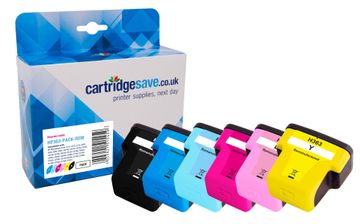
Compatible HP 363 Multipack 6 Colour Ink Cartridge Pack


- Contains C8719EE, C8771EE, C8774EE, C8772EE, C8775EE, C8773EE
- Made from recycled HP cartridges
Pack of 6 cartridges 6 pack |
1.3p per page
(6 pack)
- 1,120
- 400
- 220 photos
- 230 photos
- 370
- 500
- Contains C8719EE, C8771EE, C8774EE, C8772EE, C8775EE, C8773EE
- Contains C8719EE, C8771EE, C8774EE, C8772EE, C8775EE, C8773EE
FREE next-day delivery
- Buy more, save money
- 2 £39.10 inc VAT
- 3+ £37.42 inc VAT
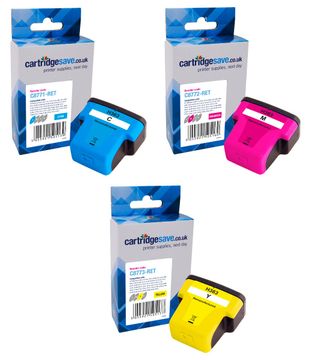
Compatible HP 363 Multipack 3 Colour Printer Cartridge - (CB333EE)
- Contains C8771EE, C8772EE, C8773EE
- Made from recycled HP cartridges
Pack of 3 cartridges 3 pack |
1.4p per page
(3 pack)
- 400
- 370
- 500
- Contains C8771EE, C8772EE, C8773EE
- Contains C8771EE, C8772EE, C8773EE
FREE next-day delivery
- Buy more, save money
- 2 £16.96 inc VAT
- 3+ £15.77 inc VAT
Black ink cartridges for HP Photosmart C8183 printer:
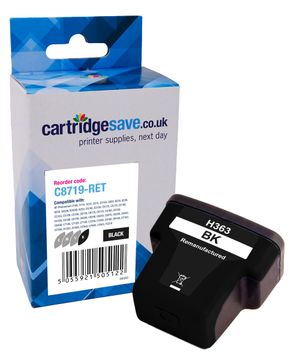
Compatible HP 363XL High Capacity Black Printer Cartridge - (C8719EE)
- Made from recycled HP cartridges
Pack of 1 cartridges 1 pack |
0.8p per page
(1 pack)
- 1,120
FREE next-day delivery
- Buy more, save money
- 2 £9.12 inc VAT
- 3+ £8.54 inc VAT
Cyan ink cartridges for HP Photosmart C8183 printer:
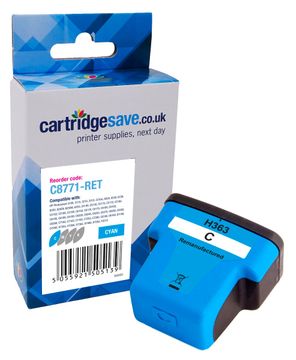
Pack of 1 cartridges 1 pack |
1.6p per page
(1 pack)
- 400
FREE next-day delivery
- Buy more, save money
- 2 £6.64 inc VAT
- 3+ £6.12 inc VAT
Light cyan ink cartridges for HP Photosmart C8183 printer:
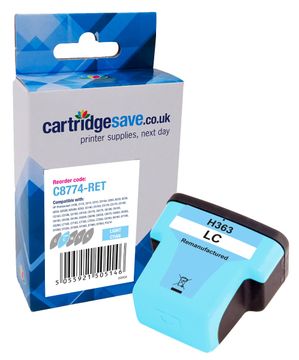
Compatible HP 363 Light Cyan Printer Cartridge - (C8774EE)
- Made from recycled HP cartridges
2.9p per photo
(1 pack)
- 220 photos
FREE next-day delivery
- Buy more, save money
- 2 £6.64 inc VAT
- 3+ £6.12 inc VAT
Magenta ink cartridges for HP Photosmart C8183 printer:
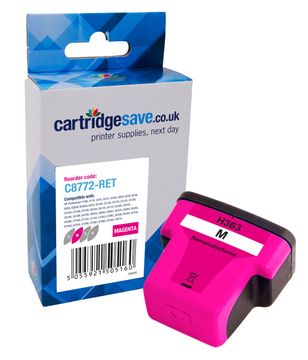
Pack of 1 cartridges 1 pack |
1.7p per page
(1 pack)
- 370
FREE next-day delivery
- Buy more, save money
- 2 £6.64 inc VAT
- 3+ £6.12 inc VAT
Light magenta ink cartridges for HP Photosmart C8183 printer:
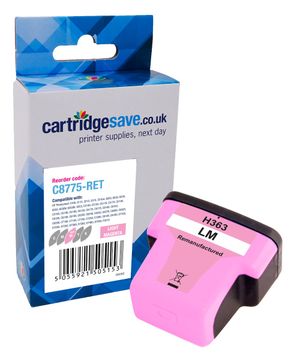
Compatible HP 363 Light Magenta Printer Cartridge - (C8775EE)
- Made from recycled HP cartridges
2.8p per photo
(1 pack)
- 230 photos
FREE next-day delivery
- Buy more, save money
- 2 £6.64 inc VAT
- 3+ £6.12 inc VAT
Yellow ink cartridges for HP Photosmart C8183 printer:
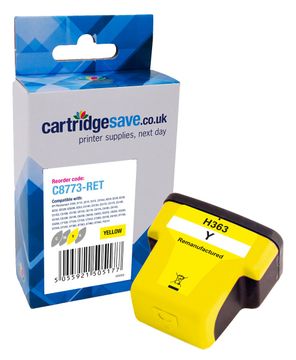
Pack of 1 cartridges 1 pack |
1.3p per page
(1 pack)
- 500
FREE next-day delivery
- Buy more, save money
- 2 £6.64 inc VAT
- 3+ £6.12 inc VAT
Order Cheaper HP C8183 Ink Cartridges Today
The HP C-8183 has a good reputation for producing high quality, crisp prints. At some stage your HP C8183 will run dry of printer ink, and when it finally does happen you'll soon notice that brand new HP C8183 ink may be really pricey. Thank goodness you do not need to stress about shelling out the high prices you'll discover on the main street because now at Cartridge Save you can order all the HP C 8183 cartridges you will ever want at really competitive prices. Save money on your ink by purchasing with Cartridge Save!
Top Quality Cartridges At Low Prices
There's absolutely no reason why you should spend so much on the C-8183 original cartridge or C8183 compatible ink in the high street when you can quickly save a ton of money shopping with Cartridge Save. You enjoy one hundred per cent peace of mind by ordering PhotoSmart C8183 ink cartridges from us as each one is protected by a quibble-free money back guarantee. Be mindful of the fact that every single order has free delivery, usually delivered the next working day!
What ink does the HP Photosmart C8183 use?
The HP Photosmart C8183 uses Cartridge Save 363XL ink cartridges. Cartridge Save 363XL ink comes in black; the black cartridge prints 1,120 pages.
HP Photosmart C8183 Printer Review
Expert review of the HP Photosmart C8183 printer
The HP Photosmart C8183 is integrated with intelligent features for the discerning photography enthusiasts. This a multifunction printer with wireless and direct printing capabilities is its predecessor's slightly improved version in terms of speed.
Design
The printer weighs 25 pounds and measures 15.3 inches in diameter, 8.5 inches tall, and 17.6 inches wide, making it heavy (yet compact). It has a TWAIN and WIA-compliant scanner that can be optimised to 19200x19200 dpi, and a digital colour copier. The HP Photosmart C8183 is integrated with a 3.5-inch touch-screen colour LCD display where you can access many of the printer controls, so the control panel looks less crowded. HP uses thermal inkjet technology on the Photosmart C8183; the Vivera ink system promises more vivid output on photos.
Advantages
There are memory card slots on the HP Photosmart C8183 so you can print directly from Memory Stick, Compact Flash, SD, and MMC cards. It can also be integrated into a small network via Ethernet, and can connect to your computer via hi-speed USB 2.0. Wireless printing is possible via integrated Bluetooth and Wi-Fi. The HP Photosmart C8183's display is large enough for easy viewing, and the paper capacity has been improved, too.
Disadvantages
There are limits to the connectivity capabilities of the HP Photosmart C8183. Your memory card may cause the printer to freeze if it has too many files in it, or if the individual file that you want to print is larger than 8MB. Some users report that their files go missing after using the HP Solution Centre to scan their documents.