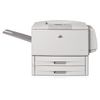
HP LaserJet 9050 Toner Cartridges
The following 4 products are guaranteed to work in your HP LaserJet 9050 printer:
4 products are guaranteed to work in your printer:
Switch & Save
Save up to 50% with Cartridge Save own-brand
Guaranteed to be like-for-like alternatives to the originals. Learn more
Black toner cartridges for HP LaserJet 9050 printer:
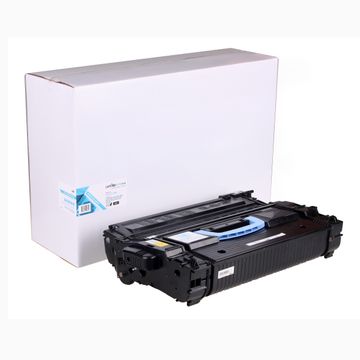
Compatible HP 43X High Capacity Black Toner Cartridge - (C8543X)
- Made from recycled HP cartridges
Pack of 1 cartridges 1 pack |
0.5p per page
(1 pack)
- 30,000
FREE next-day delivery
- Buy more, save money
- 2 £158.18 inc VAT
- 3+ £153.37 inc VAT
Pack of 1 cartridges 1 pack |
0.8p per page
(1 pack)
- 30,000
- Lowest online price guarantee
- Lowest online price guarantee
FREE next-day delivery
- Buy more, save money
- 2 £301.32 inc VAT
- 3+ £299.63 inc VAT
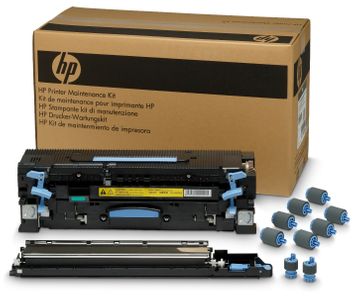
Maintenance items for HP LaserJet 9050 printer:
- 350,000
- Lowest online price guarantee
- Lowest online price guarantee
Out of stock
- Buy more, save money
- 2 £640.03 inc VAT
- 3+ £637.91 inc VAT
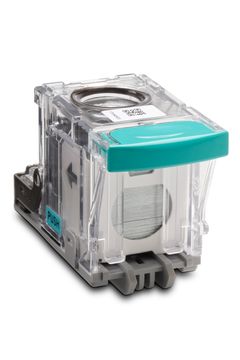
- 5,000 staples
- Lowest online price guarantee
- Lowest online price guarantee
FREE next-day delivery
- Buy more, save money
- 2 £37.01 inc VAT
- 3+ £36.11 inc VAT
What toner does the HP LaserJet 9050 use?
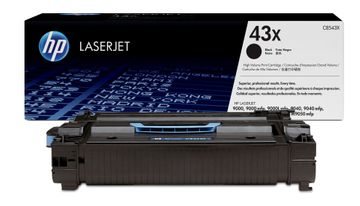
The HP LaserJet 9050 uses HP 43X toner cartridges. HP 43X toner comes in black; the black cartridge prints 30,000 pages.
HP LaserJet 9050 Printer Review
Expert review of the HP LaserJet 9050 printer


The HP LaserJet 9050 is a monochrome 1,200 dpi workgroup laser print and a workhorse, so it is an excellent option for small businesses or even a small team within a larger organisation. On the other hand, it is too large and too expensive for most home users and even many small offices. As you would expect at this price, the HP 9050 offers almost everything you desire from a so-called business cog. It manages multiple print jobs with ease, prioritises quickly, churns out more than 20 pages each minute, and it never bogs down or requires hard resets.
Design
The HP 9050 is your standard office print box: large, heavy and somewhat cumbersome. You will not want to move this printer often, even if you have it on wheels. It is not so large that it gets in the way, and it is large enough and stable enough to stand up those bumps and mishaps common to small office spaces. The 9050 has two shelf-style paper trays at the bottom, which you can expand, and a sturdy feed up top, which handles both single- and multi sheet paper.
Advantages
The most prominent advantage of the HP LaserJet 9050 is its 50 pages per minute speed, which is faster than most printers at this price point are. It boasts a snappy 533 MHz processor, which it allows it to transform complex data into printed form extremely quickly. The bottleneck in most print setups is this transformation, so the 9050 really impresses in that regard. However, prospective buyers should take note of the type of print jobs they perform. If most of the work is simple office documents, the advantages may not be as apparent as it will be for those handling sophisticated print jobs.
Disadvantages
In its default configuration, the HP LaserJet 9050 supports 1,000 sheets, which means that you will be refilling the paper far more often than you would on most comparable models. This does become an issue in business environments where they print in excess of 1,000 sheets per day. One solution is to expand the rack with additional print trays, but of course, this will increase the overall price. Additionally, the 9050 does not support two-sided printing. However, you can perform it manually, so this is not a major issue unless you need frequent multi-side printing, in which case the 9050 is a poor choice.