Philips LaserFax MFD6050 Toner Cartridges
(and other items)
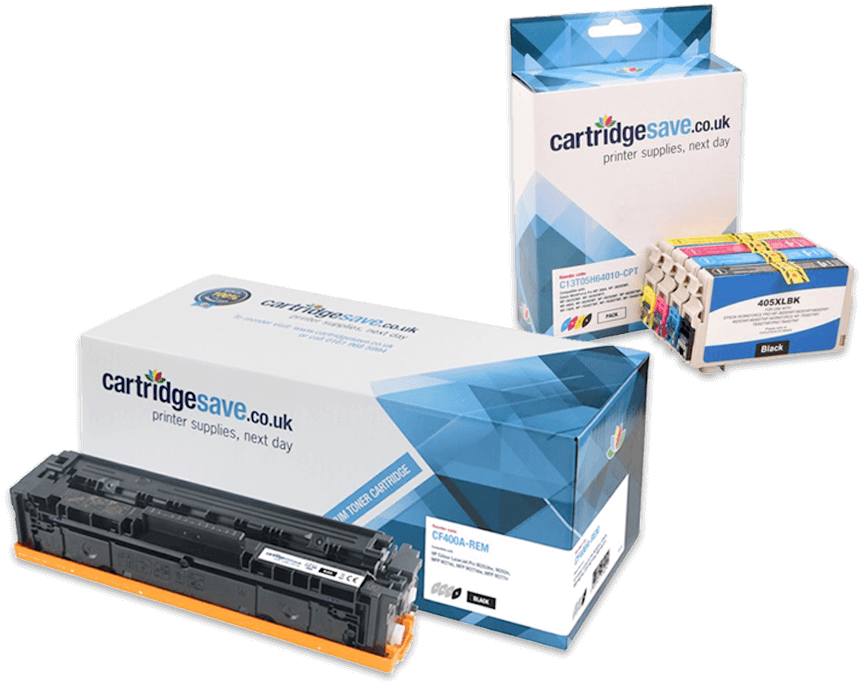
The following 3 products are guaranteed to work in your Philips LaserFax MFD6050 printer
See about our guarantee and FREE returns policy
Got a question about products for this printer?
Have a question about products for this printer?
(1 question : 1 answer)toner card see 1 answer
Most popular Philips printers
- Philips Magic 5 Primo ink cartridges
- Philips MFD6020 toner cartridges
- Philips Faxjet 525 ink cartridges
- Philips MFD6050 toner cartridges
- Philips Faxjet 555 ink cartridges
- Philips LPF925 toner cartridges
- Philips PPF631 ink cartridges
- Philips LPF5125 toner cartridges
- Philips Magic 2 ink cartridges
- Philips LPF935 toner cartridges
- Philips Magic 3 ink cartridges
- Philips 650 ink cartridges
- Philips Magic 3 2 ink cartridges
- Philips Faxjet 335 ink cartridges
- Philips Faxjet 520 ink cartridges
- Philips PPF685 ink cartridges
- Philips Faxjet 375 ink cartridges
- Philips LPF825 toner cartridges
- Philips 660 ink cartridges
- Philips PPF675 ink cartridges
- Philips MFD6080 toner cartridges
- Philips Faxjet 365 ink cartridges
- Philips MFD6050W toner cartridges
- Philips 505 ink cartridges
- Philips LPF900 toner cartridges
- Philips Magic 3 Primo ink cartridges
- Philips Faxjet 325 ink cartridges
- Philips PPF441 ink cartridges
- Philips LPF5135 toner cartridges
- Philips PPF531 ink cartridges
- Philips PPF470 ink cartridges
- Philips LPF5120 toner cartridges
- Philips PPF581 ink cartridges
- Philips PPF695 ink cartridges
- Philips 600 ink cartridges
- Philips Faxjet 531 ink cartridges
- Philips PPF585 ink cartridges
- Philips PPF331 ink cartridges
- Philips 500 ink cartridges
- Philips Faxjet 320 ink cartridges
Philips LaserFax MFD6050 Printer Review
Expert review of the Philips LaserFax MFD6050 printer 14 October, 2011
Our Verdict:
Philips entered the printer market with a single slogan in mind, 'sense and simplicity.' None of their products more embodied this saying than the LaserFax MFD6050. This printer stripped away some of the features that all-in-one printers seen in large offices possess and decided to keep it simple. This does not mean that the LaserFax MFD6050 sacrifices any its quality. Instead, it performs any function that a small or medium sized company or work group would need, and it performs them very respectably.
Design
The LaserFax MFD6050 is Philips' eco-model. The high-yield Philips MFD6050 toner cartridges are snapped into the toner saddle inside of the front lid, which also houses the flatbed scanner and the faxing hardware on top. The 250 sheet input tray comes out of a small slideout near the bottom while the standard USB and power plugs are in the rear. This multi-purpose printer can be controlled by a 2-line LCD with navigational and control buttons. This interface also houses a USB slot for scan-to-memory stick and plug-and-print options.
Advantages
The secondary USB memory stick option is something that is often overlooked, even on some of the most boisterous all-in-one machines. With a single click, any documents can be printed, scanned, downloaded, or uploaded to a USB memory key. The speed and quantity is quite good for a medium class printer with around 18 pages per minute of black text prints and the 250 sheet input tray. The Philips MFD6050 toner cartridges need 40% less ink to produce similar quality prints, making it great for any office looking to be eco-friendly or save some money.
Disadvantages
While the quality is comparable to other mid-range printers, it does dip slightly below some of the prints that HP or Lexmark printers can produce. This is hardly noticeable, but something worth mentioning if any company is going to be looking for high resolution colour graphics out of their printer. The only other problem comes down to the scanning quality. The scans are produced at a very nimble 2.5 seconds per page, but these again may have very subtle blurring and fading around edges which can become noticeable with very complex graphics.