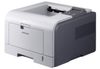
Samsung ML-3471ND Toner Cartridges
The following 1 products are guaranteed to work in your Samsung ML-3471ND printer:
1 products are guaranteed to work in your printer:
Black toner cartridges for Samsung ML-3471ND printer:
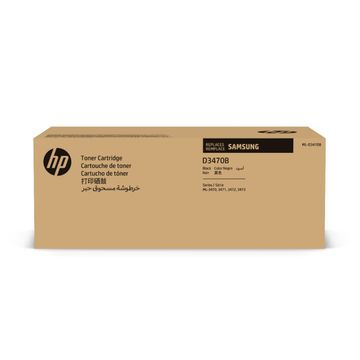
Samsung ML-D3470B High Capacity Black Toner Cartridge - ML-D3470B/ELS


- Lowest online price guarantee
Pack of 1 cartridges 1 pack |
1.2p per page
(1 pack)
- 10,000
- Lowest online price guarantee
- Lowest online price guarantee
Out of stock
- Buy more, save money
- 2 £137.52 inc VAT
- 3+ £136.40 inc VAT
Get Affordable Toner For Samsung ML-3471ND Printers
You can grab great savings on all Samsung ML-3471ND laser printer toners here with Cartridge Save. With Cartridge Save you can't go wrong in regard to high quality Samsung printer toners. There isn't any need to spend hours to find Samsung ML-3471ND cartridges nearby and find yourself spending much more.
Purchase The Cheapest Samsung ML 3471ND Toners
Shopping from Cartridge Save helps you to spend less money and take advantage of the top service anywhere. You'll get satisfaction when you place an order for brand new Samsung ML3471ND toner with us because of our rock-solid money-back promise that is standard on everything. We make it easy to save you even more money on toners because every order comes with absolutely free delivery, which generally arrives with you on the following working day!
What toner does the Samsung ML-3471ND use?
The Samsung ML-3471ND uses Samsung ML-D3470A toner cartridges. Samsung ML-D3470A toner comes in black; the black cartridge prints 4,000 pages.
Samsung ML-3471ND Printer Review
Expert review of the Samsung ML-3471ND printer
Over the past few years Samsung has released a full range of mono laser printers for everything from the home office to a large bustling company. Their ML-3471ND targets the mid-range work group that needs speed and efficiency without the traditional price and size. With a few money-saving features for both setup and maintenance, this is definitely a printer worth considering.
Design
The sharp boxy edges and bright colours of some of Samsung's previous incarnations have been replaced by smooth lines and a muted colour scheme in the ML-3471ND. The base of the machine houses the 250 sheet paper, which can be upgraded with a secondary 250 sheet input tray, and the 100 sheet multi-purpose tray. The output tray is simply a curved indentation at the top of the printer which can handle 150 to 200 pages. The front hatch also houses the single-piece drum and the Samsung ML-3471 toner cartridge saddles. The printer can be controlled via 8 buttons, a 2-line LCD, and a few LED warning lights. At the rear of the machine is sockets for the USB, 10/100 Ethernet cable, and parallel connection.
Advantages
As with most printers, the printing speed falls just short of factory specifications, but this one comes surprisingly close. Once warmed up, the ML-3471ND can begin to hit upwards of 30 pages per minute of plain black text, just under the specified 33 pages per minute. The base model includes an internal automatic duplexer, one of the few printers of this size in which this feature comes standard. The Samsung ML-3471ND toner cartridges can be replaced with high-yield replacements as well as an option for 'toner saver', which can push the ink life up to 10,000 pages before any maintenance is necessary.
Disadvantages
One grievance about this machine is the energy saver mode, which is both a blessing and a curse. While it will save money over the course of a year, if the workgroup or office relies on small batches of only a few prints, the 12 to 15 seconds warm up time can become troublesome. The limited input and output trays also means that the 30 pages per minute can run through the entire supply of paper in just a few minutes, another hindrance in a busy office.