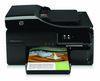
HP Officejet Pro 8500A e-All-in-One Ink Cartridges
The following 5 products are guaranteed to work in your HP Officejet Pro 8500A e-All-in-One printer:
5 products are guaranteed to work in your printer:
Switch & Save
Save up to 50% with Cartridge Save own-brand
Guaranteed to be like-for-like alternatives to the originals. Learn more
Sets of ink cartridges for HP Officejet Pro 8500A e-All-in-One printer:
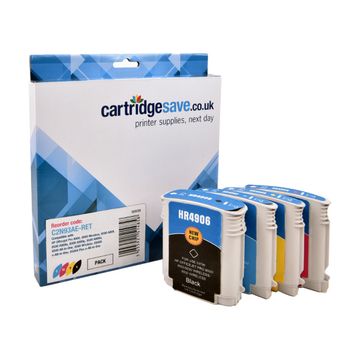
Compatible HP 940XL High Capacity 4 Colour Ink Cartridge Multipack - (C2N93AE)


- Contains C4906AE, C4907AE, C4908AE, C4909AE
- Made from recycled HP cartridges
Pack of 4 cartridges 4 pack |
0.4p per page
(4 pack)
- 2,200
- 1,400
- 1,400
- 1,400
- Contains C4906AE, C4907AE, C4908AE, C4909AE
- Contains C4906AE, C4907AE, C4908AE, C4909AE
FREE next-day delivery
- Buy more, save money
- 2 £30.62 inc VAT
- 3+ £29.17 inc VAT
Black ink cartridges for HP Officejet Pro 8500A e-All-in-One printer:
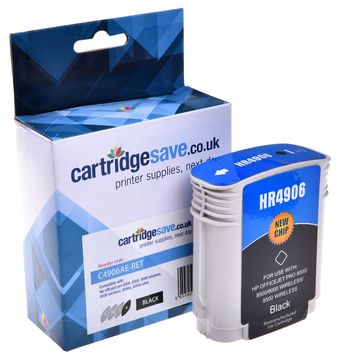
Compatible HP 940XL High Capacity Black Ink Cartridge - (C4906AE)
- Made from recycled HP cartridges
Pack of 1 cartridges 1 pack |
0.4p per page
(1 pack)
- 2,200
FREE next-day delivery
- Buy more, save money
- 2 £10.42 inc VAT
- 3+ £9.82 inc VAT
Cyan ink cartridges for HP Officejet Pro 8500A e-All-in-One printer:
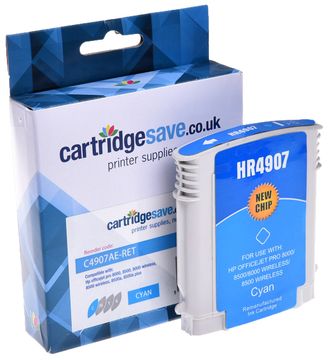
Compatible HP 940XL High Capacity Cyan Ink Cartridge - (C4907AE)
- Made from recycled HP cartridges
Pack of 1 cartridges 1 pack |
0.7p per page
(1 pack)
- 1,400
FREE next-day delivery
- Buy more, save money
- 2 £10.18 inc VAT
- 3+ £9.58 inc VAT
Magenta ink cartridges for HP Officejet Pro 8500A e-All-in-One printer:
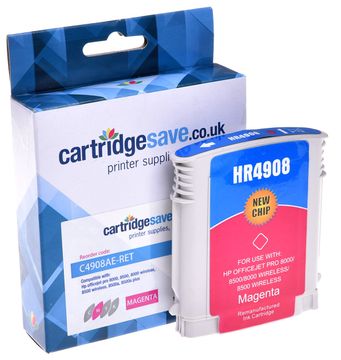
Compatible HP 940XL High Capacity Magenta Ink Cartridge - (C4908AE)
- Made from recycled HP cartridges
Pack of 1 cartridges 1 pack |
0.7p per page
(1 pack)
- 1,400
FREE next-day delivery
- Buy more, save money
- 2 £10.18 inc VAT
- 3+ £9.58 inc VAT
Yellow ink cartridges for HP Officejet Pro 8500A e-All-in-One printer:
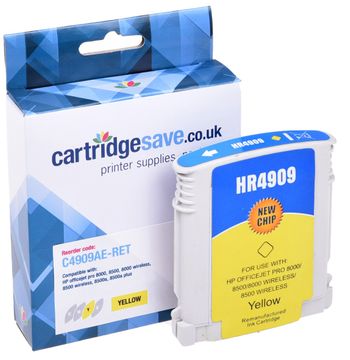
Compatible HP 940XL High Capacity Yellow Ink Cartridge - ( C4909AE)
- Made from recycled HP cartridges
Pack of 1 cartridges 1 pack |
0.7p per page
(1 pack)
- 1,400
FREE next-day delivery
- Buy more, save money
- 2 £10.18 inc VAT
- 3+ £9.58 inc VAT
What ink does the HP Officejet Pro 8500A e-All-in-One use?
The HP Officejet Pro 8500A e-All-in-One uses HP 940XL ink cartridges. HP 940XL ink comes in black and multicolour; the black cartridge prints 2,200 pages, the multicolour cartridge prints 1,400 pages.
HP Officejet Pro 8500A e-All-in-One Printer Review
Expert review of the HP Officejet Pro 8500A e-All-in-One printer
The HP Officejet Pro 8500A e-All-in-One is one step ahead of the competition. It still boasts the same features as its predecessor, the Pro 8500 Wireless, but HP gave it a sleek makeover, making it all-black and more attractive. The HP Officejet Pro 8500A e-All-in-One scores big time when it comes to performance and features, offering print, copy, fax, and scan functionalities with the addition of AirPrint and ePrint. Its footprint is quite large, though, and it is not the best choice for printing graphics.
Design
The HP Officejet Pro 8500A e-All-in-One is big and bulky at 20x17x12 inches, and weighs a whopping 28 pounds. It appeals to busy offices, especially with its convenient networking options (wired and wireless). The HP Officejet Pro 8500A e-All-in-One also features multiformat media card slots as well as a PictBridge port for 'direct from camera' printing. It sports a colour touch screen display in addition to the navigation buttons.
Advantages
Better than most other multifunction inkjets, the HP Officejet Pro 8500A e-All-in-One offers excellent print quality and decent print speeds. It also has a convenient menu system for easy navigation of settings and functions. HP integrated its Airprint and ePrint technologies for printing directly from android devices, as well as from an assigned e-mail address.
Disadvantages
The HP Officejet Pro 8500A e-All-in-One maybe an ideal office device, but it is bulky, pricey, slow to start up, and is not very economical when it comes to ink consumption, especially in high-volume environments.