- Ink Cartridges
- HP Ink Cartridges
- Photosmart C4580 Ink Cartridges
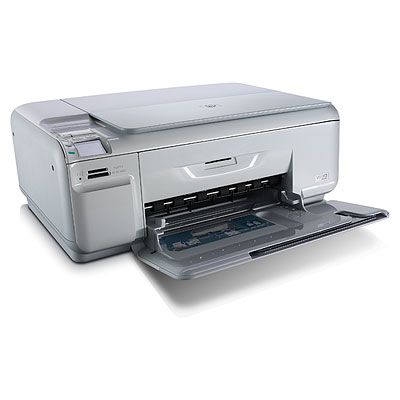
HP Photosmart C4580 Ink Cartridges
The following3 products are guaranteed to work in your HP Photosmart C4580 printer:
3 products
Sets of ink cartridges for HP Photosmart C4580 printer:
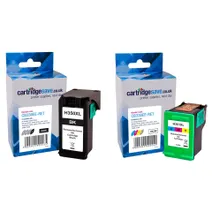
- 1x1000pages
- 1x580pages
FREE next-day delivery when you order before 5:15pm
- Contains
CB336EE, CB338EE
FREE next-day delivery when you order before 5:15pm

- 1x200pages
- 1x200pages
- 1x170pages
Out of stock
- Contains
CB335EE (x2), CB337EE
- Lowest online price guarantee
Out of stock

- 1x200pages
- 1x170pages
Out of stock
- Contains
CB335EE, CB337EE
- Lowest online price guarantee
Out of stock
Black ink cartridges for HP Photosmart C4580 printer:
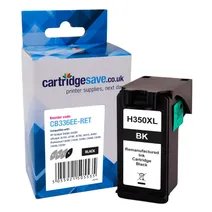
- 1x1000pages
Next-day delivery when you order before 5:15pm
Next-day delivery when you order before 5:15pm

- 1x200pages
Out of stock
- Lowest online price guarantee
Out of stock
Colour ink cartridges for HP Photosmart C4580 printer:
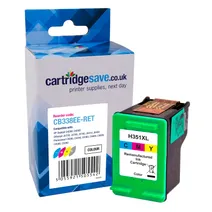
- 1x580pages
Next-day delivery when you order before 5:15pm
Next-day delivery when you order before 5:15pm

- 1x170pages
Out of stock
- Lowest online price guarantee
Out of stock
Find The Best HP C4580 Ink Online
Do you have an HP Photosmart C4580 printer? Have you checked your ink levels lately, though? Printing photos uses a lot of printer ink. Sooner or later, you'll run out of HP C4580 ink and find out that replacing it can be quite expensive. If you try your local computer shop or electronics store, you can expect to pay a lot of money for C4580 cartridges. There's an alternative to high prices: Cartridge Save offer you the full range of HP C4580 ink cartridges, both colour and black cartridges, at spectacularly low prices every day!
Get Free Delivery on orders over £30
Every cartridge we sell at Cartridge Save is covered by a no hassle, money back guarantee. We are extremely confident in the build quality and fantastic printouts of our HP C4580 ink cartridges, so much so that if you are not fully satisfied you can return it to us within 12 months and you will get a full refund. Order your cartridges from Cartridge Save today and save money now!
What ink does the HP Photosmart C4580 use?
The HP Photosmart C4580 uses Cartridge Save 350XL ink cartridges. Cartridge Save 350XL ink comes in black; the black cartridge prints 1,000 pages.
HP Photosmart C4580 Printer Review
Expert review of the HP Photosmart C4580 printer
'%20/%3e%3cpath%20d='M%205.454545454545455,0.6060606060606061,1.8181818181818181,12.000000000000002,10.90909090909091,4.7272727272727275,0,4.7272727272727275,9.090909090909092,12.000000000000002z'%20fill='%23d8d8d8'%20transform='translate(24,0)'%20/%3e%3cpath%20d='M%205.454545454545455,0.6060606060606061,1.8181818181818181,12.000000000000002,10.90909090909091,4.7272727272727275,0,4.7272727272727275,9.090909090909092,12.000000000000002z'%20fill='%23d8d8d8'%20transform='translate(36,0)'%20/%3e%3cpath%20d='M%205.454545454545455,0.6060606060606061,1.8181818181818181,12.000000000000002,10.90909090909091,4.7272727272727275,0,4.7272727272727275,9.090909090909092,12.000000000000002z'%20fill='%23d8d8d8'%20transform='translate(48,0)'%20/%3e%3c/svg%3e)
'%20/%3e%3cpath%20d='M%205.454545454545455,0.6060606060606061,1.8181818181818181,12.000000000000002,10.90909090909091,4.7272727272727275,0,4.7272727272727275,9.090909090909092,12.000000000000002z'%20fill='%23edd400'%20transform='translate(24,0)'%20/%3e%3cpath%20d='M%205.454545454545455,0.6060606060606061,1.8181818181818181,12.000000000000002,10.90909090909091,4.7272727272727275,0,4.7272727272727275,9.090909090909092,12.000000000000002z'%20fill='%23edd400'%20transform='translate(36,0)'%20/%3e%3cpath%20d='M%205.454545454545455,0.6060606060606061,1.8181818181818181,12.000000000000002,10.90909090909091,4.7272727272727275,0,4.7272727272727275,9.090909090909092,12.000000000000002z'%20fill='%23edd400'%20transform='translate(48,0)'%20/%3e%3c/svg%3e)
The HP Photosmart C4580 does a great job of meeting the varied needs of a typical home printer. Whether you're printing glossy photographs or a plain text document, the C4580 performs each and every time – producing fantastic quality prints. The built in scanner and copier are equally impressive turning the HP printer into a flexible device suitable for a number of applications. The C4580 inkjet also comes with built in Wi-Fi so that you can connect more than one computer to the printer without any extra cabling. And like all HP printers in the Photosmart range, the C4580 is easy to set up and maintain, simply install the drivers and away you go.
Design
The HP C4580 inkjet printer case is glossy white, a welcomed departure from all the dull black and grey printers currently on the market. The control panel on the front is easy to navigate, the 3.8cm colour LCD display and 6 function buttons make printing on-the-fly a piece of cake. The printer can connect either through a USB cable or via Wi-Fi, unfortunately the print can't run on both so you will have to make the decision. The C4580 inkjet printer also comes with twin memory slots for MemoryStick, MMC/SD and xD cards - allowing you to print images directly. Disappointingly, HP decided to remove the paper output tray from the C4580 causing print outs to fly everywhere.
Advantages
The HP C4580 produces fantastic results. Photographs look natural with plenty of definition – this is compounded when using HP's Advanced photo paper. Black text is fairly good too, while it will never compete with the depth of a laser printer, it's more than adequate for home use. The flatbed scanner and copier are equally impressive, colour copies come out very close to the original, with little fading and plenty of detail.
Disadvantages
Unfortunately, HP has compromised on print speed to improve quality. Although the manufacturer quotes 30ppm for plain black and white documents, it was actually nearer 8. The scanner and copier also struggled, taking just over a minute to scan a single photograph. Aside from the speed, it would have also been nice to see HP adding fax functionality which would make the C4580 a more viable home-office printer.