A Little about ColorSphere Toner Technology
Oct 13, 2008 Printing Technology
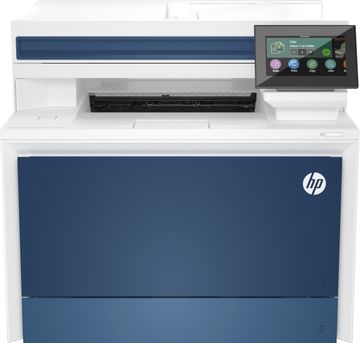
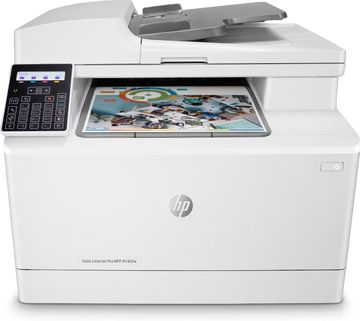
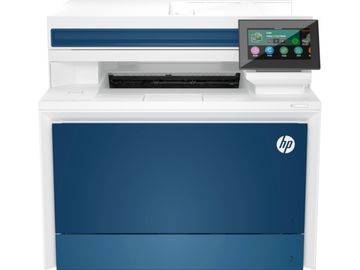
HP has been a leading manufacturer of laser printers since the laser technology inception. The characters formed using a HP printer is crisp, sharp and graphics are usually band-free. The secret behind the professional prints is the HP patented technology, ColorSphere.
HP has ensured that this technology would spurt out droplets that are consistent in size and shape, and imparts an accurate placement on the page. The accuracy and flow comes about from the near-perfect melting and fusing technologies for toner release. It also adds to the glossy look to the prints.
This technology boasts of 22% wider gamut and up to 40% more high gloss levels.
The three components that ensure that the prints delivered have the finest edges in the industry are Colour Ret, Adaptive Half Toning and Trapping.
Colour Ret automatically changes the size of droplets to ensure that the edges are sharp. Adaptive half toning is said to smoothen the edges of text while it simultaneously ensures that the filled areas are not found wanting. Trapping is a process that reduces the colour plane registration that is usually caused due to overlap of different colours.
HP claims that businesses can save money by printing professional materials in-house and more importantly, get the best prints on a consistent basis.
CUPS for Starters
Sep 28, 2008 Printing Technology, Software
With the misadventure of Microsoft Vista, several users are migrating towards Linux and its variants. In Windows, sharing a printer was a non-arduous job but Linux is a whole new kettle. Many Linux distros mainly leverage upon Common Unix Printing System (CUPS) to share printers. Let us find out a little more about CUPS.
In layman terms, CUPS is a piece of software that transforms your computer into a print server. In other words, a CUPS computer connected onto a network can accept print requests from other computers and forward them to the connected appropriate printer.
CUPS accepts print jobs from client computers and schedules the print jobs. It later translates the content into printer-understandable language and feeds it to the requested printer. Almost all printer drivers are compatible and built for CUPS as it’s an industry accepted system.
Like the Linux operating system, CUPS is a freeware and was developed by Easy Software Products. Back in 2002, Apple purchased the company and the source code and is currently being employed on Macs. The latest stable release is v1.3.8 and the latest distros should contain the latest version of CUPS by default.
Dye Sublimation Trumps Inkjets in Photo Printing
Aug 1, 2008 Printing Technology
We have photo printers in the market that are built on two main technologies; standard Inkjet and Dye Sublimation technology. It is hard for consumers to delve into the technology layers before purchasing a photo printer. This article should help you choose the right photo printer next time.
Inkjets have existed for a very long time and the technology has evolved but not enough to meet the requirements of the day. Inkjet technology presents limited gamut of colours with the cartridges containing as many as eight different colours. In the dye sublimation (dye sub) technology, a cellophane ribbon is employed instead of inks from cartridges and offers 16 million colour gamut.
As the dye sub technology doesn’t use any liquid means to print photos, the question of prints smudging does not arise. In an inkjet printer, tiny dots of different colours are placed very close to each other to provide a dithering effect. Hence, there is a better chance of ink smearing on your hands while handling prints.
The only advantage that an inkjet printer offers is the flexibility of printing on various sizes of paper and also different types of paper. Dye subs are limited to any one size of paper (usually 4” X 6”). This arises from the limitation imposed on the length of the ribbon employed.
Most printer manufacturers offer dye sublimation technology on their photo printers. Same manufacturers also offer inkjet photo printers as well, so ensure that you read the package details before purchasing one.
The Evolution of Printer Technology: Then and Now
Apr 15, 2008 Printing Technology

In today’s society printers are used by many people on a daily basis, and they are, in large part, taken for granted by most. If you think back to the early days of these machines, though, you begin to see how this amazing technology has evolved throughout the years. Printers weren’t always the speedy little machines that sit upon our desktops today, not even close. In the early days, these printers were so large that if placed on a desktop, it would break it in half! Not only that, but printing speeds have greatly increased over the years along with the quality of the print, the capabilities of the printers, and what could be the biggest difference between old printers and new printers: the price tag.
The most influential invention ever in the printing business was the printing press way back in the 1400s. We’ll start our journey back in time with the printing press, and see how it has changed from the early days of manual printing presses to the automatic machines that we use today. From there, we’ll look at the most popular printers that we use today, and see how they started as expensive, bulky, slow, primitive machines, and how they have evolved into the complete opposite of that. It’s quite amazing to see how a machine, such as the first laser printers designed specifically for consumers, began as a machine which had a price tag of over £1,500 and printed only 8 pages per minute (ppm), to laser printers of today which cost a fraction of that price and print up to 200 ppm.
HP Edgeline Printing Technology
Aug 29, 2007 Printing Technology
In a bid to increase the efficiency of printing jobs, HP’s researchers have landed upon a new technology patented by HP which increases the throughput by a huge margin. The idea behind the technology is first of its kind in the industry and is certain to meet the demands of those with high volume workloads.
Any inkjet printer has two basic motions for its operation. The first movement involves pushing the paper through the printer and the second inculcates movement of the printhead across the page to cover the entire width. This dual movement slows down the printing process considerably. Getting rid of one of the movements on an inkjet printer will provide significantly faster prints. The printhead movement can be stalled by building a printerhead that is as big as the width of the paper. That way, the printhead doesn’t have to move; only the paper does. This is the technology behind Edgeline technology.
For increased printing speeds, HP Edgeline Technology printers use large, stationary printheads—arranged in a line—to dispense ink across the entire width of the page as the paper passes beneath them. The result is more accurate ink-drop placement and breathtaking print speeds for crisp, print-shop quality output—fast. Plus, the sophisticated printhead design delivers outstanding reliability, allowing for more printing up-time, less maintenance and a lower total cost of operation over time. To complement the new printhead design and increased speeds, HP has specially designed Vivera inks for each current printing system with HP Edgeline Technology to deliver leading print quality.
The HP Edgeline technology is a true innovation which shows that great problems can be solved with the simplest of solutions. This technology not only delivers prints at an outstanding speed, but also provides excellent output. Maintenance costs are bare minimum as the mechanical failure of printhead can be ruled out. On the downside, having a wide printerhead will increase the overhead costs of a printer; but for offices and factories, money doesn’t matter as much, time does.
Digital Photo Printing Guide
Aug 6, 2007 General, Printers, Printing Technology
The age of exposing films using an optical camera has seen the door; maybe forever. Digital cameras have revolutionized the photo industry by its ease of capturing pictures and the simplicity involved in printing them. Printing digital photos mostly takes place at homes where professional quality is achieved by the printers available in the market. Cliff Smith from Trusted Reviews has written an excellent guide / tutorial that explain briefly about digital photo printers, techniques it involves, preservation and the print sizes for digital prints.
As I read the article, I felt a need to write an abridged version for our readers. I feel that the sections covered below are helpful to most.
There are two main types of photo printers; inkjet printers and dye sublimation printers. Inkjet printers have existed for quite a long time now and it contains ink cartridges containing several colours. The process of ink flow from the cartridge to photo paper differs from one manufacturer to another. Epson, Canon, HP and Lexmark are some examples of inkjet photo printers. Dye sublimation printers have a ribbon that carries colour panels. Ink is transferred from the ribbon onto the photo paper by the application of heat. Kodak printers use this technology on their digital photo printers. It has been observed that the quality between the two types of printers is similar although dye sublimation printers offer cheaper prints and are fade resistant.
The most popular photo size is perhaps 6 X 4 inches. This size worked the best with snapshot cameras as they had an aspect ratio of 3:2. But digital cameras work on a different aspect ratio of 4:3 and the 6 X 4 inches photo size is far from ideal. But, manufacturers are not manufacturing photo size papers that suits digital cameras the best, as they fear that setting a new standard in the industry might not work to their advantage.
How big is big enough?
For perfect photo quality, your digital images should be printed at a resolution of around 300 pixels per inch, or 120 pixels per centimetre. This means that if you want a photo quality 6 x 4in (15 x 10cm) print, your digital image needs to be at least 1800 x 1200 pixels, which is roughly 2.2 megapixels. A4 paper is 21.0cm x 29.7cm, so for perfect photo quality A4 prints your digital image needs to be at least 2520 x 3564 pixels, which is just under nine megapixels. Even if you routinely print all your photos out at A4 size, you still don’t need a 12-megapixel camera.
Memjet Technology for Fast Prints
Jun 5, 2007 Printing Technology
The fastest inkjet and laser printers we see today have a printing speed of about 30ppm for black prints. In this era when time is money, people tend to waste lots of time in front of printers waiting for their printouts to emerge out of the printer. A new technology, Memjet, was introduced at the 2007 Global Ink Jet Printing Conference which is capable of a print speed in excess of 60ppm. The Memjet technology was developed by Silverbrook Research based out of Australia.
What Memjet does is hard to believe: It prints letter-size output at 60 ppm—that’s one page per second—with a 1,600- by 1,600-dot-per-inch (dpi) printer that Silverbrook says will be available in 2008 for maybe $200 to $300. Not only that, but the projected cost per page is less than 2 cents for a monochrome page and less than 6 cents for a color page.
The technology is derived out of the LED printers where the printhead moves back and forth across the page. Thousands of tiny nozzles fire ink onto the page using either the dye sublimation technology or thermal technology.
Plus, this technology will yield long lasting printers as well as it has lesser number of moving parts.
Micro Piezo Technology by Epson
May 31, 2007 Printing Technology
What differentiates one inkjet printer from another? It has to be the quality which is a byproduct of the underlying technology. Epson boasts of the Micro Piezo technology while Canon and HP use Thermal technology.
The Micro Piezo printer head consists of several tiny nozzles and is controlled by a piezoelectric crystal that rapidly flexes when current is applied. This pushes the ink droplets through the nozzle, thereby creating the image. Epson claims that this technology is much more precise than the Thermal technology as the amount of droplets can be intricately managed.
The thermal heads also has several nozzles but the flow of ink is controlled by Thermal heads. The ink reaches a boiling point rapidly and the expanding bubble forces ink out of the nozzles.
The MP technology can print on many surfaces which is a disadvantage with Thermal printers as it is limited a few types of paper. But, Thermal heads are relatively economical than its counterpart. Thermal heads needs to be replaced on a regular basis but the MP heads lasts longer than the printer itself.
In terms of quality, it is extremely hard to spot differences between the two technologies, hence both exist simultaneously. But, if you are looking for a long lasting printer, Epson is your babe.
via Epson Corporate
A Look at PictBridge Port on Photo Printers
May 30, 2007 Printing Technology
The term PictBridge has been used whenever a photo printer is referred to and I felt that it would be a good exercise if it could be explained briefly for the benefit of our readers. In simple terms, a PictBridge port is an interface between a digital still camera and a printer. A digital still camera can be connected directly to a printer using the PictBridge port and photos can be printed directly without the need of a PC.
Here are the features of a PictBridge from the WhitePaper:
- The ability to quickly print the image displayed by interacting with the digital still camera
- Provide a way for customers to have a very easy to use solution
- A standard that will provide for wide interoperability
- A vender can easily adopt PictBridge
- The specification is independent of the physical interface or transport layer protocol
- Allow for future enhancements that will contribute continuing to build a digital photo culture
The main purpose of PictBridge is to have a common port which will be used across all printers and digital still cameras manufactured. So, buyers need not worry about compatibility issues between the digital still camera and their printers. When you are buying a printer or a digital camera, look fort the PictBridge logo (visible in this post) on the box or check the specs.
The printer need not specifically have a LCD screen inbuilt for the PictBridge to work. When a digital still camera is hooked onto a compliant printer, the LCD screen on the camera will enable the user to choose different functionalities like resizing, cropping etc apart from giving printing instructions.
Almost all the photo printers today have a PictBridge port integrated on it. It has become unofficially mandatory.
Dye Sublimation Printing Technology
May 23, 2007 Printing Technology
There was a time when dye sublimation (DS) printers found home in textile industries and at commercial printing industries. The rise of technology and the reduction in prices of electronic articles has brought DS printers to homes. These printers are used mainly for photo printing. Many of the photo printers discussed on Cartridge Save are DS printers.
The photo quality obtained from DS printers are exceptional and studio quality. It not only provides an accurate photograph with all the colours well blended, but also provides a layer of lamination just like a commercial photograph.
Along with advantages, comes drawbacks. DS printers are expensive as it uses films which are expensive and the speed of printing is slow as it involves a complicated process which is discussed in the next section.
How it works?
Instead of using inks, DS printers use transparent films (cellophane ribbon) which transfers colours on to media (paper) using heat. In a dye-sublimation printer the printing dye is heated up until it turns into a gas, at which point it diffuses onto the printing media and solidifies. Prior to printing, the dye is stored on a cellophane ribbon. Read the detailed working of a DS printer on Wiki.
Sony, Kodak and Canon are some of the major manufacturers of DS printers. They range from £25 to a few thousand pounds depending on the capacity and quality.