- Toner Cartridges
- Kyocera Toner Cartridges
- FS-1350DN Toner Cartridges
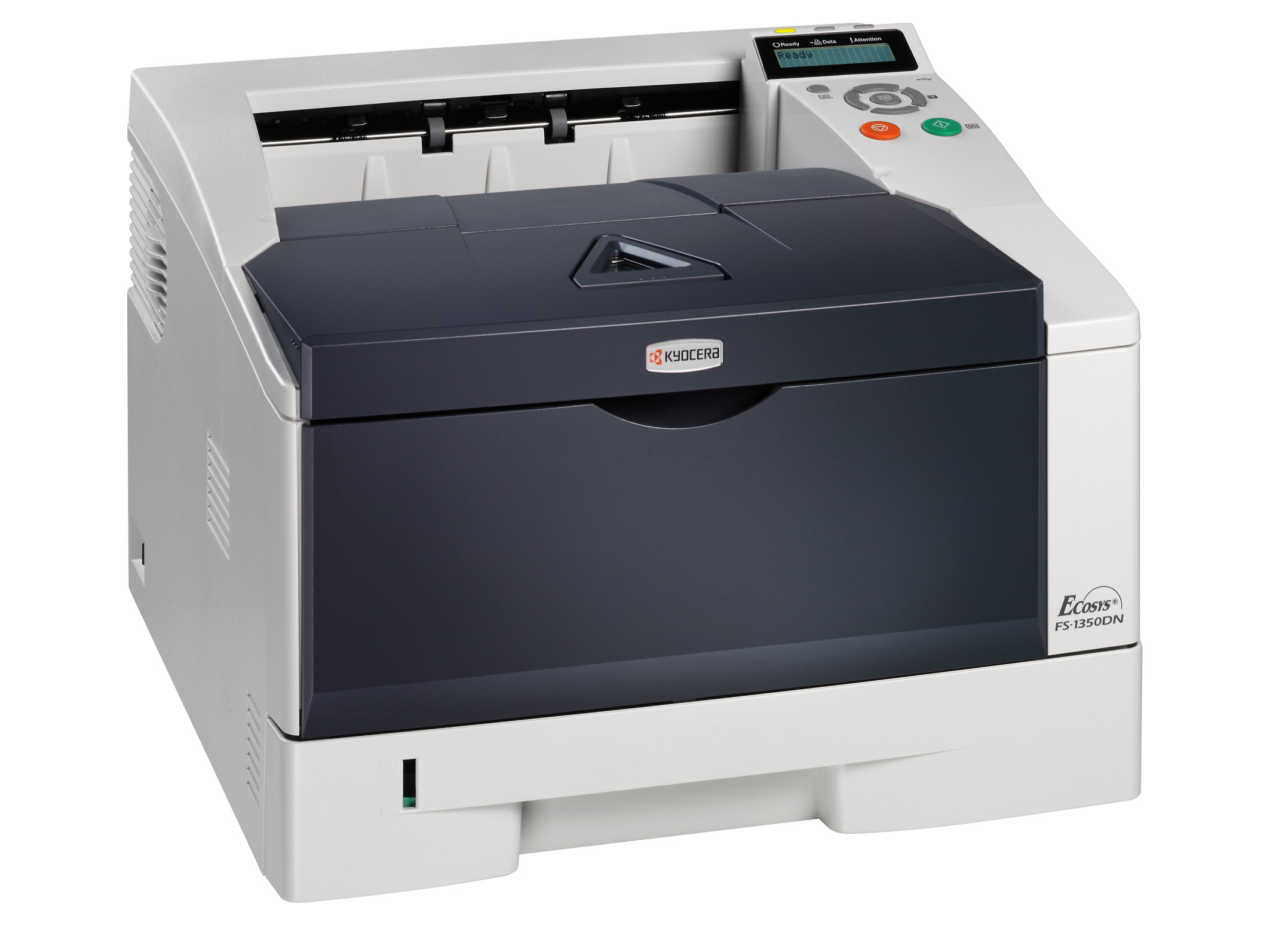
Kyocera FS-1350DN Toner Cartridges
The following0 products are guaranteed to work in your Kyocera FS-1350DN printer:
0 products
Black toner cartridges for Kyocera FS-1350DN printer:

- 1x7200pages
Out of stock
- Lowest online price guarantee
Out of stock
Kyocera FS-1350DN Printer Review
Expert review of the Kyocera FS-1350DN printer
'%20/%3e%3cpath%20d='M%205.454545454545455,0.6060606060606061,1.8181818181818181,12.000000000000002,10.90909090909091,4.7272727272727275,0,4.7272727272727275,9.090909090909092,12.000000000000002z'%20fill='%23d8d8d8'%20transform='translate(24,0)'%20/%3e%3cpath%20d='M%205.454545454545455,0.6060606060606061,1.8181818181818181,12.000000000000002,10.90909090909091,4.7272727272727275,0,4.7272727272727275,9.090909090909092,12.000000000000002z'%20fill='%23d8d8d8'%20transform='translate(36,0)'%20/%3e%3cpath%20d='M%205.454545454545455,0.6060606060606061,1.8181818181818181,12.000000000000002,10.90909090909091,4.7272727272727275,0,4.7272727272727275,9.090909090909092,12.000000000000002z'%20fill='%23d8d8d8'%20transform='translate(48,0)'%20/%3e%3c/svg%3e)
'%20/%3e%3cpath%20d='M%205.454545454545455,0.6060606060606061,1.8181818181818181,12.000000000000002,10.90909090909091,4.7272727272727275,0,4.7272727272727275,9.090909090909092,12.000000000000002z'%20fill='%23edd400'%20transform='translate(24,0)'%20/%3e%3cpath%20d='M%205.454545454545455,0.6060606060606061,1.8181818181818181,12.000000000000002,10.90909090909091,4.7272727272727275,0,4.7272727272727275,9.090909090909092,12.000000000000002z'%20fill='%23edd400'%20transform='translate(36,0)'%20/%3e%3cpath%20d='M%205.454545454545455,0.6060606060606061,1.8181818181818181,12.000000000000002,10.90909090909091,4.7272727272727275,0,4.7272727272727275,9.090909090909092,12.000000000000002z'%20fill='%23edd400'%20transform='translate(48,0)'%20/%3e%3c/svg%3e)
The Kyocera FS-1350DN is suitable for a busy small business that will require printing speeds of up to 30 pages per minute and has no need for colour printing. This laser monochrome printer is capable of producing high-speed prints and can have a page out in only 6 seconds. Amazing clarity is also achieved in documents that are printed out in a resolution of 1,200 x 1,200 dpi.
Design
This printer has a small footprint and can be easily placed anywhere in an office. It has overall dimensions of 37.59 cm in depth, 39.37 cm in width, and 26.67 cm in height. Additionally, this printer is also transportable by a single person at weight of only 12.02 kg. An interface with your computer is made possible using a USB port or an Ethernet connection and installation takes only a matter of minutes. Print information is processed by a PowerPC 440 500 MHz processor that is accompanied by 128 MB of memory. Storage can be increased up to 1,152 MB using a memory expansion slot that is provided on the printer. Kyocera FS-1350DN toner is also designed to print on up to 37,200 pages before a refill is needed. A back-lit LCD screen is also equipped to allow for easy monitoring of print jobs and functional information display.
Advantages
Duplex printing also comes standard on the Kyocera FS-1350DN and can help keep paper costs down by saving on consumption. To save on energy, this printer runs on only 484 watts during operation and 12 watts during sleep mode. Also, this printer has been certified as energy efficient. An internal print server allows this printer to act as a print station for more than just one computer. Furthermore, Kyocera FS-1350DN toner is also easy to install and is reasonably priced.
Disadvantages
A minor downside to this printer is the amount of noise that is produced. At a sound emission level of 54 decibels, this printer may not fit in a quiet office but would be right at home in a fast-paced business. This printer cannot serve as a multifunction device due to its lack of scanner, copier, or fax machine. However, the speeds that the Kyocera FS-1350DN can output black & white prints is amazing and should not deter your decision to acquiring this printer.