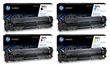
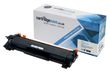
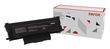
Philips LaserFax MFD6020 toner cartridges 

Philips LaserFax MFD6020 Toner Cartridges
(and other items)

The following 3 products are guaranteed to work in your Philips LaserFax MFD6020 printer
See about our guarantee and FREE returns policy

Got a question about products for this printer?

Black toner cartridges for the Philips LaserFax MFD6020 printer

Extra high capacity black toner cartridge

  • Genuine Philips PFA-822
  • In Stock
  • Lowest price guaranteed

    Lowest price guaranteed

    If within 7 days of buying a product from us you find the same product cheaper elsewhere, we will refund you with 100% of the difference.

    For more information, click on the Low Price Guarantee link at the bottom of this page.

5,500 pages

2.0 pence per page
£109.49 (£131.39 inc VAT) FREE next-day delivery

Receive on Thursday 16th February

Option 1: Free next-day
In 98% of cases, orders placed before 4pm Monday-Friday will arrive on the next working day. Uses Royal Mail 1st Class.

Option 2: Guaranteed next-day
The same as above, but uses priority courier. Costs £4.45 per order.

For more information, click on the red delivery van at the top of this page.


in your basket

Buy more and save
2-4 £104.32 (£125.18 inc VAT)
5+ £98.92 (£118.70 inc VAT)

Black toner cartridge

  • Genuine Philips PFA-818
  • Lowest price guaranteed

    Lowest price guaranteed

    If within 7 days of buying a product from us you find the same product cheaper elsewhere, we will refund you with 100% of the difference.

    For more information, click on the Low Price Guarantee link at the bottom of this page.

Special order item —
Delivery takes 7-10 days

1,000 pages

4.6 pence per page
£46.39 (£55.67 inc VAT)

FREE delivery


Delivery takes 7-10 days

in your basket

Buy more and save
2-4 £43.77 (£52.53 inc VAT)
5+ £41.27 (£49.53 inc VAT)
proceed to checkout »

Have a question about products for this printer?

(5 questions : 5 answers)

could you tell me where i have to insert toner card,i can't find any space to put in this card see 1 answer

I have Phillips MFD6020 PRINTER, which type of toner cartdridge I can use ? PFA822 OR PFA821 or can I use both please? see 1 answer

  • You can use either the PFA822 which should last for approximately 5,500 prints or the PFA 821 which should last you for approximately 3,000 prints. The PFA822 is the better value for money cartridge, print for print.

    Answered by Nichola Ansbro (Staff Member) - 9 months ago

what is toner card see 1 answer

what is a toner card
  • Philips toner cartridges do not have a chip attached and are supplied with a separate toner cartridge card which acts as the cartridge chip. The chip is what tells your printer that a cartridge is installed and how much toner is remaining in the cartridge.

    Answered by Paul Miller (Staff Member) - 5 months ago

colour ink Cartridge to Purchase & how much see 1 answer

I want to purchase a Laser MFD 6020 and have it Delivered and the cost james Burton
  • Unfortunately we do not sell the actual printers, we only sell the consumables.

    Answered by Lindsey Gough (Staff Member) - 4 months ago

LaserFaxMFD6020 see 1 answer

Our printer is a printer scanner number LaserMFD6020, not a fax machine. The number is LaserMFD6020. Would this be the correct toner for our printer?
  • Yes this is almost certainly the same machine model. We would recommend that you check the toner cartridge code of the cartridge that you currently have installed in the machine to ensure that this matches the items codes listed on our website before placing an order:

    PFA-822 - Extra High Capacity
    PFA-821 - High Capacity
    PFA-818 - Standard Capacity

    Please contact a member of the team on 0161-968-5994 should you require any further assistance ordering the correct items for your printer.

    Answered by Paul Miller (Staff Member) - about 1 month ago
Ask a new question

Most popular Philips printers

Philips LaserFax MFD6020 Printer Review

Expert review of the Philips LaserFax MFD6020 printer 16 March, 2011

Our Verdict:  

Philips LaserFax MFD6020 toner cartridges 

The Philips LaserFax MFD6020 combines several important devices into a single, affordable and easy-to-use machine. As a monochrome laser printer, it provides 20 pages per minute at 600 x 600 dpi. And as a scanner and a copier, it provides a 4,800 x 4,800 dpi resolution at a rate of 20 pages per minute as well. The MFD6020 also includes a USB 2.0 interface, a USB WLAN adapter, an Ethernet adapter and an optional Bluetooth wireless dongle. It provides OCR scanning via software, which you must run on a PC. Consumers should note that despite that LaserFax name, fax and PC-fax features are not present on this unit. They are, however, available on the 6050 and 6090 machines.

Design

The Philips MFD6020 uses a mushroom-style design and a two-tone colour scheme: antique white and medium grey. It includes all round corners except at the base. Rather than make it a square, Philips has opted for a rectangle, and due to keyboard positioning, they force you to situate it the long way. This is not a major issue for those who have ample space, but the design does cause the MFD6020 to use more space than it needs to. You can load paper via the tray at the bottom or through the automatic feeder up top. The control panel has a large, easy-to-read LCD display and convenient button placement.

Advantages

The Philips MFD6020 is not a particularly fast printer but it is consistent in a way that most printers in this class are not. It also offers copy and scan quality and a host of features that are surprising at this price point. Thanks to the energy-managing Eco mode, the printer can conserve its Philips MFD6020 toner remarkably well, and since we price the Philips MFD6020 toner cartridges reasonably to begin with, this makes the machine extremely effective in terms of cost-per-page. It also supports direct print and direct scan from USB drive, which are incredibly useful features to have these days.

Disadvantages

The Philips MFD6020 is a tad slow, but it is a bit of a tortoise-and-the-hare scenario since most competitors do not deliver the same quality and feature set. As mentioned in the design section, the mushroom top and control panel placement are odd and they cause the unit to take up much more space than is necessary. Another issue is the lack of fax and PC-fax, which really should be included.