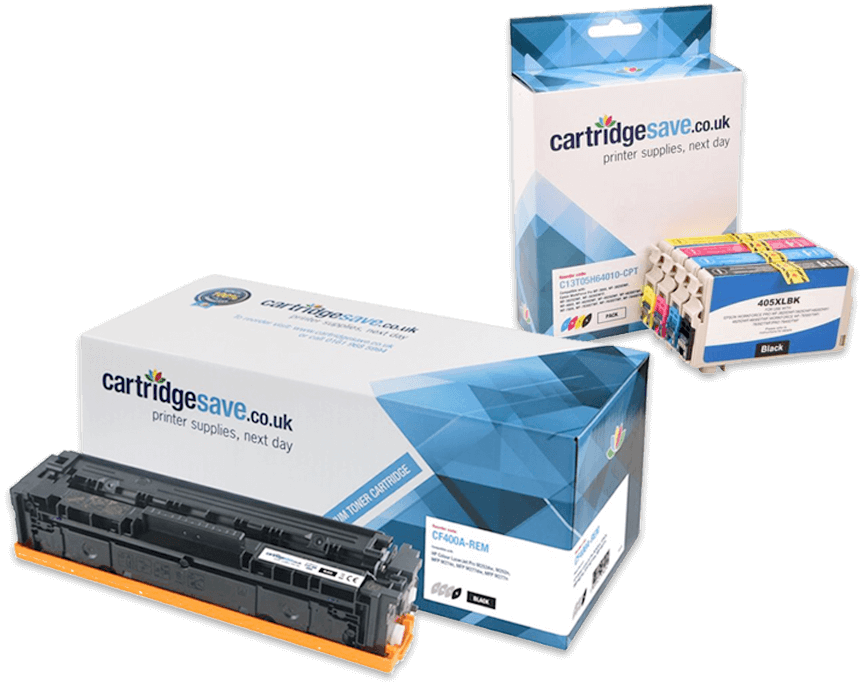
Kyocera FS-1010 toner cartridges 

Kyocera FS-1010 Toner Cartridges
(and other items)

The following 2 products are guaranteed to work in your Kyocera FS-1010 printer
See about our guarantee and FREE returns policy

Got a question about products for this printer?

Black toner cartridges for the Kyocera FS-1010 printer

Black toner cartridge

  • Replaces Kyocera TK-17
  • In Stock
  • Lowest price guaranteed

    Lowest price guaranteed

    If within 7 days of buying a product from us you find the same product cheaper elsewhere, we will refund you with 100% of the difference.

    For more information, click on the Low Price Guarantee link at the bottom of this page.

6,000 pages

0.3 pence per page
£19.41 (£23.29 inc VAT) FREE next-day delivery

Receive on Wednesday 15th February

Option 1: Free next-day
In 98% of cases, orders placed before 4pm Monday-Friday will arrive on the next working day. Uses Royal Mail 1st Class.

Option 2: Guaranteed next-day
The same as above, but uses priority courier. Costs £4.45 per order.

For more information, click on the red delivery van at the top of this page.


in your basket

Buy more and save
2-4 £16.86 (£20.23 inc VAT)
5+ £15.32 (£18.39 inc VAT)
proceed to checkout »

Have a question about products for this printer?

(1 question : 1 answer)

kyocera mita printer fs1010 see 1 answer

kyocera mita fs 1010 is failing to be recodnised by my computer and its not listed on printer list what could be the problem
  • Unfortunately we could not advise as to why your printer is not being recgosnied by your computer.

    You may need to refer to your printer manual or contact Kyocera directly.

    Answered by Jessica Hoque (Staff Member) - 5 months ago
Ask a new question

Kyocera FS-1010

The Kyocera FS-1010 printer is a monochrome printer which is useful in a home office or small office setting. The Kyocera FS-1010 printer is considered to be an entry-level printer which offers personal printing to the individual who seeks a printer that is easy to use and doesn’t have a lot of extra frills to it. There are no all-in-one features for the Kyocera FS-1010 printer and the print rate on the printer is somewhat slow so it’s not going to be the right printer for all small offices. Those offices that just need an affordable printer that can get the job done for black-and-white printing needs will have no problems using the Kyocera FS-1010 printer to complete that work.

The Kyocera FS-1010 printer is not a particularly fast printer which is the one major drawback that may deter people from purchasing this machine for the small office. It takes twelve seconds from start-up for the first page to print. The average print rate for the Kyocera FS-1010 printer is only fourteen pages per minute. People seeking a rapid printer will not want the Kyocera FS-1010 printer but they will consider it if affordability is an issue when purchasing a printer.

The Kyocera FS-1010 printer system is particularly great in the sense that it is affordable. First of all, the Kyocera FS-1010 printer is affordable at the time of purchase. More importantly, though, the Kyocera FS-1010 printer is a low-cost printer to keep operating. This is due in large part to the fact that the Kyocera FS-1010 toner system is a one-toner system that requires only a black Kyocera FS-1010 toner cartridge. The Kyocera FS-1010 toner cartridge can typically print 6,000 high-resolution pages before needing to be replaced which helps to keep costs down on this printer over lifetime use of the machine.

Most popular Kyocera printers

Kyocera FS-1010 Printer Review

Expert review of the Kyocera FS-1010 printer 18 April, 2011

Our Verdict:  

Kyocera FS-1010 toner cartridges 

The Kyocera FS-1010 works wonderfully as an at-home black and white printer. If you add a network card, it can hold its own as a suitable printer for a small business as well. Fourteen pages per minute make it sufficiently fast for just about anybody, and the addition of extra RAM would increase this speed dramatically. A laser printer of this kind represents a great value for money, and it is conveniently just 22.2 cm by 37.7 cm by 375 cm, small and compact enough to fit on someone's work desk without taking up too much space.

Design

With a USB 1.1 port and a parallel port, its basic resolution setting is 600 x 600 dpi, and it has two other options for optimum resolution. It has four LED indicator lights which are easy to read, while the software will give you the rest of the information you need. One Kyocera FS-1010 toner cartridge will last you 6,000 pages at a rate of five percent. Comparatively speaking, the amount you will spend on toner for this machine is relatively cheap when measured against other printers in this price range.

Advantages

The print speed, conservative use of Kyocera FS-1010 toners, and compact body make this printer a prime choice for a home user or small office. There are few, if any, drawbacks for the small business or home user. While there are other printers with more features, such as the ability to scan or fax, and on-board LED screens, the price tag for this printer makes up for whatever features it lacks. The software installs with no conflicts, the USB port makes it universally compatible, and the on-board 16 megabytes of RAM with the option to expand makes it fast enough for business and pleasure.

Disadvantages

As laser printers go, this is somewhat in the entry-level range. For users who need something more than just black and white, they will have to look elsewhere. This printer is fast, but those who need a printer in the ultra-fast category will find its speed disappointing. Depending on the needs of your home or office, this could be a great printer if you don't want to break the bank, but for top-end features and performance, this printer will most likely fall short.