- Ink Cartridges
- Brother Ink Cartridges
- MFC-255CW Ink Cartridges
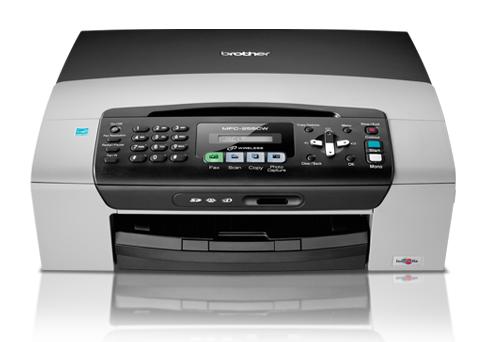
Brother MFC-255CW Ink Cartridges
The following10 products are guaranteed to work in your Brother MFC-255CW printer:
10 products
Sets of ink cartridges for Brother MFC-255CW printer:
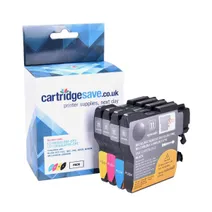
- 1x300pages
- 1x260pages
- 1x260pages
- 1x260pages
Next-day delivery when you order before 5:15pm
Save £12.26 compared to Brother
- Contains
LC-980BK, LC-980C, LC-980M, LC-980Y
Next-day delivery when you order before 5:15pm
Save £12.26 compared to Brother
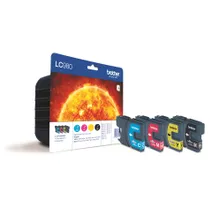
- 1x300pages
- 1x260pages
- 1x260pages
- 1x260pages
FREE next-day delivery when you order before 5:15pm
- Lowest online price guarantee
FREE next-day delivery when you order before 5:15pm
Black ink cartridges for Brother MFC-255CW printer:
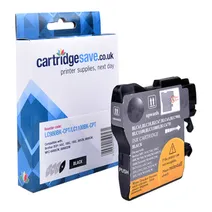
- 1x300pages
Next-day delivery when you order before 5:15pm
Save £4.49 compared to Brother
Next-day delivery when you order before 5:15pm
Save £4.49 compared to Brother
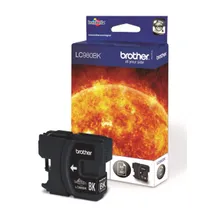
- 1x300pages
Next-day delivery when you order before 5:15pm
- Lowest online price guarantee
Next-day delivery when you order before 5:15pm
Cyan ink cartridges for Brother MFC-255CW printer:
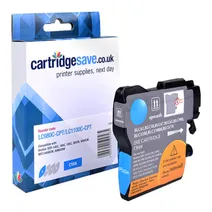
- 1x260pages
Next-day delivery when you order before 5:15pm
Save £2.88 compared to Brother
Next-day delivery when you order before 5:15pm
Save £2.88 compared to Brother
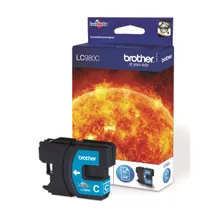
- 1x260pages
Next-day delivery when you order before 4:15pm
- Lowest online price guarantee
Next-day delivery when you order before 4:15pm
Magenta ink cartridges for Brother MFC-255CW printer:
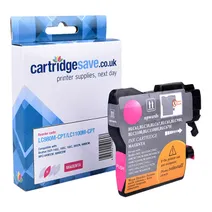
- 1x260pages
Next-day delivery when you order before 5:15pm
Save £2.88 compared to Brother
Next-day delivery when you order before 5:15pm
Save £2.88 compared to Brother
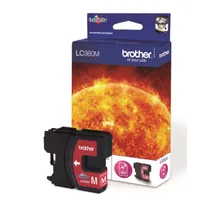
- 1x260pages
Next-day delivery when you order before 5:15pm
- Lowest online price guarantee
Next-day delivery when you order before 5:15pm
Yellow ink cartridges for Brother MFC-255CW printer:
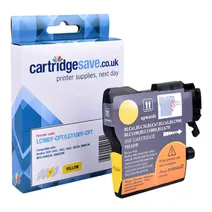
- 1x260pages
Next-day delivery when you order before 5:15pm
Save £2.88 compared to Brother
Next-day delivery when you order before 5:15pm
Save £2.88 compared to Brother

- 1x260pages
Next-day delivery when you order before 5:15pm
- Lowest online price guarantee
Next-day delivery when you order before 5:15pm
What ink does the Brother MFC-255CW use?
The Brother MFC-255CW uses Brother LC-980VALBRF ink cartridges. Brother LC-980VALBRF ink comes in black and multicolour; the black cartridge prints 300 pages, the multicolour cartridge prints 260 pages.
Brother MFC-255CW Printer Review
Expert review of the Brother MFC-255CW printer
'%20/%3e%3cpath%20d='M%205.454545454545455,0.6060606060606061,1.8181818181818181,12.000000000000002,10.90909090909091,4.7272727272727275,0,4.7272727272727275,9.090909090909092,12.000000000000002z'%20fill='%23d8d8d8'%20transform='translate(24,0)'%20/%3e%3cpath%20d='M%205.454545454545455,0.6060606060606061,1.8181818181818181,12.000000000000002,10.90909090909091,4.7272727272727275,0,4.7272727272727275,9.090909090909092,12.000000000000002z'%20fill='%23d8d8d8'%20transform='translate(36,0)'%20/%3e%3cpath%20d='M%205.454545454545455,0.6060606060606061,1.8181818181818181,12.000000000000002,10.90909090909091,4.7272727272727275,0,4.7272727272727275,9.090909090909092,12.000000000000002z'%20fill='%23d8d8d8'%20transform='translate(48,0)'%20/%3e%3c/svg%3e)
'%20/%3e%3cpath%20d='M%205.454545454545455,0.6060606060606061,1.8181818181818181,12.000000000000002,10.90909090909091,4.7272727272727275,0,4.7272727272727275,9.090909090909092,12.000000000000002z'%20fill='%23edd400'%20transform='translate(24,0)'%20/%3e%3cpath%20d='M%205.454545454545455,0.6060606060606061,1.8181818181818181,12.000000000000002,10.90909090909091,4.7272727272727275,0,4.7272727272727275,9.090909090909092,12.000000000000002z'%20fill='%23edd400'%20transform='translate(36,0)'%20/%3e%3cpath%20d='M%205.454545454545455,0.6060606060606061,1.8181818181818181,12.000000000000002,10.90909090909091,4.7272727272727275,0,4.7272727272727275,9.090909090909092,12.000000000000002z'%20fill='%23edd400'%20transform='translate(48,0)'%20/%3e%3c/svg%3e)
The Brother MFC-255CW inkjet printer is a steal with its excellent features. The MFC-255CW all-in-one printer has a low initial cost and boasts printing, faxing, scanning, and copying capabilities, plus built-in Wi-Fi. Print and photo quality are excellent. What’s more, the Brother MFC255CW is easy to set up. The only trouble is that the Brother MFC-255CW colour printer has slow printing speed and it takes a long time for it to warm up.
Design
The Brother MFC-255CW wireless colour inkjet all-in-one with fax is a compact and neat printer. Meanwhile, the MFC255CW has a flatbed scanner on top and an inkjet printer at the bottom. The control panel is easy to use and features a numeric keypad and a monochrome LCD display. A built-in media card reader is available. For connectivity, the Brother MFC 255CW inkjet printer has Wi-Fi and USB. The MFC255CW multifunction printer has a monthly duty cycle of 2,500 pages.
Advantages
It is easy to share the Brother MFC 255CW all-in-one with small workgroups thanks to its built-in Wi-Fi. Printing photos is a breeze; users don’t even have to turn on the computers thanks to the media card reader. Standalone fax and copier are also available. Printing from tablets and phones like the iPad and iPhone is possible. Users can expect excellent quality on text documents, graphics, and photos. The Brother MFC-255CW printer is cheap especially when compared to other all-in-ones.
Disadvantages
Warm-up time is a bit long and the print speed of the Brother MFC-255CW is poor. The MFC255CW wireless multifunction printer could have been better if it had a PictBridge socket and a colour LCD.