- Ink Cartridges
- Canon Ink Cartridges
- Pixma MG3550 Ink Cartridges
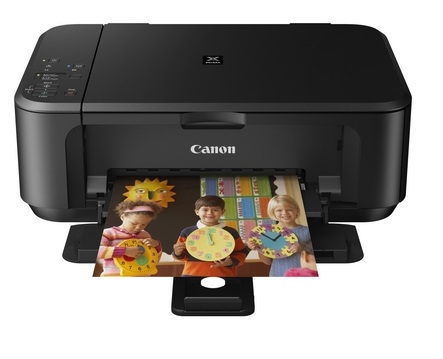
Canon Pixma MG3550 Ink Cartridges
The following13 products are guaranteed to work in your Canon Pixma MG3550 printer:
13 products
Sets of ink cartridges for Canon Pixma MG3550 printer:
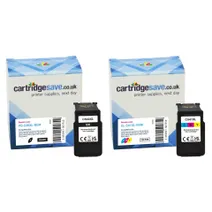
- 1x600pages
- 1x400pages
FREE next-day delivery when you order before 5:15pm
Save £10.93 compared to Canon
- Contains
PG-540XL, CL-541XL
FREE next-day delivery when you order before 5:15pm
Save £10.93 compared to Canon
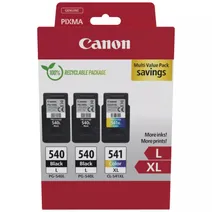
- 2x300pages
- 1x400pages
FREE next-day delivery when you order before 5:15pm
- Contains
PG-540L, CL-541XL
- Lowest online price guarantee
FREE next-day delivery when you order before 5:15pm
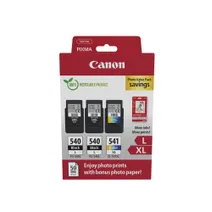
- 2x300pages
- 1x400pages
FREE next-day delivery when you order before 5:15pm
- Contains
PG-540L, CL-541XL, Paper (50 sheets)
- Lowest online price guarantee
FREE next-day delivery when you order before 5:15pm
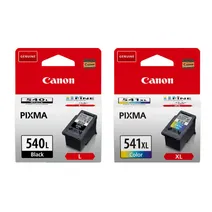
- 1x300pages
- 1x400pages
FREE next-day delivery when you order before 5:15pm
- Contains
PG540L, CL541XL
- Lowest online price guarantee
FREE next-day delivery when you order before 5:15pm
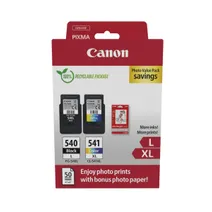
- 1x300pages
- 1x400pages
FREE next-day delivery when you order before 5:15pm
- Contains
PG-540L, CL-541XL, Photo Paper
- Lowest online price guarantee
FREE next-day delivery when you order before 5:15pm
- 1x180pages
- 1x180pages
FREE next-day delivery when you order before 5:15pm
- Lowest online price guarantee
FREE next-day delivery when you order before 5:15pm
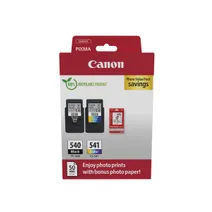
- 1x180pages
- 1x180pages
FREE next-day delivery when you order before 5:15pm
- Contains
PG-540, CL-541, Glossy photo paper (50 sheets)
- Lowest online price guarantee
FREE next-day delivery when you order before 5:15pm
Black ink cartridges for Canon Pixma MG3550 printer:
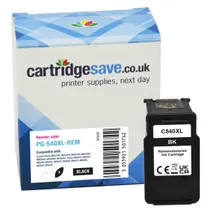
- 1x600pages
Next-day delivery when you order before 5:15pm
Save £5.21 compared to Canon
Next-day delivery when you order before 5:15pm
Save £5.21 compared to Canon
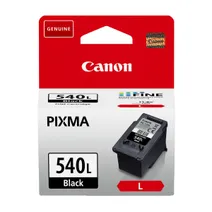
- 1x300pages
Next-day delivery when you order before 5:15pm
- Lowest online price guarantee
Next-day delivery when you order before 5:15pm
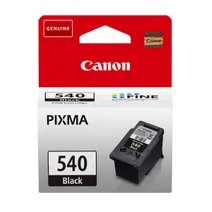
- 1x180pages
Next-day delivery when you order before 5:15pm
- Lowest online price guarantee
Next-day delivery when you order before 5:15pm
Colour ink cartridges for Canon Pixma MG3550 printer:
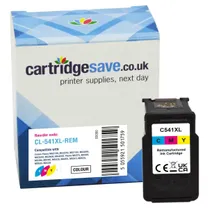
- 1x400pages
Next-day delivery when you order before 5:15pm
Save £5.78 compared to Canon
Next-day delivery when you order before 5:15pm
Save £5.78 compared to Canon
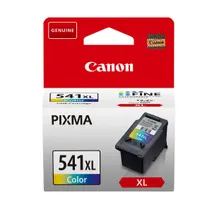
- 1x400pages
Next-day delivery when you order before 5:15pm
- Lowest online price guarantee
Next-day delivery when you order before 5:15pm

- 1x180pages
Next-day delivery when you order before 5:15pm
- Lowest online price guarantee
Next-day delivery when you order before 5:15pm
What ink does the Canon Pixma MG3550 use?
The Canon Pixma MG3550 uses Canon CL-541 ink cartridges. Canon CL-541 ink comes in tri-colour; the tri-colour cartridge prints 180 pages.
Canon Pixma MG3550 Printer Review
Expert review of the Canon Pixma MG3550 printer
'%20/%3e%3cpath%20d='M%205.454545454545455,0.6060606060606061,1.8181818181818181,12.000000000000002,10.90909090909091,4.7272727272727275,0,4.7272727272727275,9.090909090909092,12.000000000000002z'%20fill='%23d8d8d8'%20transform='translate(24,0)'%20/%3e%3cpath%20d='M%205.454545454545455,0.6060606060606061,1.8181818181818181,12.000000000000002,10.90909090909091,4.7272727272727275,0,4.7272727272727275,9.090909090909092,12.000000000000002z'%20fill='%23d8d8d8'%20transform='translate(36,0)'%20/%3e%3cpath%20d='M%205.454545454545455,0.6060606060606061,1.8181818181818181,12.000000000000002,10.90909090909091,4.7272727272727275,0,4.7272727272727275,9.090909090909092,12.000000000000002z'%20fill='%23d8d8d8'%20transform='translate(48,0)'%20/%3e%3c/svg%3e)
'%20/%3e%3cpath%20d='M%205.454545454545455,0.6060606060606061,1.8181818181818181,12.000000000000002,10.90909090909091,4.7272727272727275,0,4.7272727272727275,9.090909090909092,12.000000000000002z'%20fill='%23edd400'%20transform='translate(24,0)'%20/%3e%3cpath%20d='M%205.454545454545455,0.6060606060606061,1.8181818181818181,12.000000000000002,10.90909090909091,4.7272727272727275,0,4.7272727272727275,9.090909090909092,12.000000000000002z'%20fill='%23edd400'%20transform='translate(36,0)'%20/%3e%3cpath%20d='M%205.454545454545455,0.6060606060606061,1.8181818181818181,12.000000000000002,10.90909090909091,4.7272727272727275,0,4.7272727272727275,9.090909090909092,12.000000000000002z'%20fill='%23edd400'%20transform='translate(48,0)'%20/%3e%3c/svg%3e)
Offering print, copy, and scan functionality, the Canon Pixma MG3550 all-in-one colour printer is a versatile choice for modern homes and offices that would like an all-in-one device to simplify their document and image production needs. Wi-Fi connectivity and direct printing capabilities make the Canon Pixma MG3550 inkjet photo printer quite versatile. However, the Canon Pixma MG3550 Wi-Fi all-in-one printer with easy mobile printing features lacks a display screen.
Design
The Canon Pixma MG3550 photo printer comes in a sleek and sophisticated design with a matte plastic frame that measures 449mm wide, 152mm tall, and 304mm deep, and weighs 5.4Kg. Its main interfaces are high-speed USB B port and Wi-Fi. Paper is loaded in front and the tray's capacity is up to 100 sheets of plain paper. The CIS flatbed scanner can handle A4-sized documents and photos. The operator panel is simplified with well-labelled buttons.
Advantages
For its class, the Canon Pixma MG3550 prints fast at up to 9.9ppm in monochrome and 5.7ppm in colour. Built-in Wi-Fi helps save time when printing from smartphones and tablets using the Canon Pixma MG3550 Wi-Fi all-in-one. Results are produced in smooth and sharp detail because of the 4800x1200dpi print resolution. The Canon MG3550 inkjet printer supports borderless and automatic two-sided printing, as well as the PIXMA printing solutions app, Apple AirPrint, and Google Cloud Print. High yield Canon MG3550 cartridges make the device more affordable to run.
Disadvantages
Because the MG-3550 colour inkjet printer uses a tri-colour cartridge, printing costs can get expensive in the long run. The Pixma MG3550 all-in-one inkjet is heavy and bulky, so it is difficult to transport and set up within a limited workspace. There are no additional options to expand the paper capacity of the Canon MG-3550 multifunction printer. There is also no LCD screen.