- Ink Cartridges
- Canon Ink Cartridges
- Pixma MX340 Ink Cartridges
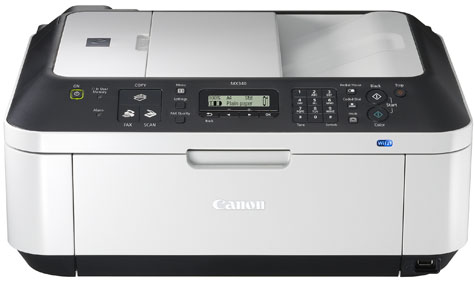
Canon Pixma MX340 Ink Cartridges
The following11 products are guaranteed to work in your Canon Pixma MX340 printer:
11 products
Sets of ink cartridges for Canon Pixma MX340 printer:
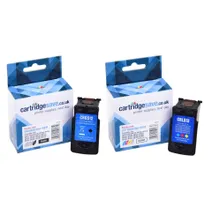
- 1x401pages
- 1x349pages
FREE delivery
Save £10.72 compared to Canon
- Contains
2969B001AA, 2971B001AA
FREE delivery
Save £10.72 compared to Canon
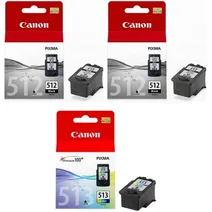
- 1x401pages
- 1x401pages
- 1x349pages
FREE delivery
- Contains
2969B001AA (x 2), 2971B001AA
- Lowest online price guarantee
FREE delivery
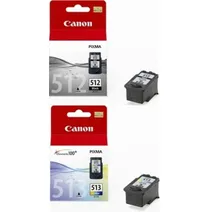
- 1x401pages
- 1x349pages
FREE delivery
- Contains
2969B001AA, 2971B001AA
- Lowest online price guarantee
FREE delivery
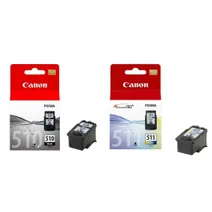
- 1x220pages
- 1x224pages
FREE delivery
- Contains
2970B001AA, 2972B001AA
- Lowest online price guarantee
FREE delivery
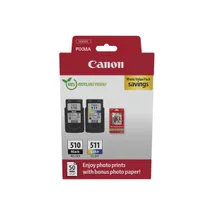
- 1x220pages
- 1x220pages
FREE delivery
- Contains
PG-510 & CL-511, Photo paper (50 sheets)
- Lowest online price guarantee
FREE delivery
Black ink cartridges for Canon Pixma MX340 printer:
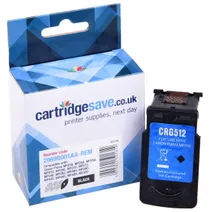
- 1x401pages
Shipped next working-day
Save £4.91 compared to Canon
Shipped next working-day
Save £4.91 compared to Canon
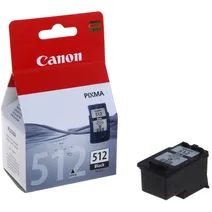
- 1x401pages
Shipped next working-day
- Lowest online price guarantee
Shipped next working-day
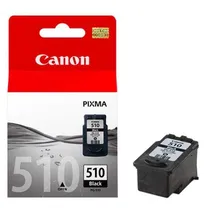
- 1x220pages
Shipped next working-day
- Lowest online price guarantee
Shipped next working-day
Colour ink cartridges for Canon Pixma MX340 printer:
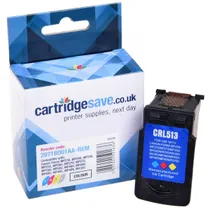
- 1x349pages
Shipped next working-day
Save £5.87 compared to Canon
Shipped next working-day
Save £5.87 compared to Canon
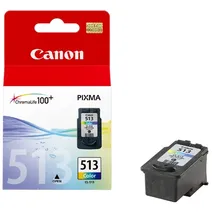
- 1x349pages
Shipped next working-day
- Lowest online price guarantee
Shipped next working-day
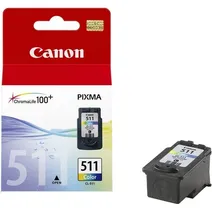
- 1x244pages
Shipped next working-day
- Lowest online price guarantee
Shipped next working-day
You can get the most competitive deals on the internet on Canon MX340 cartridges here on Cartridge Save. Ordering MX-340 cartridges only takes a handful of minutes, which is nothing if you compare it to the task of speaking to every high street store there is in your community for your supplies. We've carried out the background work so that you can find the whole number of ink cartridges known to be compatible to use in the MX 340 inkjet printer.
Free Delivery On Orders Over £30
Buy compatible and / or genuine Canon inkjet cartridges today with us and you'll also save with the inclusion of free next day delivery on orders over £30. To show extra evidence that we'll not deal in anything but quality inks, every one of them includes our comprehensive cash-back guarantee - should you develop difficulties then just send the printer cartridge back to our address and we will promptly refund your money.
What ink does the Canon Pixma MX340 use?
The Canon Pixma MX340 uses Canon 2969B001AA ink cartridges. Canon 2969B001AA ink comes in black; the black cartridge prints 401 pages.
Canon Pixma MX340 Printer Review
Expert review of the Canon Pixma MX340 printer
'%20/%3e%3cpath%20d='M%205.454545454545455,0.6060606060606061,1.8181818181818181,12.000000000000002,10.90909090909091,4.7272727272727275,0,4.7272727272727275,9.090909090909092,12.000000000000002z'%20fill='%23d8d8d8'%20transform='translate(24,0)'%20/%3e%3cpath%20d='M%205.454545454545455,0.6060606060606061,1.8181818181818181,12.000000000000002,10.90909090909091,4.7272727272727275,0,4.7272727272727275,9.090909090909092,12.000000000000002z'%20fill='%23d8d8d8'%20transform='translate(36,0)'%20/%3e%3cpath%20d='M%205.454545454545455,0.6060606060606061,1.8181818181818181,12.000000000000002,10.90909090909091,4.7272727272727275,0,4.7272727272727275,9.090909090909092,12.000000000000002z'%20fill='%23d8d8d8'%20transform='translate(48,0)'%20/%3e%3c/svg%3e)
'%20/%3e%3cpath%20d='M%205.454545454545455,0.6060606060606061,1.8181818181818181,12.000000000000002,10.90909090909091,4.7272727272727275,0,4.7272727272727275,9.090909090909092,12.000000000000002z'%20fill='%23edd400'%20transform='translate(24,0)'%20/%3e%3cpath%20d='M%205.454545454545455,0.6060606060606061,1.8181818181818181,12.000000000000002,10.90909090909091,4.7272727272727275,0,4.7272727272727275,9.090909090909092,12.000000000000002z'%20fill='%23edd400'%20transform='translate(36,0)'%20/%3e%3cpath%20d='M%205.454545454545455,0.6060606060606061,1.8181818181818181,12.000000000000002,10.90909090909091,4.7272727272727275,0,4.7272727272727275,9.090909090909092,12.000000000000002z'%20fill='%23edd400'%20transform='translate(48,0)'%20/%3e%3c/svg%3e)
The ability to print from a variety of devices whether wired or wirelessly makes the Canon Pixma MX340 an efficient multifunction printer aimed at small office and personal use. It offers decent print speeds and god copying, scanning, and faxing capabilities. However, the Pixma MX340 is a bit bulky, making it unsuitable for those seeking a more compact and lightweight device.
Design
Weighing 19 lbs and being 16.4 inches in diameter and 18.1 inches wide, the Canon Pixma MX340 looks like a compact box with a scanner, printer, and a 33.6 Kbps fax machine. It uses a 4-ink Canon FINE inkjet technology for more vivid-colour prints. The scanner's resolution can be interpolated to 19200x19200dpi, while the printer's maximum resolution is 4800x1200 dpi in colour and 600x600 in monochrome.
Advantages
The Canon Pixma MX340 is inexpensive and easy to set-up. It boasts wireless capabilities, including PictBridge and Canon Direct Print features, so you can print directly from your device without physically connecting the printer to your computer. It also compatible with IEEE 802.11g and supports high-speed USB connectivity. What's more, it is compatible with Windows 7 and Mac OS X 10.6x.
Disadvantages
Replacement black inks used by the Canon Pixma MX340 are rather pricey. When scanning colour documents or pictures, the output may look a little darker than the original, so you may need to manually adjust the settings using your desired graphics editing program. The Canon Pixma MX340's speed is still slow at 8.4ppm in monochrome and 4.8 ppm in colour at maximum. Copy speed is just as sluggish – a maximum of 3.4ppm in colour.