- Ink Cartridges
- Canon Ink Cartridges
- Pixma MX455 Ink Cartridges
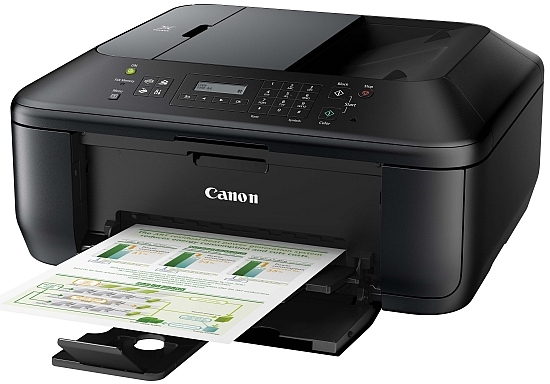
Canon Pixma MX455 Ink Cartridges
The following13 products are guaranteed to work in your Canon Pixma MX455 printer:
13 products
Sets of ink cartridges for Canon Pixma MX455 printer:
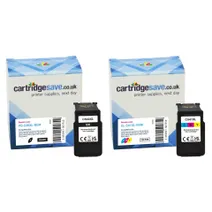
- 1x600pages
- 1x400pages
Next-day delivery when you order before 5:15pm
Save £15.08 compared to Canon
- Contains
PG-540XL, CL-541XL
Next-day delivery when you order before 5:15pm
Save £15.08 compared to Canon
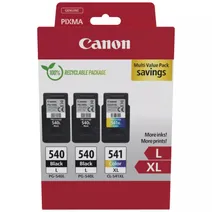
- 2x300pages
- 1x400pages
FREE next-day delivery when you order before 5:15pm
- Contains
PG-540L, CL-541XL
- Lowest online price guarantee
FREE next-day delivery when you order before 5:15pm
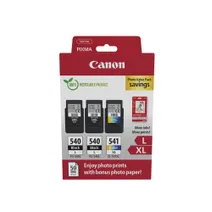
- 2x300pages
- 1x400pages
FREE next-day delivery when you order before 5:15pm
- Contains
PG-540L, CL-541XL, Paper (50 sheets)
- Lowest online price guarantee
FREE next-day delivery when you order before 5:15pm
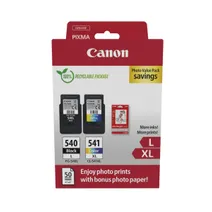
- 1x300pages
- 1x400pages
FREE next-day delivery when you order before 5:15pm
- Contains
PG-540L, CL-541XL, Photo Paper
- Lowest online price guarantee
FREE next-day delivery when you order before 5:15pm
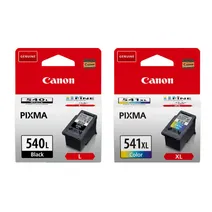
- 1x300pages
- 1x400pages
FREE next-day delivery when you order before 5:15pm
- Contains
PG540L, CL541XL
- Lowest online price guarantee
FREE next-day delivery when you order before 5:15pm
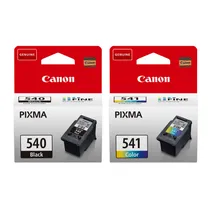
- 1x180pages
- 1x180pages
FREE next-day delivery when you order before 5:15pm
- Lowest online price guarantee
FREE next-day delivery when you order before 5:15pm
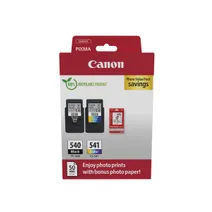
- 1x180pages
- 1x180pages
FREE next-day delivery when you order before 5:15pm
- Contains
PG-540, CL-541, Glossy photo paper (50 sheets)
- Lowest online price guarantee
FREE next-day delivery when you order before 5:15pm
Black ink cartridges for Canon Pixma MX455 printer:
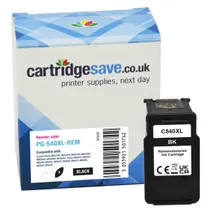
- 1x600pages
Next-day delivery when you order before 5:15pm
Save £9.01 compared to Canon
Next-day delivery when you order before 5:15pm
Save £9.01 compared to Canon
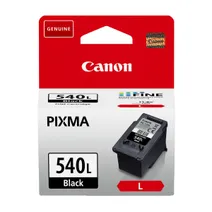
- 1x300pages
Next-day delivery when you order before 5:15pm
- Lowest online price guarantee
Next-day delivery when you order before 5:15pm
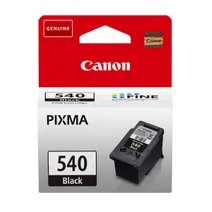
- 1x180pages
Next-day delivery when you order before 5:15pm
- Lowest online price guarantee
Next-day delivery when you order before 5:15pm
Colour ink cartridges for Canon Pixma MX455 printer:
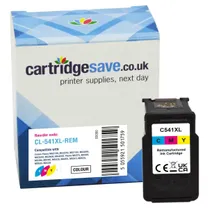
- 1x400pages
Next-day delivery when you order before 5:15pm
Save £6.02 compared to Canon
Next-day delivery when you order before 5:15pm
Save £6.02 compared to Canon
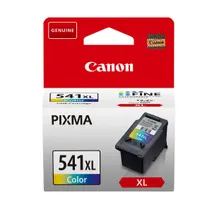
- 1x400pages
Next-day delivery when you order before 5:15pm
- Lowest online price guarantee
Next-day delivery when you order before 5:15pm

- 1x180pages
Next-day delivery when you order before 5:15pm
- Lowest online price guarantee
Next-day delivery when you order before 5:15pm
What ink does the Canon Pixma MX455 use?
The Canon Pixma MX455 uses Canon CL-541 ink cartridges. Canon CL-541 ink comes in tri-colour; the tri-colour cartridge prints 180 pages.
Canon Pixma MX455 Printer Review
Expert review of the Canon Pixma MX455 printer
'%20/%3e%3cpath%20d='M%205.454545454545455,0.6060606060606061,1.8181818181818181,12.000000000000002,10.90909090909091,4.7272727272727275,0,4.7272727272727275,9.090909090909092,12.000000000000002z'%20fill='%23d8d8d8'%20transform='translate(24,0)'%20/%3e%3cpath%20d='M%205.454545454545455,0.6060606060606061,1.8181818181818181,12.000000000000002,10.90909090909091,4.7272727272727275,0,4.7272727272727275,9.090909090909092,12.000000000000002z'%20fill='%23d8d8d8'%20transform='translate(36,0)'%20/%3e%3cpath%20d='M%205.454545454545455,0.6060606060606061,1.8181818181818181,12.000000000000002,10.90909090909091,4.7272727272727275,0,4.7272727272727275,9.090909090909092,12.000000000000002z'%20fill='%23d8d8d8'%20transform='translate(48,0)'%20/%3e%3c/svg%3e)
'%20/%3e%3cpath%20d='M%205.454545454545455,0.6060606060606061,1.8181818181818181,12.000000000000002,10.90909090909091,4.7272727272727275,0,4.7272727272727275,9.090909090909092,12.000000000000002z'%20fill='%23edd400'%20transform='translate(24,0)'%20/%3e%3cpath%20d='M%205.454545454545455,0.6060606060606061,1.8181818181818181,12.000000000000002,10.90909090909091,4.7272727272727275,0,4.7272727272727275,9.090909090909092,12.000000000000002z'%20fill='%23edd400'%20transform='translate(36,0)'%20/%3e%3cpath%20d='M%205.454545454545455,0.6060606060606061,1.8181818181818181,12.000000000000002,10.90909090909091,4.7272727272727275,0,4.7272727272727275,9.090909090909092,12.000000000000002z'%20fill='%23edd400'%20transform='translate(48,0)'%20/%3e%3c/svg%3e)
This is a stylish multifunction printer with solutions to make it easier to print directly from mobile/portable devices. It is compact and reasonably fast for a small office, but it may be lacking for workgroups that are looking to expand. Regardless, users will enjoy the built-in Wi-Fi feature of the Canon PIXMA MX455.
Design
This is an 8.4Kg machine box-like device with a compact frame that measures 200mm tall, 385mm deep, and 258mm wide. The Canon PIXMA MX455 may physically resemble its predecessor, but it boasts additional interfaces like Wi-Fi, Bluetooth, and a USB host port. The control panel includes a small LCD screen you are unable to preview images on this before printing. Paper handling is via a 30-sheet automatic document feeder which leads to a 100-sheet front tray. The PIXMA MX455 has a digital colour photocopier, flatbed scanner, and a 33.6Kbps fax machine that can function without PC connectivity.
Advantages
The key features of the Canon PIXMA MX455 include high quality FINE cartridges with available XL options, Wi-Fi, and the automatic document feeder for faxing, copying, and scanning. Users can print directly from a tablet, USB memory stick, or smartphone, and it supports Apple AirPrint and Cloud printing plus a free android app is available for printing from devices using this operating system. The high 4800di resolution ensures very vibrant and sharper output printed in speeds of up to 5.5 pages per minute in colour and just under ten pages per minute in monochrome. Borderless printing is also supported by the Canon MX-455.
Disadvantages
The paper capacity of the Canon PIXMA MX455 cannot be expanded. The fax feature does not include a handset or coded dialling. Users cannot scan films. There is no two-sided printing feature. It would be useful to have the ability to use a USB drive directly and have a larger screen to select and print images directly. The Canon PIXMA MX455 cannot print directly from standard digital cameras although smart cameras will be able to use the wireless features.