- Ink Cartridges
- Epson Ink Cartridges
- Stylus Pro 4900 Ink Cartridges

Epson Stylus Pro 4900 Ink Cartridges
The following10 products are guaranteed to work in your Epson Stylus Pro 4900 printer:
10 products
Sets of ink cartridges for Epson Stylus Pro 4900 printer:
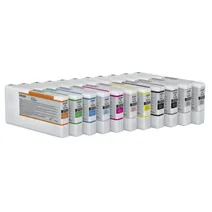
- 1x200ml
- 1x200ml
- 1x200ml
- 1x200ml
- 1x200ml
- 1x200ml
- 1x200ml
- 1x200ml
- 1x200ml
- 1x200ml
- 1x200ml
Out of stock
- Contains
T6531, T6532, T6533, T6534, T6535, T6536, T6537, T6538, T6539, T653A, T653B
- Lowest online price guarantee
Out of stock
Matte black ink cartridges for Epson Stylus Pro 4900 printer:
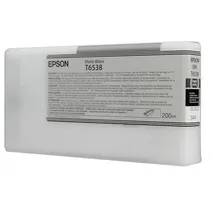
- 1x200ml
Out of stock
- Lowest online price guarantee
Out of stock
Photo black ink cartridges for Epson Stylus Pro 4900 printer:
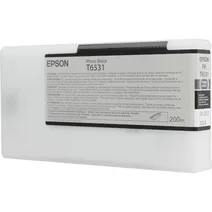
- 1x200ml
FREE next-day delivery when you order before 4:15pm
- Lowest online price guarantee
FREE next-day delivery when you order before 4:15pm
Cyan ink cartridges for Epson Stylus Pro 4900 printer:
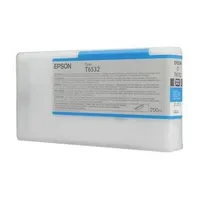
- 1x200ml
FREE next-day delivery when you order before 4:15pm
- Lowest online price guarantee
FREE next-day delivery when you order before 4:15pm
Light cyan ink cartridges for Epson Stylus Pro 4900 printer:
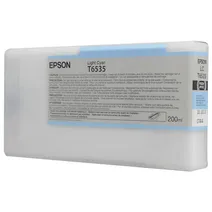
- 1x200ml
FREE next-day delivery when you order before 4:15pm
- Lowest online price guarantee
FREE next-day delivery when you order before 4:15pm
Magenta ink cartridges for Epson Stylus Pro 4900 printer:
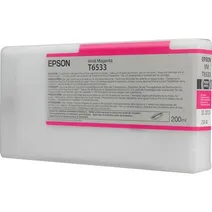
- 1x200ml
FREE next-day delivery when you order before 4:15pm
- Lowest online price guarantee
FREE next-day delivery when you order before 4:15pm
Light magenta ink cartridges for Epson Stylus Pro 4900 printer:
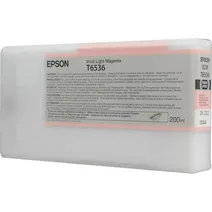
- 1x200ml
FREE next-day delivery when you order before 4:15pm
- Lowest online price guarantee
FREE next-day delivery when you order before 4:15pm
Yellow ink cartridges for Epson Stylus Pro 4900 printer:
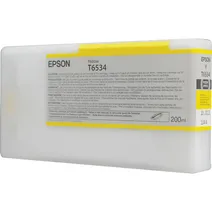
- 1x200ml
FREE next-day delivery when you order before 4:15pm
- Lowest online price guarantee
FREE next-day delivery when you order before 4:15pm
Green ink cartridges for Epson Stylus Pro 4900 printer:
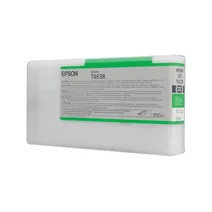
- 1x200ml
Out of stock
- Lowest online price guarantee
Out of stock
Orange ink cartridges for Epson Stylus Pro 4900 printer:
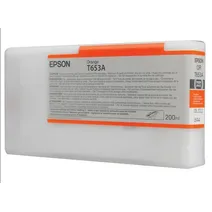
- 1x200ml
Out of stock
- Lowest online price guarantee
Out of stock
Light black ink cartridges for Epson Stylus Pro 4900 printer:
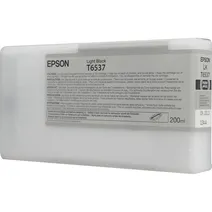
- 1x200ml
FREE next-day delivery when you order before 4:15pm
- Lowest online price guarantee
FREE next-day delivery when you order before 4:15pm
Light light black ink cartridges for Epson Stylus Pro 4900 printer:
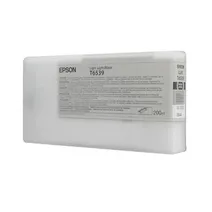
- 1x200ml
FREE next-day delivery when you order before 4:15pm
- Lowest online price guarantee
FREE next-day delivery when you order before 4:15pm
Maintenance items for Epson Stylus Pro 4900 printer:
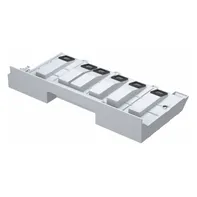
- 35000pages
Next-day delivery when you order before 4:15pm
- Lowest online price guarantee
Next-day delivery when you order before 4:15pm
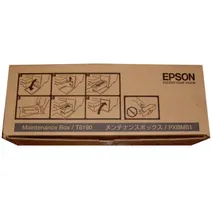
- 35000pages
Next-day delivery when you order before 5:15pm
- Lowest online price guarantee
Next-day delivery when you order before 5:15pm
Epson Stylus Pro 4900 Printer Review
Expert review of the Epson Stylus Pro 4900 printer
'%20/%3e%3cpath%20d='M%205.454545454545455,0.6060606060606061,1.8181818181818181,12.000000000000002,10.90909090909091,4.7272727272727275,0,4.7272727272727275,9.090909090909092,12.000000000000002z'%20fill='%23d8d8d8'%20transform='translate(24,0)'%20/%3e%3cpath%20d='M%205.454545454545455,0.6060606060606061,1.8181818181818181,12.000000000000002,10.90909090909091,4.7272727272727275,0,4.7272727272727275,9.090909090909092,12.000000000000002z'%20fill='%23d8d8d8'%20transform='translate(36,0)'%20/%3e%3cpath%20d='M%205.454545454545455,0.6060606060606061,1.8181818181818181,12.000000000000002,10.90909090909091,4.7272727272727275,0,4.7272727272727275,9.090909090909092,12.000000000000002z'%20fill='%23d8d8d8'%20transform='translate(48,0)'%20/%3e%3c/svg%3e)
'%20/%3e%3cpath%20d='M%205.454545454545455,0.6060606060606061,1.8181818181818181,12.000000000000002,10.90909090909091,4.7272727272727275,0,4.7272727272727275,9.090909090909092,12.000000000000002z'%20fill='%23edd400'%20transform='translate(24,0)'%20/%3e%3cpath%20d='M%205.454545454545455,0.6060606060606061,1.8181818181818181,12.000000000000002,10.90909090909091,4.7272727272727275,0,4.7272727272727275,9.090909090909092,12.000000000000002z'%20fill='%23edd400'%20transform='translate(36,0)'%20/%3e%3cpath%20d='M%205.454545454545455,0.6060606060606061,1.8181818181818181,12.000000000000002,10.90909090909091,4.7272727272727275,0,4.7272727272727275,9.090909090909092,12.000000000000002z'%20fill='%23edd400'%20transform='translate(48,0)'%20/%3e%3c/svg%3e)
The Epson Stylus Pro 4900 production printer is a good solution for in-house printing of marketing materials. This colour printer offers vibrant coloured output great for making professional prints and more. The Stylus Pro 4900 inkjet printer can handle a wide range of media including continuous rolls. Print resolution can go as high as 2880 x 1440 dpi and the Epson Stylus Pro 4900 large format colour printer uses Ultra Chrome HDR ink technology. Wi-Fi connectivity is not offered.
Design
The black and grey Epson Stylus Pro 4900 has a sleek design. It features a control panel with navigation and function buttons plus LCD display. For connectivity, USB and Ethernet ports are offered. The Epson Stylus Pro 4900 measures 863 x 766 x 405 mm and weighs 115 lbs. Print speed can go as fast as 59 seconds for media as large as 8 x 10 inches. For paper handling, the Epson 4900 Stylus Pro has a 250-sheet auto feeder. It is integrated with 256 MB of memory.
Advantages
Workgroups will have no trouble sharing the Epson Stylus Pro 4900 as it comes with standard Ethernet and it is compatible with Windows and Macintosh computers. This model is user-friendly and requires little maintenance. The 17-inch Epson Stylus Pro 4900 large format printer delivers good quality output and can even offer border-free printing on roll media. The Epson 4900 colour inkjet printer has automated colour accuracy with colour matching which is ideal when used for packaging, design, commercial photographs and fine arts reproduction. Eleven UltraChrome HDR inks are used in the Stylus Pro 4900 for a wide colour gamut.
Disadvantages
The Epson Stylus Pro 4900 printer could be better if it had a touchscreen display and if it offered memory card readers, a PictBridge port, or USB host for easy printing. It could also allow access to more users if it had Wi-Fi connectivity.