- Ink Cartridges
- HP Ink Cartridges
- Deskjet F2476 Ink Cartridges
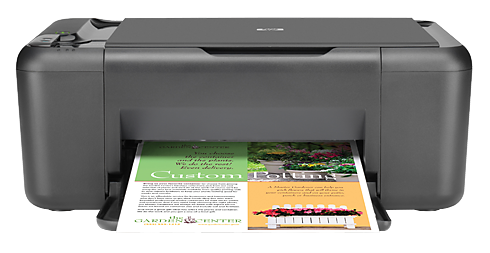
HP Deskjet F2476 Ink Cartridges
The following6 products are guaranteed to work in your HP Deskjet F2476 printer:
6 products
Sets of ink cartridges for HP Deskjet F2476 printer:
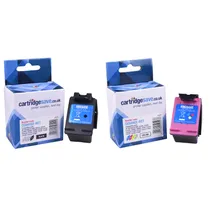
- 1x600pages
- 1x440pages
FREE next-day delivery when you order before 5:15pm
- Contains
CC641EE, CC644EE
FREE next-day delivery when you order before 5:15pm
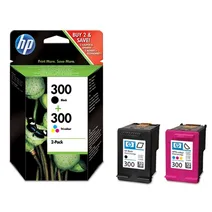
- 1x200pages
- 1x165pages
FREE next-day delivery when you order before 5:15pm
- Lowest online price guarantee
FREE next-day delivery when you order before 5:15pm
Black ink cartridges for HP Deskjet F2476 printer:
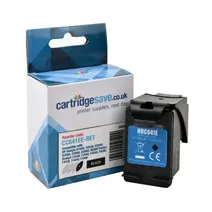
- 1x600pages
FREE next-day delivery when you order before 5:15pm
FREE next-day delivery when you order before 5:15pm
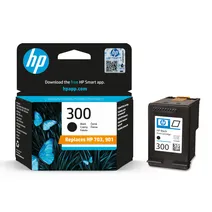
- 1x200pages
Next-day delivery when you order before 5:15pm
- Lowest online price guarantee
Next-day delivery when you order before 5:15pm
Colour ink cartridges for HP Deskjet F2476 printer:
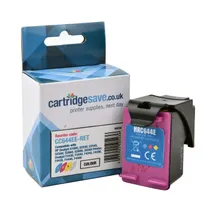
- 1x440pages
Next-day delivery when you order before 5:15pm
Next-day delivery when you order before 5:15pm
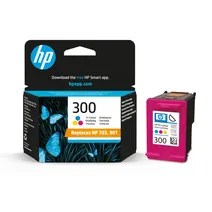
- 1x165pages
Next-day delivery when you order before 5:15pm
- Lowest online price guarantee
Next-day delivery when you order before 5:15pm
What ink does the HP Deskjet F2476 use?
The HP Deskjet F2476 uses HP 300 ink cartridges. HP 300 ink comes in black; the black cartridge prints 200 pages.
HP Deskjet F2476 Printer Review
Expert review of the HP Deskjet F2476 printer
'%20/%3e%3cpath%20d='M%205.454545454545455,0.6060606060606061,1.8181818181818181,12.000000000000002,10.90909090909091,4.7272727272727275,0,4.7272727272727275,9.090909090909092,12.000000000000002z'%20fill='%23d8d8d8'%20transform='translate(24,0)'%20/%3e%3cpath%20d='M%205.454545454545455,0.6060606060606061,1.8181818181818181,12.000000000000002,10.90909090909091,4.7272727272727275,0,4.7272727272727275,9.090909090909092,12.000000000000002z'%20fill='%23d8d8d8'%20transform='translate(36,0)'%20/%3e%3cpath%20d='M%205.454545454545455,0.6060606060606061,1.8181818181818181,12.000000000000002,10.90909090909091,4.7272727272727275,0,4.7272727272727275,9.090909090909092,12.000000000000002z'%20fill='%23d8d8d8'%20transform='translate(48,0)'%20/%3e%3c/svg%3e)
'%20/%3e%3cpath%20d='M%205.454545454545455,0.6060606060606061,1.8181818181818181,12.000000000000002,10.90909090909091,4.7272727272727275,0,4.7272727272727275,9.090909090909092,12.000000000000002z'%20fill='%23edd400'%20transform='translate(24,0)'%20/%3e%3cpath%20d='M%205.454545454545455,0.6060606060606061,1.8181818181818181,12.000000000000002,10.90909090909091,4.7272727272727275,0,4.7272727272727275,9.090909090909092,12.000000000000002z'%20fill='%23edd400'%20transform='translate(36,0)'%20/%3e%3cpath%20d='M%205.454545454545455,0.6060606060606061,1.8181818181818181,12.000000000000002,10.90909090909091,4.7272727272727275,0,4.7272727272727275,9.090909090909092,12.000000000000002z'%20fill='%23edd400'%20transform='translate(48,0)'%20/%3e%3c/svg%3e)
The HP Deskjet F2476 is a powerful all-in-one printer for office or home use, built like a tank and able to supply all the usual printing, scanning and copying needs associated with a small startup business or equivalent. Easy to manage using a series of one-touch buttons and simple to get up and running straight out of the box, the HP Deskjet F2476 delivers HP reliability at an affordable price and has an energy star rating of 2 to boot. Reliability and value for money are two of the main selling points of this machine, and it will quickly prove its worth in a busy office setting.
Design
With a scan resolution of 1200x2400 dpi and enhanced scan resolution of 19200 dpi, the HP Deskjet F2476 produces excellent scans of images and documents at the touch of a button. The maximum print speed for colour is 16 ppm and 20 ppm for monochrome. HP replacement cartridges, as well as compatibles if these are preferred, are readily available. As well as photos, the printer can handle a variety of other media with ease, from labels and plain paper to envelopes and transparencies. The unit can be used with both Windows and Mac systems and can be connected via USB port.
Advantages
As a reliable all-rounder for printing off a range of materials commonly used in home and office setups, the HP Deskjet F2476 is ideal. It is simple to operate and highly adaptable, boasting sufficiently quick print speed and high quality resolution.
Disadvantages
The HP Deskjet F2476 unfortunately has no display unit to provide a visual interface for the user who wants to see print previews and suchlike, and its build might also be considered to be on the slightly bulky side if space is at a premium. This printer does not possess an automatic document feeder for copying or scanning, which can make this process tiresome.