- Ink Cartridges
- HP Ink Cartridges
- Deskjet F380 Ink Cartridges
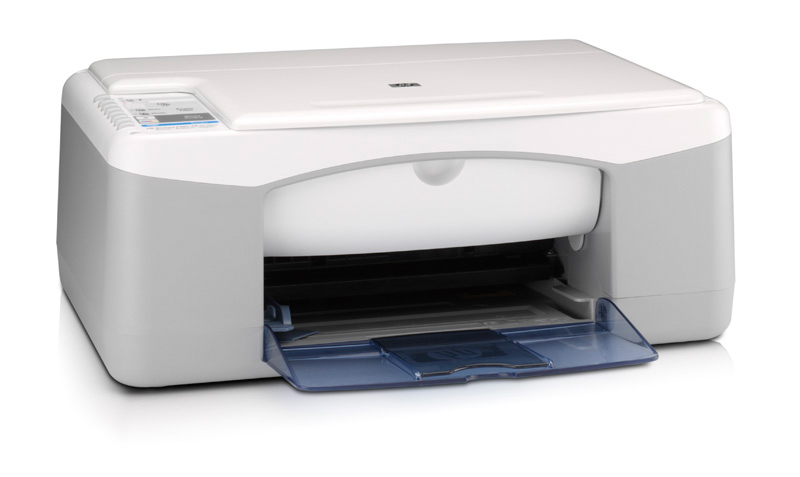
HP Deskjet F380 Ink Cartridges
The following4 products are guaranteed to work in your HP Deskjet F380 printer:
4 products
Sets of ink cartridges for HP Deskjet F380 printer:
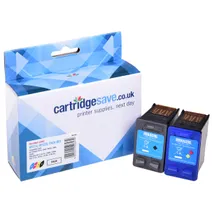
- 1x475pages
- 1x415pages
FREE next-day delivery when you order before 5:15pm
- Contains
C9351CE, C9352CE
FREE next-day delivery when you order before 5:15pm
Black ink cartridges for HP Deskjet F380 printer:
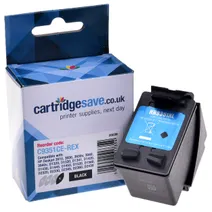
- 1x475pages
Next-day delivery when you order before 5:15pm
Next-day delivery when you order before 5:15pm
Colour ink cartridges for HP Deskjet F380 printer:
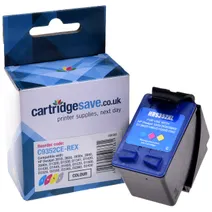
- 1x415pages
Next-day delivery when you order before 5:15pm
Next-day delivery when you order before 5:15pm
Photo colour ink cartridges for HP Deskjet F380 printer:
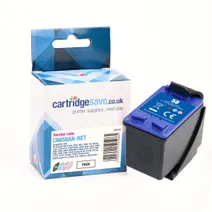
- 1x125photos (10 by 15cm)
Next-day delivery when you order before 5:15pm
Next-day delivery when you order before 5:15pm
Buy Cheap HP Deskjet F380 Ink Cartridges
Your HP Deskjet F380 is a great printer that's reliable and durable. You're probably pretty happy with it - that is, until your cartridge runs out. By now, you've trawled around to all of the office supply stores, the electronics discount stores, and the computer discount stores in town, only to find that they're more than willing to sell many things at a discount - just not HP F380 ink cartridges. There is good news for you, though. At Cartridge Save, you can buy cartridges for your HP Deskjet F380 on the cheap any day of the week!
Your One Stop For HP Deskjet F380 Ink
Ordering ink for your HP Deskjet F380 over the internet may seem risky, but don't worry. At Cartridge Save, we offer you a full, money back guarantee as standard. We have so much confidence in the quality of the build and the excellence of the prints you'll make with our HP F380 cartridges, that we offer you this money back guarantee.FREE shipping on orders over £30, and a money back guarantee: what are you waiting for? Order from Cartridge Save and start saving now!
What ink does the HP Deskjet F380 use?
The HP Deskjet F380 uses Cartridge Save 21XL ink cartridges. Cartridge Save 21XL ink comes in black; the black cartridge prints 475 pages.
HP Deskjet F380 Printer Review
Expert review of the HP Deskjet F380 printer
'%20/%3e%3cpath%20d='M%205.454545454545455,0.6060606060606061,1.8181818181818181,12.000000000000002,10.90909090909091,4.7272727272727275,0,4.7272727272727275,9.090909090909092,12.000000000000002z'%20fill='%23d8d8d8'%20transform='translate(24,0)'%20/%3e%3cpath%20d='M%205.454545454545455,0.6060606060606061,1.8181818181818181,12.000000000000002,10.90909090909091,4.7272727272727275,0,4.7272727272727275,9.090909090909092,12.000000000000002z'%20fill='%23d8d8d8'%20transform='translate(36,0)'%20/%3e%3cpath%20d='M%205.454545454545455,0.6060606060606061,1.8181818181818181,12.000000000000002,10.90909090909091,4.7272727272727275,0,4.7272727272727275,9.090909090909092,12.000000000000002z'%20fill='%23d8d8d8'%20transform='translate(48,0)'%20/%3e%3c/svg%3e)
'%20/%3e%3cpath%20d='M%205.454545454545455,0.6060606060606061,1.8181818181818181,12.000000000000002,10.90909090909091,4.7272727272727275,0,4.7272727272727275,9.090909090909092,12.000000000000002z'%20fill='%23edd400'%20transform='translate(24,0)'%20/%3e%3cpath%20d='M%205.454545454545455,0.6060606060606061,1.8181818181818181,12.000000000000002,10.90909090909091,4.7272727272727275,0,4.7272727272727275,9.090909090909092,12.000000000000002z'%20fill='%23edd400'%20transform='translate(36,0)'%20/%3e%3cpath%20d='M%205.454545454545455,0.6060606060606061,1.8181818181818181,12.000000000000002,10.90909090909091,4.7272727272727275,0,4.7272727272727275,9.090909090909092,12.000000000000002z'%20fill='%23edd400'%20transform='translate(48,0)'%20/%3e%3c/svg%3e)
The HP F380 inkjet printer is a budget multifunction inkjet printer designed for occasional home use. HP has combined a scanner, copier and printer into one compact device. Output quality isn't ground breaking and speeds can be sluggish at times, which is why this printer isn't ideal if you print in high volumes or want a professional photographic finish.
Design
Like other Deskjets in the range, the F380 is fairly standard in terms of design. Its frame is compact (17cm/43cm/26cm) and fits nicely in a home office setting. Unfortunately, the plastic shell feels flimsy and less substantial then some of HP's more expensive printers such as the OfficeJet range and the input and output tray is part of the same construction which makes refilling the tray in the middle of a print job awkward. Along the left of the printer sits a number of control buttons. You can use these to run copies, trigger the scanner and cancel print jobs. Disappointingly, the HP F380 doesn't come with PictBridge or memory card support and only connects to your computer through a single USB port.
Advantages
The F380 is an easy printer to use and maintain. Installation is simple and you can be up and running within minutes. Replacing the HP F380 ink cartridges is just as easy, simply open up the front panel and clip in the new ink cartridges and away you go. Print quality isn't bad for a budget all-in-one, text documents are fine but the printer does struggle somewhat with photographs and large colour graphics.
Disadvantages
One area that really brings the HP F380 down is the print speed. Even for a budget printer, the F380 is slow - expect around 8ppm for black and even less for colour documents. The scanner and copier also suffer from the same problem. The inclusion of memory card and network capability would have added much needed flexibility to the printer and may put off people who want to print from their camera or have more than a computer in their house.