- Ink Cartridges
- HP Ink Cartridges
- Officejet 250 Mobile All-in-One Ink Cartridges
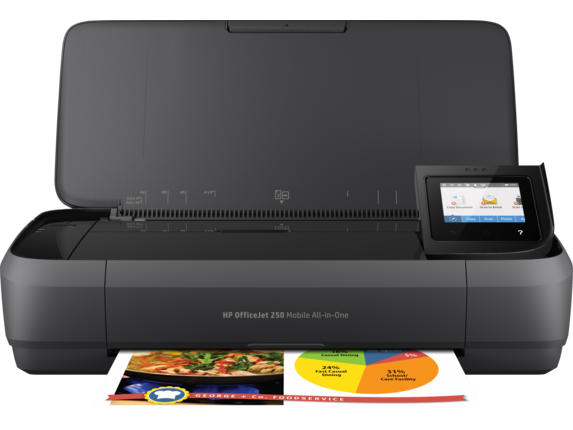
HP Officejet 250 Mobile All-in-One Ink Cartridges
The following11 products are guaranteed to work in your HP Officejet 250 Mobile All-in-One printer:
11 products
Sets of ink cartridges for HP Officejet 250 Mobile All-in-One printer:
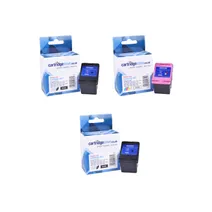
- 1x600pages
- 1x600pages
- 1x415pages
FREE next-day delivery when you order before 5:15pm
Save £51.16 compared to HP
FREE next-day delivery when you order before 5:15pm
Save £51.16 compared to HP
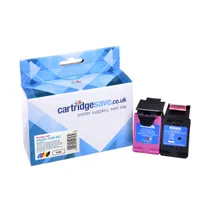
- 1x600pages
- 1x415pages
FREE next-day delivery when you order before 5:15pm
Save £35.00 compared to HP
FREE next-day delivery when you order before 5:15pm
Save £35.00 compared to HP
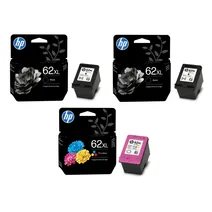
- 1x600pages
- 1x600pages
- 1x415pages
FREE next-day delivery when you order before 5:15pm
- Contains
C2P05AE (x 2), C2P07AE
- Lowest online price guarantee
FREE next-day delivery when you order before 5:15pm
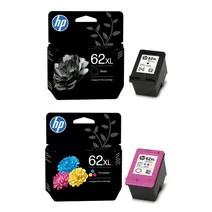
- 1x600pages
- 1x415pages
FREE next-day delivery when you order before 5:15pm
- Contains
C2P05AE, C2P07AE
- Lowest online price guarantee
FREE next-day delivery when you order before 5:15pm
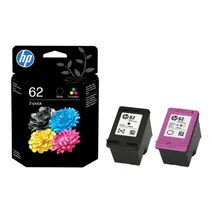
- 1x200pages
- 1x165pages
FREE next-day delivery when you order before 5:15pm
- Lowest online price guarantee
FREE next-day delivery when you order before 5:15pm
Black ink cartridges for HP Officejet 250 Mobile All-in-One printer:
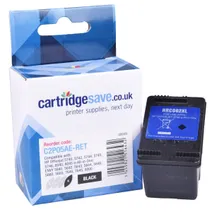
- 1x600pages
Next-day delivery when you order before 5:15pm
Save £18.30 compared to HP
Next-day delivery when you order before 5:15pm
Save £18.30 compared to HP
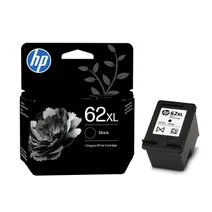
- 1x600pages
FREE next-day delivery when you order before 5:15pm
- Lowest online price guarantee
FREE next-day delivery when you order before 5:15pm
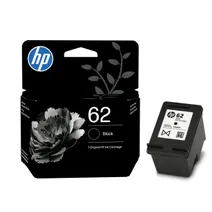
- 1x200pages
Next-day delivery when you order before 5:15pm
- Lowest online price guarantee
Next-day delivery when you order before 5:15pm
Colour ink cartridges for HP Officejet 250 Mobile All-in-One printer:

- 1x415pages
Next-day delivery when you order before 5:15pm
Save £18.85 compared to HP
Next-day delivery when you order before 5:15pm
Save £18.85 compared to HP
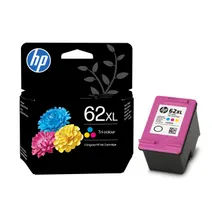
- 1x415pages
FREE next-day delivery when you order before 5:15pm
- Lowest online price guarantee
FREE next-day delivery when you order before 5:15pm
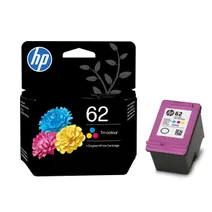
- 1x165pages
Next-day delivery when you order before 5:15pm
- Lowest online price guarantee
Next-day delivery when you order before 5:15pm
What ink does the HP Officejet 250 Mobile All-in-One use?
The HP Officejet 250 Mobile All-in-One uses HP 62 ink cartridges. HP 62 ink comes in black; the black cartridge prints 200 pages.
HP Officejet 250 Mobile All-in-One Printer Review
Expert review of the HP Officejet 250 Mobile All-in-One printer
'%20/%3e%3cpath%20d='M%205.454545454545455,0.6060606060606061,1.8181818181818181,12.000000000000002,10.90909090909091,4.7272727272727275,0,4.7272727272727275,9.090909090909092,12.000000000000002z'%20fill='%23d8d8d8'%20transform='translate(24,0)'%20/%3e%3cpath%20d='M%205.454545454545455,0.6060606060606061,1.8181818181818181,12.000000000000002,10.90909090909091,4.7272727272727275,0,4.7272727272727275,9.090909090909092,12.000000000000002z'%20fill='%23d8d8d8'%20transform='translate(36,0)'%20/%3e%3cpath%20d='M%205.454545454545455,0.6060606060606061,1.8181818181818181,12.000000000000002,10.90909090909091,4.7272727272727275,0,4.7272727272727275,9.090909090909092,12.000000000000002z'%20fill='%23d8d8d8'%20transform='translate(48,0)'%20/%3e%3c/svg%3e)
'%20/%3e%3cpath%20d='M%205.454545454545455,0.6060606060606061,1.8181818181818181,12.000000000000002,10.90909090909091,4.7272727272727275,0,4.7272727272727275,9.090909090909092,12.000000000000002z'%20fill='%23edd400'%20transform='translate(24,0)'%20/%3e%3cpath%20d='M%205.454545454545455,0.6060606060606061,1.8181818181818181,12.000000000000002,10.90909090909091,4.7272727272727275,0,4.7272727272727275,9.090909090909092,12.000000000000002z'%20fill='%23edd400'%20transform='translate(36,0)'%20/%3e%3cpath%20d='M%205.454545454545455,0.6060606060606061,1.8181818181818181,12.000000000000002,10.90909090909091,4.7272727272727275,0,4.7272727272727275,9.090909090909092,12.000000000000002z'%20fill='%23edd400'%20transform='translate(48,0)'%20/%3e%3c/svg%3e)
The HP Officejet 250 is a mobile, all-in-one printer that can scan and copy as well as print, and is ideal for any desktop office environment. It is also light enough to fit snugly into any carrying case such as a travel bag, and it has a compact design that packs in all the functionality beneath sleek lines. Its quality of output is superior to most comparably priced inkjets, and its supreme portability makes it ideal for the on-the-go company rep.
Design
The HP Officejet 250 measures 3.6x15x7.8 inches. These dimensions expand to 10.6x15x15.8 inches when the automatic document feeder at the front and the paper feeder at the rear are extended. It weighs 6.5 pounds (6.7 pounds with the battery fitted) and with the addition of the scanner and copier, it is heavier than the average laptop but not onerously so, when one considers its multi-function capability. The paper feeder can handle 50 sheets of A4 at one go, and manual duplexing is supported and controlled by the software interface. The touchscreen can be tilted for easier viewing, and from here scans can be launched to various outputs, including PC, email and a USB drive, inserted in the side of the printer.
Advantages
The lightweight and compact design of the HP Officejet 250 is its greatest advantage. This provides the user with a battery of printing, scanning and copying functionality that can be fitted into a regular travel bag. It has a rechargeable battery, and its fast photo printing and professional-quality inkjet capabilities are the equal of top-end inkjets presently on the market.
Disadvantages
The main disadvantage of the HP Officejet 250 is that it supports only manual feeding, taking a single sheet at a time. It is also limited to simplex scanning, and lacks a USB cable.