- Ink Cartridges
- HP Ink Cartridges
- Officejet 4300 Ink Cartridges
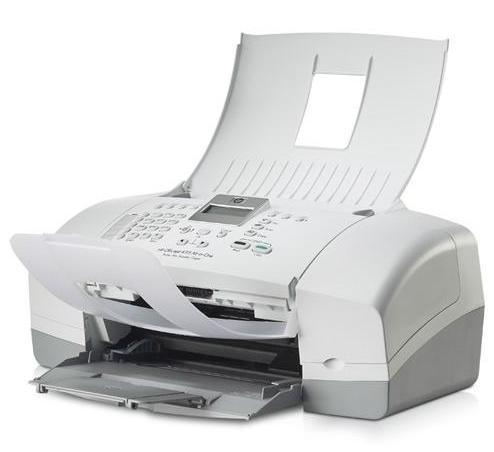
HP Officejet 4300 Ink Cartridges
The following4 products are guaranteed to work in your HP Officejet 4300 printer:
4 products
Sets of ink cartridges for HP Officejet 4300 printer:
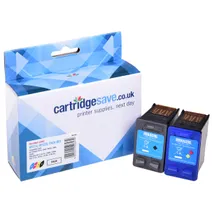
- 1x475pages
- 1x415pages
FREE next-day delivery when you order before 5:15pm
- Contains
C9351CE, C9352CE
FREE next-day delivery when you order before 5:15pm
Black ink cartridges for HP Officejet 4300 printer:
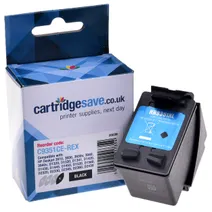
- 1x475pages
Next-day delivery when you order before 5:15pm
Next-day delivery when you order before 5:15pm
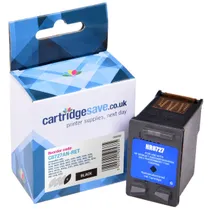
- 1x220pages
Next-day delivery when you order before 5:15pm
Next-day delivery when you order before 5:15pm
Colour ink cartridges for HP Officejet 4300 printer:
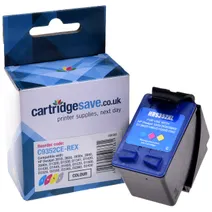
- 1x415pages
Next-day delivery when you order before 5:15pm
Next-day delivery when you order before 5:15pm
Find The Best HP 4300 Ink Available Now
Have you checked to see if your HP 4300 needs more ink? Sooner or later your HP 4300 will run out of printer ink, and then you'll quickly see that purchasing HP 4300 ink tends to be seriously expensive. Thank goodness you don't have to be anxious about forking out the high fees you'll uncover on the main street because right here at Cartridge Save you can pick up all the HP 4300 cartridges you'll ever want at very competitive prices. Save more money on your ink by shopping at Cartridge Save!
Each Cartridge Comes With A Money Back Guarantee
It makes no sense to fork out so much for the 4300 original cartridge or 4300 compatible ink in the main street when it is far more straight forward to save a pile of money buying with Cartridge Save. You can have perfect peace of mind when you purchase your OfficeJet 4300 ink cartridges from us as each one is guaranteed by a cast iron money back guarantee. Bear in mind that each order over £30 comes with free delivery, normally arriving with you the very next business day!
What ink does the HP Officejet 4300 use?
The HP Officejet 4300 uses Cartridge Save 27 ink cartridges. Cartridge Save 27 ink comes in black; the black cartridge prints 220 pages.
HP Officejet 4300 Printer Review
Expert review of the HP Officejet 4300 printer
'%20/%3e%3cpath%20d='M%205.454545454545455,0.6060606060606061,1.8181818181818181,12.000000000000002,10.90909090909091,4.7272727272727275,0,4.7272727272727275,9.090909090909092,12.000000000000002z'%20fill='%23d8d8d8'%20transform='translate(24,0)'%20/%3e%3cpath%20d='M%205.454545454545455,0.6060606060606061,1.8181818181818181,12.000000000000002,10.90909090909091,4.7272727272727275,0,4.7272727272727275,9.090909090909092,12.000000000000002z'%20fill='%23d8d8d8'%20transform='translate(36,0)'%20/%3e%3cpath%20d='M%205.454545454545455,0.6060606060606061,1.8181818181818181,12.000000000000002,10.90909090909091,4.7272727272727275,0,4.7272727272727275,9.090909090909092,12.000000000000002z'%20fill='%23d8d8d8'%20transform='translate(48,0)'%20/%3e%3c/svg%3e)
'%20/%3e%3cpath%20d='M%205.454545454545455,0.6060606060606061,1.8181818181818181,12.000000000000002,10.90909090909091,4.7272727272727275,0,4.7272727272727275,9.090909090909092,12.000000000000002z'%20fill='%23edd400'%20transform='translate(24,0)'%20/%3e%3cpath%20d='M%205.454545454545455,0.6060606060606061,1.8181818181818181,12.000000000000002,10.90909090909091,4.7272727272727275,0,4.7272727272727275,9.090909090909092,12.000000000000002z'%20fill='%23edd400'%20transform='translate(36,0)'%20/%3e%3cpath%20d='M%205.454545454545455,0.6060606060606061,1.8181818181818181,12.000000000000002,10.90909090909091,4.7272727272727275,0,4.7272727272727275,9.090909090909092,12.000000000000002z'%20fill='%23edd400'%20transform='translate(48,0)'%20/%3e%3c/svg%3e)
A very compact body and sheet-fed interface makes the HP Officejet 4300 a reliable and efficient choice for small office and personal use. This multifunction printer boasts laser-quality documents in colour and monochrome, a speedy fax machine, and an improved scanner resolution for more vibrant output, but it is already outdated when compared with newer all-in-one printers by HP.
Design
The HP Officejet 4300 looks like a standard fax machine without the telephone handset, but it has a neat set of buttons on the easily accessible control panel on the top of the device. It is compact and lightweight (not exceeding 10 lbs), so it fits cramped and limited spaces on the table, shelf, or desk. The fax feature was improved on the HP Officejet 4300, so it can already hold up to 200 pages in its memory. The 48-bit colour scanner's 1200x1200 dpi resolution also improved for high quality output.
Advantages
HP gave the Officejet 4300 a more innovative design because it can receive fax messages and print even if the fold-up trays are closed. Unlike a previous model, the HP Officejet 4300 already has extra fax features like the junk fax barrier to get rid of spam. The scan-to-fax feature can accommodate the scanned document into the memory so you can later send or resend the document even without the original document around. The image quality also reportedly improved according to some users, and they find the HP Officejet 4300 easy to use even without switching on their PCs.
Disadvantages
Unfortunately, the HP Officejet 4300 may be a little outdated for newer operating systems by Apple Mac and Microsoft Windows. The machine is not exactly the quietest, either. Users report that it produces too much noise and vibrates, disrupting their work. Despite the improved image quality and fax features, it is still relatively slow when printing monochrome and colour documents in normal mode.