- Ink Cartridges
- HP Ink Cartridges
- Officejet 5600 Ink Cartridges
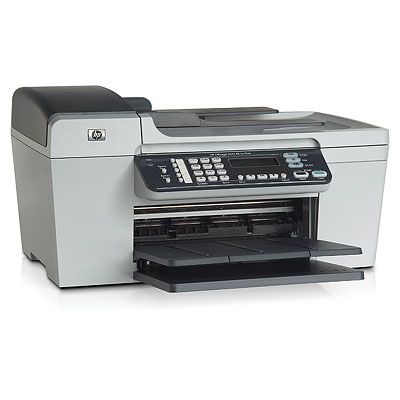
HP Officejet 5600 Ink Cartridges
The following4 products are guaranteed to work in your HP Officejet 5600 printer:
4 products
Black ink cartridges for HP Officejet 5600 printer:
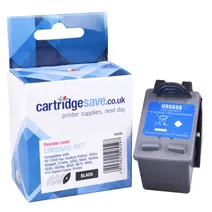
- 1x520pages
Shipped next working-day
Shipped next working-day
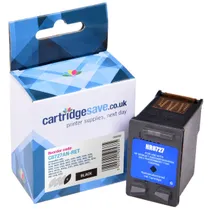
- 1x220pages
Shipped next working-day
Shipped next working-day
Colour ink cartridges for HP Officejet 5600 printer:
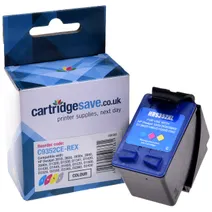
- 1x415pages
Shipped next working-day
Shipped next working-day
Photo colour ink cartridges for HP Officejet 5600 printer:
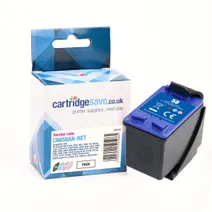
- 1x125photos (10 by 15cm)
Shipped next working-day
Shipped next working-day
What ink does the HP Officejet 5600 use?
The HP Officejet 5600 uses Cartridge Save 56 ink cartridges. Cartridge Save 56 ink comes in black; the black cartridge prints 520 pages.
HP Officejet 5600 Printer Review
Expert review of the HP Officejet 5600 printer
'%20/%3e%3cpath%20d='M%205.454545454545455,0.6060606060606061,1.8181818181818181,12.000000000000002,10.90909090909091,4.7272727272727275,0,4.7272727272727275,9.090909090909092,12.000000000000002z'%20fill='%23d8d8d8'%20transform='translate(24,0)'%20/%3e%3cpath%20d='M%205.454545454545455,0.6060606060606061,1.8181818181818181,12.000000000000002,10.90909090909091,4.7272727272727275,0,4.7272727272727275,9.090909090909092,12.000000000000002z'%20fill='%23d8d8d8'%20transform='translate(36,0)'%20/%3e%3cpath%20d='M%205.454545454545455,0.6060606060606061,1.8181818181818181,12.000000000000002,10.90909090909091,4.7272727272727275,0,4.7272727272727275,9.090909090909092,12.000000000000002z'%20fill='%23d8d8d8'%20transform='translate(48,0)'%20/%3e%3c/svg%3e)
'%20/%3e%3cpath%20d='M%205.454545454545455,0.6060606060606061,1.8181818181818181,12.000000000000002,10.90909090909091,4.7272727272727275,0,4.7272727272727275,9.090909090909092,12.000000000000002z'%20fill='%23edd400'%20transform='translate(24,0)'%20/%3e%3cpath%20d='M%205.454545454545455,0.6060606060606061,1.8181818181818181,12.000000000000002,10.90909090909091,4.7272727272727275,0,4.7272727272727275,9.090909090909092,12.000000000000002z'%20fill='%23edd400'%20transform='translate(36,0)'%20/%3e%3cpath%20d='M%205.454545454545455,0.6060606060606061,1.8181818181818181,12.000000000000002,10.90909090909091,4.7272727272727275,0,4.7272727272727275,9.090909090909092,12.000000000000002z'%20fill='%23edd400'%20transform='translate(48,0)'%20/%3e%3c/svg%3e)
Aimed at small offices, the HP Officejet 5600 is a midrange all-in-one device with a thermal inkjet printer, copier, fax feature, and a scanner. The manufacturer designed it to be a speedy and efficient multifunction printer for low to mid-volume tasks.
Design
The HP Officejet 5600 is mainly a thermal inkjet printer with a 48-bit scanner, digital copier, and fax. The entire device is fairly compact at 17.91 inches wide, 16.8 inches deep (with the paper tray), and 9.26 inches tall, but weighs a little heavier than other inkjet printers. Efficient and reliable, the HP Officejet 5600 can produce up to 20 ppm in monochrome and 13 ppm in colour. The busy control panel is dominated by a numeric keypad and 2-line display screen in the centre.
Advantages
The colour fax machine can be used as a standalone device, which means it can still receive and transmit messages without a PC. It can also block junk fax. There is a 25-sheet auto document feeder, so faxing, scanning, and copying becomes faster. The optional 6-ink cartridge system means more vibrant pictures and laser-quality text. The HP Officejet 5600 is also capable of borderless printing, and it is user-friendly and easy to install.
Disadvantages
The USB cord does not come in the package of the HP Officejet 5600. The flimsy build quality makes it seem like the printer will fall apart every time you open the cover or use the flatbed scanner. Printing on small media (like labels and business cards) can be problematic because of the HP Officejet 5600's badly designed paper feed.