- Ink Cartridges
- HP Ink Cartridges
- PSC 500 Ink Cartridges
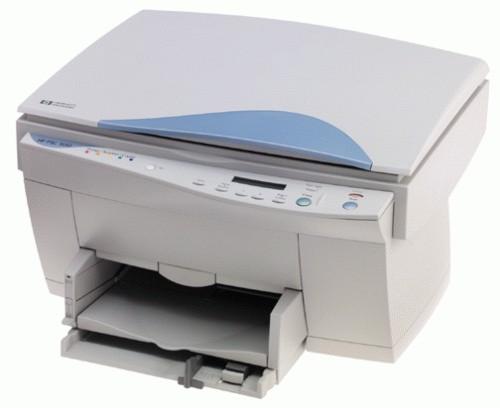
HP PSC 500 Ink Cartridges
The following2 products are guaranteed to work in your HP PSC 500 printer:
2 products
Black ink cartridges for HP PSC 500 printer:
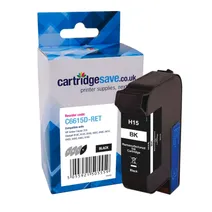
- 1x500pages
Next-day delivery when you order before 5:15pm
Next-day delivery when you order before 5:15pm
Colour ink cartridges for HP PSC 500 printer:
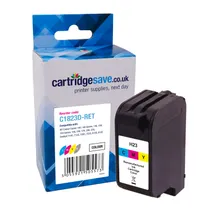
- 1x620pages
FREE next-day delivery when you order before 5:15pm
FREE next-day delivery when you order before 5:15pm
What ink does the HP PSC 500 use?
The HP PSC 500 uses Cartridge Save 23 ink cartridges. Cartridge Save 23 ink comes in tri-colour; the tri-colour cartridge prints 620 pages.
HP PSC 500 Printer Review
Expert review of the HP PSC 500 printer
'%20/%3e%3cpath%20d='M%205.454545454545455,0.6060606060606061,1.8181818181818181,12.000000000000002,10.90909090909091,4.7272727272727275,0,4.7272727272727275,9.090909090909092,12.000000000000002z'%20fill='%23d8d8d8'%20transform='translate(24,0)'%20/%3e%3cpath%20d='M%205.454545454545455,0.6060606060606061,1.8181818181818181,12.000000000000002,10.90909090909091,4.7272727272727275,0,4.7272727272727275,9.090909090909092,12.000000000000002z'%20fill='%23d8d8d8'%20transform='translate(36,0)'%20/%3e%3cpath%20d='M%205.454545454545455,0.6060606060606061,1.8181818181818181,12.000000000000002,10.90909090909091,4.7272727272727275,0,4.7272727272727275,9.090909090909092,12.000000000000002z'%20fill='%23d8d8d8'%20transform='translate(48,0)'%20/%3e%3c/svg%3e)
'%20/%3e%3cpath%20d='M%205.454545454545455,0.6060606060606061,1.8181818181818181,12.000000000000002,10.90909090909091,4.7272727272727275,0,4.7272727272727275,9.090909090909092,12.000000000000002z'%20fill='%23edd400'%20transform='translate(24,0)'%20/%3e%3cpath%20d='M%205.454545454545455,0.6060606060606061,1.8181818181818181,12.000000000000002,10.90909090909091,4.7272727272727275,0,4.7272727272727275,9.090909090909092,12.000000000000002z'%20fill='%23edd400'%20transform='translate(36,0)'%20/%3e%3cpath%20d='M%205.454545454545455,0.6060606060606061,1.8181818181818181,12.000000000000002,10.90909090909091,4.7272727272727275,0,4.7272727272727275,9.090909090909092,12.000000000000002z'%20fill='%23edd400'%20transform='translate(48,0)'%20/%3e%3c/svg%3e)
A household- and small-office-friendly inkjet, the HP PSC 500 offers multifunctionality and efficiency when it comes to print speed. This all-in-one device is a combination of a scanner, copier and colour printer, and boasts excellent photo prints. The HP PSC 500 uses two ink cartridges – one for black and the other for CMY inks. Printer cartridges can be pricey, although running cost depends on the consumption. The PSC 500 also lacks built-in network capabilities, which makes it more suitable in a home than an office.
Design
The HP PSC500 is quite a bulk at 18.5x17.2x12.6 inches, although its size is forgivable given that it offers 3 machines in one. The PSC-500 printer by HP comes with a parallel port, and an optional JetDirect card enables networking. The machine has 8 MB of memory. The copier and scanner can produce both black and white and colour copies.
Advantages
While it is not a high-resolution printer, the HP PSC 500 all-in-one can print and scan at a maximum resolution of 600x2400 dpi, which is good enough for everyday documents and photos. Images can be enlarged up to 400% when using the digital scanner and copier. The HP PSC 500 is also worth considering for its reliable printing rates.
Disadvantages
Some disadvantages of using the HP PSC 500 include high running costs when doing demanding print jobs, lack of built-in networking capabilities, and a bulky design.