- Ink Cartridges
- Epson Ink Cartridges
- LQ-2550 Ink Cartridges

Epson LQ-2550 Ink Cartridges
This product1 products is guaranteed to work in your Epson LQ-2550 printer:
1 product
Black ink ribbons for Epson LQ-2550 printer:
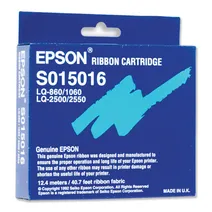
- 1x2million characters
Next-day delivery when you order before 4:15pm
- Lowest online price guarantee
Next-day delivery when you order before 4:15pm
Epson LQ-2550 Printer Review
Expert review of the Epson LQ-2550 printer
'%20/%3e%3cpath%20d='M%205.454545454545455,0.6060606060606061,1.8181818181818181,12.000000000000002,10.90909090909091,4.7272727272727275,0,4.7272727272727275,9.090909090909092,12.000000000000002z'%20fill='%23d8d8d8'%20transform='translate(24,0)'%20/%3e%3cpath%20d='M%205.454545454545455,0.6060606060606061,1.8181818181818181,12.000000000000002,10.90909090909091,4.7272727272727275,0,4.7272727272727275,9.090909090909092,12.000000000000002z'%20fill='%23d8d8d8'%20transform='translate(36,0)'%20/%3e%3cpath%20d='M%205.454545454545455,0.6060606060606061,1.8181818181818181,12.000000000000002,10.90909090909091,4.7272727272727275,0,4.7272727272727275,9.090909090909092,12.000000000000002z'%20fill='%23d8d8d8'%20transform='translate(48,0)'%20/%3e%3c/svg%3e)
'%20/%3e%3cpath%20d='M%205.454545454545455,0.6060606060606061,1.8181818181818181,12.000000000000002,10.90909090909091,4.7272727272727275,0,4.7272727272727275,9.090909090909092,12.000000000000002z'%20fill='%23edd400'%20transform='translate(24,0)'%20/%3e%3cpath%20d='M%205.454545454545455,0.6060606060606061,1.8181818181818181,12.000000000000002,10.90909090909091,4.7272727272727275,0,4.7272727272727275,9.090909090909092,12.000000000000002z'%20fill='%23edd400'%20transform='translate(36,0)'%20/%3e%3cpath%20d='M%205.454545454545455,0.6060606060606061,1.8181818181818181,12.000000000000002,10.90909090909091,4.7272727272727275,0,4.7272727272727275,9.090909090909092,12.000000000000002z'%20fill='%23edd400'%20transform='translate(48,0)'%20/%3e%3c/svg%3e)
The Epson LQ-2550 dot matrix printer uses Epson printer technology to produce crisp output on a range of different stationery types, including tickets, labels and invoices, as well as A3 business paper and other output, making it ideal for a modern office. It is compact yet powerful enough to serve most office requirements without taking up much space, and with a top print speed of 120 cps it compares well with others in its class.
Design
With dimensions of 7.7 x 26.6 x 20.4 in and a weight of 44 lb, the LQ-2550 is a compact yet light and powerful printer that will fit well into any available space. The 24-pin impact dot matrix printhead delivers draft and LO print speeds of up to 10 and 12 cpi at 120 cps, and output media includes single and continuous sheets as well as envelopes and labels. The unit automatically detects paper thickness to optimise printing results, and processes multi-part forms of up to six parts with ease. Colour printing in 7 colours is enabled, and colours can be mixed using the appropriate software.
Advantages
The improved design of the control panel allows for quick and easy selection of all the printer’s main features, including pitch and font of characters, and the selection of normal and condensed printing. The LQ-2550 also features an advanced paper handling system that makes it easy to switch between continuous paper and single sheets at the touch of a button. There’s also a tear-off feature for paper-saving, and a micro-adjustment control allows for fine increments in alignment.
Disadvantages
Some users may find that the build quality leaves something to be desired, and the control panel, despite being an improvement on earlier models, is still somewhat awkward and counter-intuitive. Manual ink swapping is a drawback when switching to photo paper, and there are no scanning or copying functions which some office users require.