- Toner Cartridges
- Samsung Toner Cartridges
- CLP-680ND Toner Cartridges
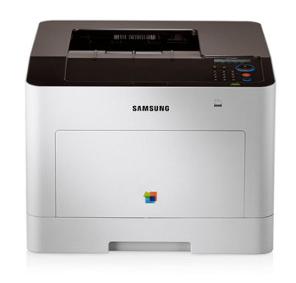
Samsung CLP-680ND Toner Cartridges
The following15 products are guaranteed to work in your Samsung CLP-680ND printer:
15 products
Full sets of toner cartridges for Samsung CLP-680ND printer:
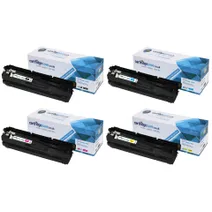
- 1x6000pages
- 1x3500pages
- 1x3500pages
- 1x3500pages
FREE delivery
Save £191.94 compared to Samsung
- Contains
CLT-K506L, CLT-C506L, CLT-M506L, CLT-Y506L
FREE delivery
Save £191.94 compared to Samsung
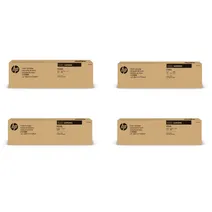
- 1x6000pages
- 1x3500pages
- 1x3500pages
- 1x3500pages
FREE delivery
- Contains
CLT-K506L, CLT-C506L, CLT-M506L, CLT-Y506L
- Lowest online price guarantee
FREE delivery
Colour toner cartridge packs for Samsung CLP-680ND printer:
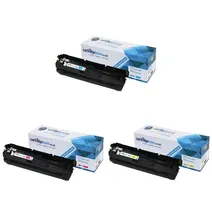
- 1x3500pages
- 1x3500pages
- 1x3500pages
FREE delivery
Save £144.07 compared to Samsung
- Contains
CLT-C506L, CLT-M506L, CLT-Y506L
FREE delivery
Save £144.07 compared to Samsung
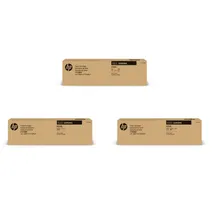
- 1x3500pages
- 1x3500pages
- 1x3500pages
FREE delivery
- Contains
CLT-C506L, CLT-M506L, CLT-Y506L
- Lowest online price guarantee
FREE delivery
Black toner cartridges for Samsung CLP-680ND printer:
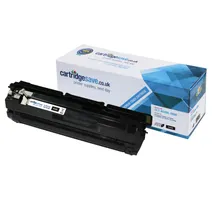
- 1x6000pages
FREE delivery
Save £50.23 compared to Samsung
FREE delivery
Save £50.23 compared to Samsung
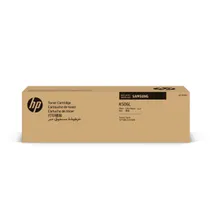
- 1x6000pages
FREE delivery
- Lowest online price guarantee
FREE delivery
Cyan toner cartridges for Samsung CLP-680ND printer:
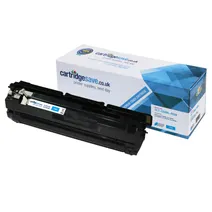
- 1x3500pages
FREE delivery
Save £49.61 compared to Samsung
FREE delivery
Save £49.61 compared to Samsung
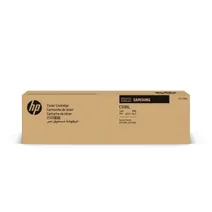
- 1x3500pages
FREE delivery
- Lowest online price guarantee
FREE delivery
Magenta toner cartridges for Samsung CLP-680ND printer:
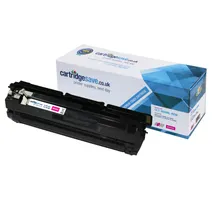
- 1x3500pages
FREE delivery
Save £49.61 compared to Samsung
FREE delivery
Save £49.61 compared to Samsung
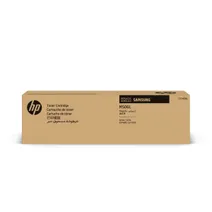
- 1x3500pages
FREE delivery
- Lowest online price guarantee
FREE delivery
Yellow toner cartridges for Samsung CLP-680ND printer:
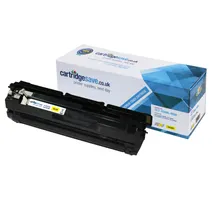
- 1x3500pages
FREE delivery
Save £49.61 compared to Samsung
FREE delivery
Save £49.61 compared to Samsung
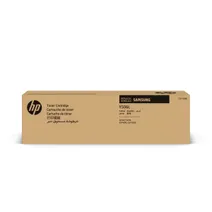
- 1x3500pages
FREE delivery
- Lowest online price guarantee
FREE delivery
Maintenance items for Samsung CLP-680ND printer:
- 14000pages
Shipped next working-day
Save £11.46 compared to Samsung
Shipped next working-day
Save £11.46 compared to Samsung
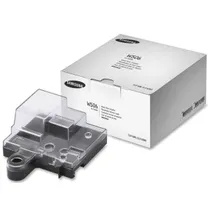
- 14000pages
Shipped next working-day
- Lowest online price guarantee
Shipped next working-day
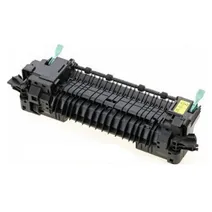
FREE delivery
- Lowest online price guarantee
FREE delivery
Out of stock
- Lowest online price guarantee
Out of stock
What toner does the Samsung CLP-680ND use?
The Samsung CLP-680ND uses Samsung 506 toner cartridges. Samsung 506 toner comes in multicolour; the multicolour cartridge prints 3,500 pages.
Samsung CLP-680ND Printer Review
Expert review of the Samsung CLP-680ND printer
'%20/%3e%3cpath%20d='M%205.454545454545455,0.6060606060606061,1.8181818181818181,12.000000000000002,10.90909090909091,4.7272727272727275,0,4.7272727272727275,9.090909090909092,12.000000000000002z'%20fill='%23d8d8d8'%20transform='translate(24,0)'%20/%3e%3cpath%20d='M%205.454545454545455,0.6060606060606061,1.8181818181818181,12.000000000000002,10.90909090909091,4.7272727272727275,0,4.7272727272727275,9.090909090909092,12.000000000000002z'%20fill='%23d8d8d8'%20transform='translate(36,0)'%20/%3e%3cpath%20d='M%205.454545454545455,0.6060606060606061,1.8181818181818181,12.000000000000002,10.90909090909091,4.7272727272727275,0,4.7272727272727275,9.090909090909092,12.000000000000002z'%20fill='%23d8d8d8'%20transform='translate(48,0)'%20/%3e%3c/svg%3e)
'%20/%3e%3cpath%20d='M%205.454545454545455,0.6060606060606061,1.8181818181818181,12.000000000000002,10.90909090909091,4.7272727272727275,0,4.7272727272727275,9.090909090909092,12.000000000000002z'%20fill='%23edd400'%20transform='translate(24,0)'%20/%3e%3cpath%20d='M%205.454545454545455,0.6060606060606061,1.8181818181818181,12.000000000000002,10.90909090909091,4.7272727272727275,0,4.7272727272727275,9.090909090909092,12.000000000000002z'%20fill='%23edd400'%20transform='translate(36,0)'%20/%3e%3cpath%20d='M%205.454545454545455,0.6060606060606061,1.8181818181818181,12.000000000000002,10.90909090909091,4.7272727272727275,0,4.7272727272727275,9.090909090909092,12.000000000000002z'%20fill='%23edd400'%20transform='translate(48,0)'%20/%3e%3c/svg%3e)
The Samsung CLP-680ND is a fast and economical choice for workgroups that need colour in their output. It comes in a straightforward design that is easy to use and integrate into a network so it can be shared by up to five individuals. However, it is quite pricey and doesn't offer the best quality in colour printouts.
Design
Measuring 12.3 inches tall, 16.5 inches wide, and 17.8 inches deep, the Samsung CLP680ND is fairly compact for the standard desktop, but it is quite heavy, weighing approximately 20Kg. It is integrated with a 533MHz processor running on 256MB of memory. The default paper tray can handle up to 250 sheets and 20 envelopes, while the output bin on top can take up to 150 sheets at a time. There is a small control panel on the right-hand side of the CLP-680ND with a two-line, 16-character display screen. Connectivity options include Ethernet and high-speed USB 2.0.
Advantages
It prints fast enough, at up to 24ppm in either monochrome or colour. Two-sided printing is a built-in feature in the Samsung CLP-680ND. The memory can be upgraded to 512MB, and the maximum input paper capacity is 820 sheets. The Samsung CLP680ND is a network-ready device, and high-capacity toner cartridges are available to help users save more in the long run. The Samsung CLP-680ND also includes a parallel connector for connecting to older devices.
Disadvantages
The CLP-680ND deserves are larger display screen so operating it on-board could be easier and comfortable. The standard media capacity is only enough for low volume output, and upgrading the device for additional paper capacity could be expensive.