- Toner Cartridges
- Xerox Toner Cartridges
- WorkCentre 7775 Toner Cartridges
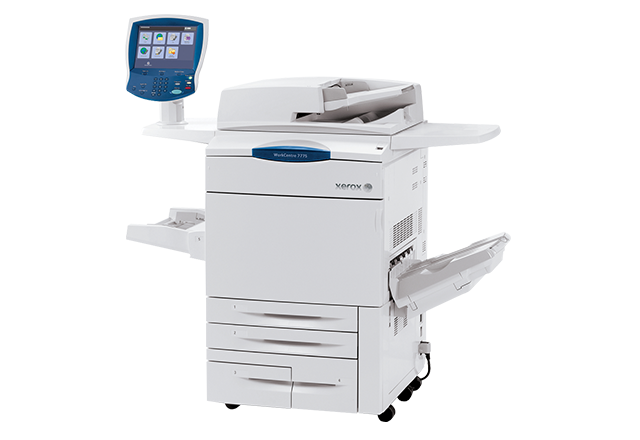
Xerox WorkCentre 7775 Toner Cartridges
The following2 products are guaranteed to work in your Xerox WorkCentre 7775 printer:
2 products
Maintenance items for Xerox WorkCentre 7775 printer:
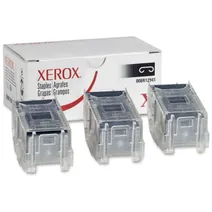
- 15000staples
FREE delivery
- Lowest online price guarantee
FREE delivery
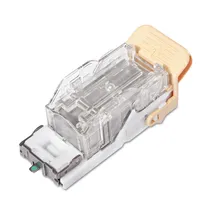
- 5000staples
FREE delivery
- Lowest online price guarantee
FREE delivery
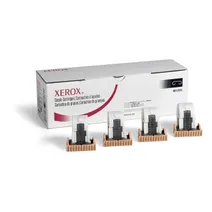
- 5000staples
FREE delivery
- Lowest online price guarantee
FREE delivery
Xerox WorkCentre 7775 Printer Review
Expert review of the Xerox WorkCentre 7775 printer
'%20/%3e%3cpath%20d='M%205.454545454545455,0.6060606060606061,1.8181818181818181,12.000000000000002,10.90909090909091,4.7272727272727275,0,4.7272727272727275,9.090909090909092,12.000000000000002z'%20fill='%23d8d8d8'%20transform='translate(24,0)'%20/%3e%3cpath%20d='M%205.454545454545455,0.6060606060606061,1.8181818181818181,12.000000000000002,10.90909090909091,4.7272727272727275,0,4.7272727272727275,9.090909090909092,12.000000000000002z'%20fill='%23d8d8d8'%20transform='translate(36,0)'%20/%3e%3cpath%20d='M%205.454545454545455,0.6060606060606061,1.8181818181818181,12.000000000000002,10.90909090909091,4.7272727272727275,0,4.7272727272727275,9.090909090909092,12.000000000000002z'%20fill='%23d8d8d8'%20transform='translate(48,0)'%20/%3e%3c/svg%3e)
'%20/%3e%3cpath%20d='M%205.454545454545455,0.6060606060606061,1.8181818181818181,12.000000000000002,10.90909090909091,4.7272727272727275,0,4.7272727272727275,9.090909090909092,12.000000000000002z'%20fill='%23edd400'%20transform='translate(24,0)'%20/%3e%3cpath%20d='M%205.454545454545455,0.6060606060606061,1.8181818181818181,12.000000000000002,10.90909090909091,4.7272727272727275,0,4.7272727272727275,9.090909090909092,12.000000000000002z'%20fill='%23edd400'%20transform='translate(36,0)'%20/%3e%3cpath%20d='M%205.454545454545455,0.6060606060606061,1.8181818181818181,12.000000000000002,10.90909090909091,4.7272727272727275,0,4.7272727272727275,9.090909090909092,12.000000000000002z'%20fill='%23edd400'%20transform='translate(48,0)'%20/%3e%3c/svg%3e)
The Xerox WorkCentre 7775 multifunction printer is ideal for large-sized workgroups and offers copying, printing and scanning. It’s designed for offices that have intensive workloads and has a 300,000-page monthly duty cycle. The colour touch-screen interface provides seamless access to all of the major functions from the home screen. In addition, it has the Xerox SMARTsend scan-capture and software option and facilitates less downtime with Smart Kit components that can be easily replaced by users.
Design
The Xerox WorkCentre 7775 has dimensions of 61.8 x 31 x 57.5 inches and weighs 612.88lbs. It offers speedy copy and prints up to 75 pages per minute in monochrome and 50 pages per minute in colour.
Advantages
The Xerox WorkCentre 7775 is easy to manage and has stringent security functions. It also has applications that allow users to choose when, where, and how much colour the business requires. The EFI Fiery colour print server option delivers world-class matching tools. Managing each device is simple with Xerox CentreWare Web, which allows IT administrators to install, configure, monitor and report on printers and MFPs with ease across the network. In addition, the simple-to-use print-driver gauge means that businesses can choose the most environmentally conscious print settings. The scan to email function enables users to send documents to multiple email addresses fast, and the printer also offers easy organising, searching, archiving and sharing by scanning straight to PDF or XPS formats. Users can also edit scanned documents at their desktops using optional Xerox Scan to PC Desktop software, which includes OmniPage and Nuance PaperPort software.
Disadvantages
This printer is ideal for high-intensity office environments, so it may not be a good investment for smaller organisations with lower-quantity printing needs.