- Ink Cartridges
- Epson Ink Cartridges
- EcoTank L555 Ink Cartridges
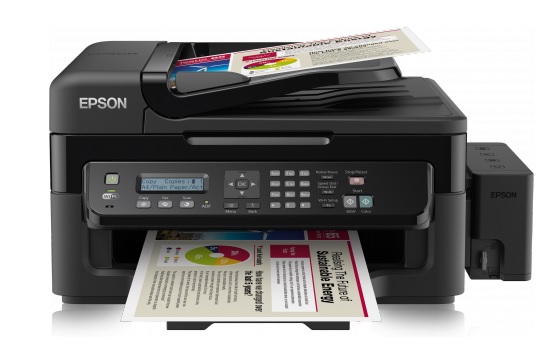
Epson EcoTank L555 Ink Cartridges
The following9 products are guaranteed to work in your Epson EcoTank L555 printer:
9 products
Sets of ink cartridges for Epson EcoTank L555 printer:
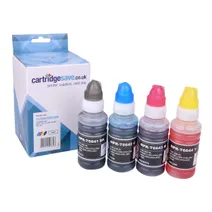
- 1x4000pages
- 1x6500pages
- 1x6500pages
- 1x6500pages
Out of stock
Available to buy from 09/11/2026
- Contains
T6641, T6642, T6643, T6644
Out of stock
Available to buy from 09/11/2026
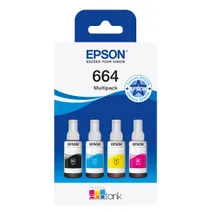
- 1x4000pages
- 1x6500pages
- 1x6500pages
- 1x6500pages
FREE next-day delivery when you order before 5:15pm
- Lowest online price guarantee
FREE next-day delivery when you order before 5:15pm
Black ink cartridges for Epson EcoTank L555 printer:
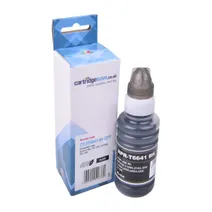
- 1x4000pages
Next-day delivery when you order before 5:15pm
Save £3.12 compared to Epson
Next-day delivery when you order before 5:15pm
Save £3.12 compared to Epson
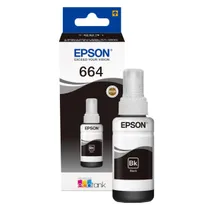
- 1x4000pages
Next-day delivery when you order before 5:15pm
- Lowest online price guarantee
Next-day delivery when you order before 5:15pm
Cyan ink cartridges for Epson EcoTank L555 printer:
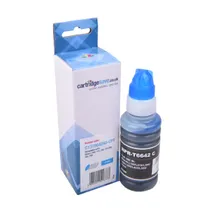
- 1x6500pages
Next-day delivery when you order before 5:15pm
Save £3.12 compared to Epson
Next-day delivery when you order before 5:15pm
Save £3.12 compared to Epson
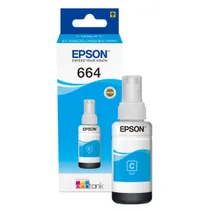
- 1x6500pages
Next-day delivery when you order before 5:15pm
- Lowest online price guarantee
Next-day delivery when you order before 5:15pm
Magenta ink cartridges for Epson EcoTank L555 printer:
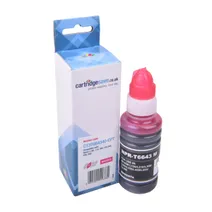
- 1x6500pages
Next-day delivery when you order before 5:15pm
Save £3.12 compared to Epson
Next-day delivery when you order before 5:15pm
Save £3.12 compared to Epson
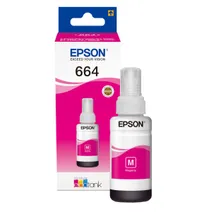
- 1x6500pages
Next-day delivery when you order before 5:15pm
- Lowest online price guarantee
Next-day delivery when you order before 5:15pm
Yellow ink cartridges for Epson EcoTank L555 printer:
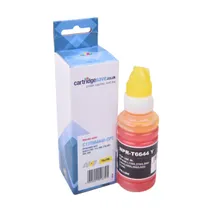
- 1x6500pages
Next-day delivery when you order before 5:15pm
Save £3.12 compared to Epson
Next-day delivery when you order before 5:15pm
Save £3.12 compared to Epson
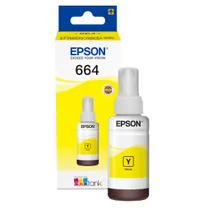
- 1x6500pages
Next-day delivery when you order before 5:15pm
- Lowest online price guarantee
Next-day delivery when you order before 5:15pm
What ink does the Epson EcoTank L555 use?
The Epson EcoTank L555 uses Epson C13T664140 ink cartridges. Epson C13T664140 ink comes in black; the black cartridge prints 4,000 pages.
Epson EcoTank L555 Printer Review
Expert review of the Epson EcoTank L555 printer
'%20/%3e%3cpath%20d='M%205.454545454545455,0.6060606060606061,1.8181818181818181,12.000000000000002,10.90909090909091,4.7272727272727275,0,4.7272727272727275,9.090909090909092,12.000000000000002z'%20fill='%23d8d8d8'%20transform='translate(24,0)'%20/%3e%3cpath%20d='M%205.454545454545455,0.6060606060606061,1.8181818181818181,12.000000000000002,10.90909090909091,4.7272727272727275,0,4.7272727272727275,9.090909090909092,12.000000000000002z'%20fill='%23d8d8d8'%20transform='translate(36,0)'%20/%3e%3cpath%20d='M%205.454545454545455,0.6060606060606061,1.8181818181818181,12.000000000000002,10.90909090909091,4.7272727272727275,0,4.7272727272727275,9.090909090909092,12.000000000000002z'%20fill='%23d8d8d8'%20transform='translate(48,0)'%20/%3e%3c/svg%3e)
'%20/%3e%3cpath%20d='M%205.454545454545455,0.6060606060606061,1.8181818181818181,12.000000000000002,10.90909090909091,4.7272727272727275,0,4.7272727272727275,9.090909090909092,12.000000000000002z'%20fill='%23edd400'%20transform='translate(24,0)'%20/%3e%3cpath%20d='M%205.454545454545455,0.6060606060606061,1.8181818181818181,12.000000000000002,10.90909090909091,4.7272727272727275,0,4.7272727272727275,9.090909090909092,12.000000000000002z'%20fill='%23edd400'%20transform='translate(36,0)'%20/%3e%3cpath%20d='M%205.454545454545455,0.6060606060606061,1.8181818181818181,12.000000000000002,10.90909090909091,4.7272727272727275,0,4.7272727272727275,9.090909090909092,12.000000000000002z'%20fill='%23edd400'%20transform='translate(48,0)'%20/%3e%3c/svg%3e)
Epson EcoTank L555 4-in-1 Wi-Fi printer users need to refill the ink tanks on each side of this environmentally friendly printer only once every two years. This is the more expensive of the two Epson EcoTank printers because of its added 30-page automatic document feeder and fax capabilities. However, owning an EcoTank L555 all-in-one printer with integrated ink system may save more money over time due to its economical Epson L555 ink tanks.
Design
The most unique design features of the Epson EcoTank L555 4-in-1 printer are its large built-in ink tanks that can handle up to 6,500 colour or 4,000 monochrome printouts before being refilled with the 70ml bottles of ink which come with each one of these energy and money saving printers. This rectangular 5760x1440dpi printer also comes with a 1200dpi copier and scanner in addition to a fax machine. The Epson EcoTank L-555 printer’s paper tray can hold up to 100 sheets, while the control panel is positioned at the front of the device.
Advantages
The EcoTank L555 all-in-one wireless ink tank printer can save users both money and energy because of its unique built-in ink tanks which only need to be refilled once every two years. The quality of the glossy photo papers produced by this printer is especially bright and bold. This makes the Epson EcoTank L555 especially ideal for printing marketing photos or brochures. Smartphone syncing options and wireless internet connectivity are two more modern conveniences. Genuine Epson L555 ink bottles are very cost-effective and can last for as many as 4,000 black or 6,500 colour pages.
Disadvantages
Initial Epson EcoTank L-555 costs may be a bit too high and the large ink tanks a bit intimidating to fill. The 4.5ppm colour printing speed and 9ppm mono print speed is slower than many other inkjet printers. The Epson EcoTank L555 printer, copier, scanner and fax lacks Ethernet connectivity.