- Ink Cartridges
- HP Ink Cartridges
- Deskjet 5600 Ink Cartridges
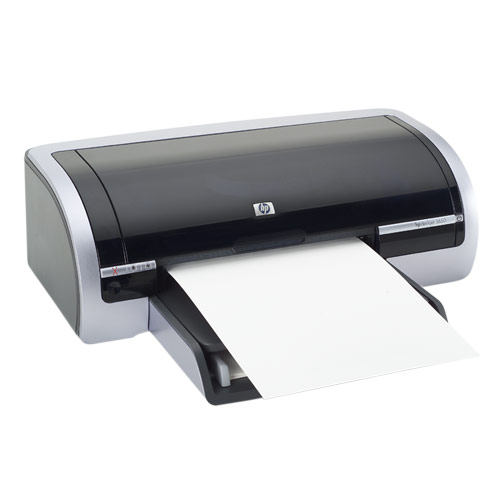
HP Deskjet 5600 Ink Cartridges
The following5 products are guaranteed to work in your HP Deskjet 5600 printer:
5 products
Sets of ink cartridges for HP Deskjet 5600 printer:
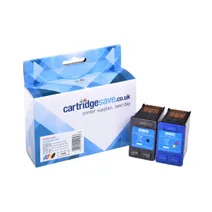
- 1x520pages
- 1x500pages
FREE next-day delivery when you order before 5:15pm
- Contains
C6656AE, C6657A
FREE next-day delivery when you order before 5:15pm
Black ink cartridges for HP Deskjet 5600 printer:
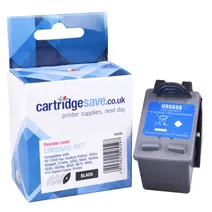
- 1x520pages
Next-day delivery when you order before 5:15pm
Next-day delivery when you order before 5:15pm
Colour ink cartridges for HP Deskjet 5600 printer:
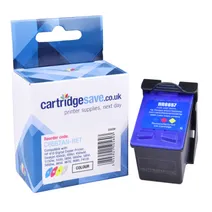
- 1x500pages
FREE next-day delivery when you order before 5:15pm
Save £22.82 compared to HP
FREE next-day delivery when you order before 5:15pm
Save £22.82 compared to HP
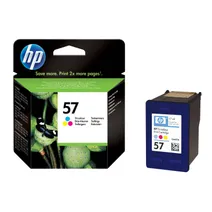
- 1x500pages
FREE next-day delivery when you order before 4:15pm
- Lowest online price guarantee
FREE next-day delivery when you order before 4:15pm
Photo colour ink cartridges for HP Deskjet 5600 printer:
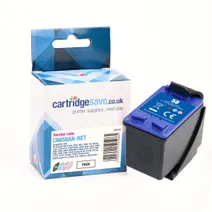
- 1x125photos (10 by 15cm)
Next-day delivery when you order before 5:15pm
Next-day delivery when you order before 5:15pm
Find A Cheaper HP Deskjet 5600 Ink Cartridge Today
Cartridge Save has a mission to save you money and time on ink for HP Deskjet 5600 printers. Some day your HP 5600 will run out of printer ink, and when that happens you'll find that fresh HP Deskjet 5600 ink is typically quite expensive. But you do not need to get stressed about shelling out the high purchase prices you'll find on the main street because right here at Cartridge Save you can pick up all the Deskjet 5600 cartridges you'll ever need at ultra low prices. Spend less cash on your ink by shopping online with Cartridge Save!
Everything Comes With Free Delivery On All Orders Placed Over £30
Why pay high prices for a 5600 original cartridge or 5600 compatible ink in the main street when it is much more simple to save some cash shopping online with Cartridge Save. You can have one hundred per cent satisfaction when you buy Deskjet 5600 ink cartridges from us as they all are covered by a no quibble money back guarantee. Bear in mind that each order over £30 comes with free delivery, normally arriving with you the very next business day!
What ink does the HP Deskjet 5600 use?
The HP Deskjet 5600 uses Cartridge Save 56 ink cartridges. Cartridge Save 56 ink comes in black; the black cartridge prints 520 pages.
HP Deskjet 5600 Printer Review
Expert review of the HP Deskjet 5600 printer
'%20/%3e%3cpath%20d='M%205.454545454545455,0.6060606060606061,1.8181818181818181,12.000000000000002,10.90909090909091,4.7272727272727275,0,4.7272727272727275,9.090909090909092,12.000000000000002z'%20fill='%23d8d8d8'%20transform='translate(24,0)'%20/%3e%3cpath%20d='M%205.454545454545455,0.6060606060606061,1.8181818181818181,12.000000000000002,10.90909090909091,4.7272727272727275,0,4.7272727272727275,9.090909090909092,12.000000000000002z'%20fill='%23d8d8d8'%20transform='translate(36,0)'%20/%3e%3cpath%20d='M%205.454545454545455,0.6060606060606061,1.8181818181818181,12.000000000000002,10.90909090909091,4.7272727272727275,0,4.7272727272727275,9.090909090909092,12.000000000000002z'%20fill='%23d8d8d8'%20transform='translate(48,0)'%20/%3e%3c/svg%3e)
'%20/%3e%3cpath%20d='M%205.454545454545455,0.6060606060606061,1.8181818181818181,12.000000000000002,10.90909090909091,4.7272727272727275,0,4.7272727272727275,9.090909090909092,12.000000000000002z'%20fill='%23edd400'%20transform='translate(24,0)'%20/%3e%3cpath%20d='M%205.454545454545455,0.6060606060606061,1.8181818181818181,12.000000000000002,10.90909090909091,4.7272727272727275,0,4.7272727272727275,9.090909090909092,12.000000000000002z'%20fill='%23edd400'%20transform='translate(36,0)'%20/%3e%3cpath%20d='M%205.454545454545455,0.6060606060606061,1.8181818181818181,12.000000000000002,10.90909090909091,4.7272727272727275,0,4.7272727272727275,9.090909090909092,12.000000000000002z'%20fill='%23edd400'%20transform='translate(48,0)'%20/%3e%3c/svg%3e)
The HP Deskjet 5600 is made for personal use and can handle small to mid-volume printing in the home or a small office. It satisfies typical photo and document printing needs, and boasts additional perks like borderless printing, six-ink cartridge system, and an auto-off feature. However, it is still sluggish and tends to be expensive to run.
Design
The breadbox-type body is sleek and compact. It weighs 11.7 pounds and measures around 5.7 inches tall and 17.7 inches wide. It has built-in 8MB RAM and the duty cycle is 5,000 pages per month, which is quite generous for a small inkjet printer. HP made the Deskjet 5600 a speedy device when printing in draft mode, at 15 ppm in colour and 21 ppm in monochrome.
Advantages
With an auto-off feature, the HP Deskjet 5600 is an energy-efficient printer that automatically shifts to low-power mode when left idle for 30 minutes. The bundled software has 5 print modes to make it more versatile. Borderless printing is possible on 8.5x11-inch photo papers. The HP Deskjet 5600 is also capable of identifying the type of paper you are using and automatically adjust itself to it.
Disadvantages
For users who need the optional 6-ink printing facility, the HP Deskjet 5600 can be quite expensive to run and maintain because original HP inks are not cheap. This printer is also prone to paper jams and system hang-ups. Sometimes, the HP Deskjet 5600 displays a 'paper jam error' message even when there is no problem. Users have reported installation problems and compatibility issues with Windows 7. The printer's Media Sense technology is not perfect, so it may not adjust correctly to the type of paper you are using.