- Ink Cartridges
- HP Ink Cartridges
- Deskjet 5650w Ink Cartridges
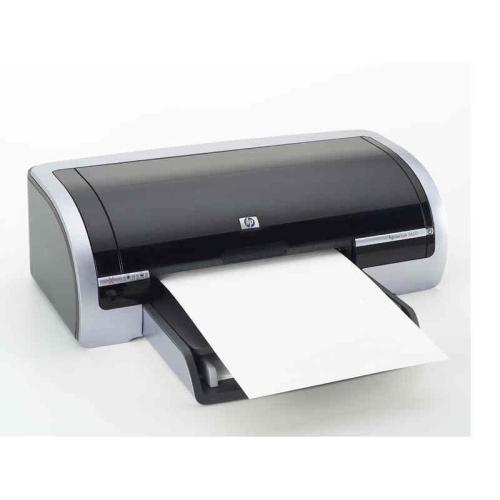
HP Deskjet 5650w Ink Cartridges
The following5 products are guaranteed to work in your HP Deskjet 5650w printer:
5 products
Sets of ink cartridges for HP Deskjet 5650w printer:
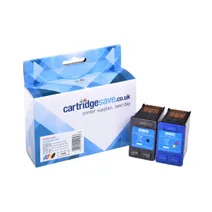
- 1x520pages
- 1x500pages
FREE next-day delivery when you order before 5:15pm
- Contains
C6656AE, C6657A
FREE next-day delivery when you order before 5:15pm
Black ink cartridges for HP Deskjet 5650w printer:
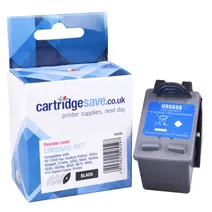
- 1x520pages
Next-day delivery when you order before 5:15pm
Next-day delivery when you order before 5:15pm
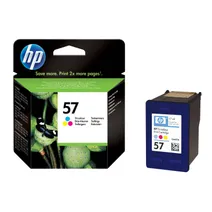
Colour ink cartridges for HP Deskjet 5650w printer:
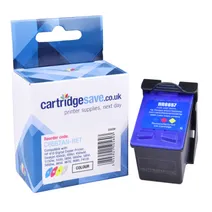
- 1x500pages
FREE next-day delivery when you order before 5:15pm
Save £22.82 compared to HP
FREE next-day delivery when you order before 5:15pm
Save £22.82 compared to HP
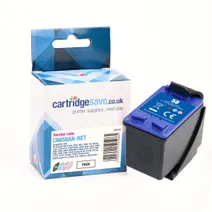
- 1x500pages
FREE next-day delivery when you order before 4:15pm
- Lowest online price guarantee
FREE next-day delivery when you order before 4:15pm
Photo colour ink cartridges for HP Deskjet 5650w printer:
- 1x125photos (10 by 15cm)
Next-day delivery when you order before 5:15pm
Next-day delivery when you order before 5:15pm
Get The Cheapest HP 5650w Ink
The HP 5650w printer is reliable, fast and capable of excellent prints. Ultimately your HP 5650w will polish off its printer ink, and when it finally does happen you'll soon work out that brand new HP 5650w ink is often really expensive. However, you do not need to waste time worrying about dishing out the steep fees you'll get on the main street because now at Cartridge Save you can pick up all the HP 5650 w cartridges you will ever want at low cost. Spend less cash on your ink by purchasing online at Cartridge Save!
Everything Comes With Free Delivery on orders over £30
Why pay high prices for the 5650-w original cartridge or 5650w compatible ink in the high street when it's simple to save some cash buying with Cartridge Save. You have total satisfaction when you order your DeskJet 5650w ink cartridges from us because they are all underwritten by a hassle-free money back guarantee. Don't forget to take into consideration that each and every order over £30 has free delivery, typically arriving with you on the following working day!
What ink does the HP Deskjet 5650w use?
The HP Deskjet 5650w uses Cartridge Save 56 ink cartridges. Cartridge Save 56 ink comes in black; the black cartridge prints 520 pages.
HP Deskjet 5650w Printer Review
Expert review of the HP Deskjet 5650w printer
'%20/%3e%3cpath%20d='M%205.454545454545455,0.6060606060606061,1.8181818181818181,12.000000000000002,10.90909090909091,4.7272727272727275,0,4.7272727272727275,9.090909090909092,12.000000000000002z'%20fill='%23d8d8d8'%20transform='translate(24,0)'%20/%3e%3cpath%20d='M%205.454545454545455,0.6060606060606061,1.8181818181818181,12.000000000000002,10.90909090909091,4.7272727272727275,0,4.7272727272727275,9.090909090909092,12.000000000000002z'%20fill='%23d8d8d8'%20transform='translate(36,0)'%20/%3e%3cpath%20d='M%205.454545454545455,0.6060606060606061,1.8181818181818181,12.000000000000002,10.90909090909091,4.7272727272727275,0,4.7272727272727275,9.090909090909092,12.000000000000002z'%20fill='%23d8d8d8'%20transform='translate(48,0)'%20/%3e%3c/svg%3e)
'%20/%3e%3cpath%20d='M%205.454545454545455,0.6060606060606061,1.8181818181818181,12.000000000000002,10.90909090909091,4.7272727272727275,0,4.7272727272727275,9.090909090909092,12.000000000000002z'%20fill='%23edd400'%20transform='translate(24,0)'%20/%3e%3cpath%20d='M%205.454545454545455,0.6060606060606061,1.8181818181818181,12.000000000000002,10.90909090909091,4.7272727272727275,0,4.7272727272727275,9.090909090909092,12.000000000000002z'%20fill='%23edd400'%20transform='translate(36,0)'%20/%3e%3cpath%20d='M%205.454545454545455,0.6060606060606061,1.8181818181818181,12.000000000000002,10.90909090909091,4.7272727272727275,0,4.7272727272727275,9.090909090909092,12.000000000000002z'%20fill='%23edd400'%20transform='translate(48,0)'%20/%3e%3c/svg%3e)
The HP Deskjet 5650w is aimed at users who need an economical printer for their personal printing needs at home or in their small office. Its additional features make it a somewhat advanced device for its price range. However, many users feel that it could have been made faster, more reliable, and more cost-efficient.
Design
This printer is an intelligent device with a Media Sense feature that detects the type of paper and adjusts itself accordingly. It runs on an inkjet printing system with an optional 6-ink printing for better colours and crisp text. Borderless printing on larger photo paper is supported. The HP Deskjet 5650w is compact and lightweight, so you can easily move it around.
Advantages
An inkjet printer, the HP Deskjet 5650w is fastest when printing in 'fast draft' mode (21 ppm in black and 15 ppm in colour). If you want to print faster without sacrificing quality, you can choose 'fast normal' mode which lets the printer produce 11 ppm in black and 7.3 ppm in colour. The 5,000-page duty cycle is quite large for a basic inkjet printer, so you can do high-volume printing of personal documents. The HP Deskjet 5650w has an auto-off feature to save energy and a 'reserve print mode' that lets it operate with a pen installed.
Disadvantages
Common problems with the HP Deskjet 5650w include errors with the HP printer toolbox. Support is very hard to find once the warranty expires (after a year). The HP Deskjet 5650w is not compatible with Mac OS Xv10.6 or Snow Leopard and higher versions. Printing in 'best' mode renders the device very sluggish – only 0.9 ppm in black and colour, and only 0.2 ppm if you are printing in optimised 4800x1200 dpi.