- Ink Cartridges
- HP Ink Cartridges
- Officejet 5500 Ink Cartridges
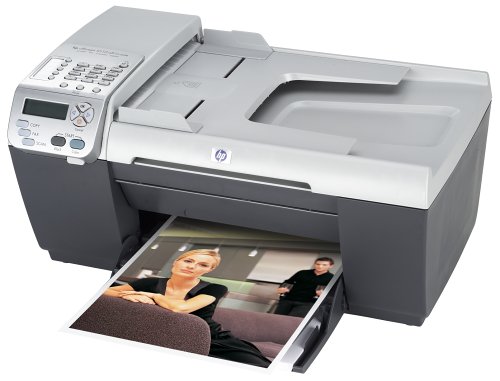
HP Officejet 5500 Ink Cartridges
The following4 products are guaranteed to work in your HP Officejet 5500 printer:
4 products
Sets of ink cartridges for HP Officejet 5500 printer:
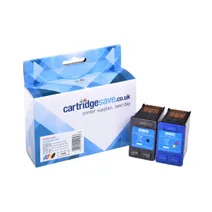
- 1x520pages
- 1x500pages
FREE next-day delivery when you order before 5:15pm
- Contains
C6656AE, C6657A
FREE next-day delivery when you order before 5:15pm
Black ink cartridges for HP Officejet 5500 printer:
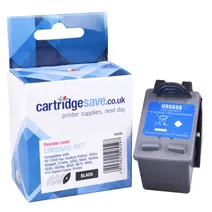
- 1x520pages
Next-day delivery when you order before 5:15pm
Next-day delivery when you order before 5:15pm
Colour ink cartridges for HP Officejet 5500 printer:
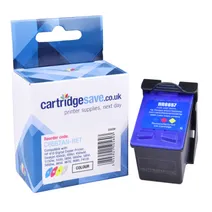
- 1x500pages
FREE next-day delivery when you order before 5:15pm
Save £22.82 compared to HP
FREE next-day delivery when you order before 5:15pm
Save £22.82 compared to HP
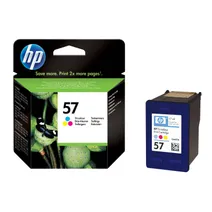
- 1x500pages
FREE next-day delivery when you order before 4:15pm
- Lowest online price guarantee
FREE next-day delivery when you order before 4:15pm
What ink does the HP Officejet 5500 use?
The HP Officejet 5500 uses Cartridge Save 56 ink cartridges. Cartridge Save 56 ink comes in black; the black cartridge prints 520 pages.
HP Officejet 5500 Printer Review
Expert review of the HP Officejet 5500 printer
'%20/%3e%3cpath%20d='M%205.454545454545455,0.6060606060606061,1.8181818181818181,12.000000000000002,10.90909090909091,4.7272727272727275,0,4.7272727272727275,9.090909090909092,12.000000000000002z'%20fill='%23d8d8d8'%20transform='translate(24,0)'%20/%3e%3cpath%20d='M%205.454545454545455,0.6060606060606061,1.8181818181818181,12.000000000000002,10.90909090909091,4.7272727272727275,0,4.7272727272727275,9.090909090909092,12.000000000000002z'%20fill='%23d8d8d8'%20transform='translate(36,0)'%20/%3e%3cpath%20d='M%205.454545454545455,0.6060606060606061,1.8181818181818181,12.000000000000002,10.90909090909091,4.7272727272727275,0,4.7272727272727275,9.090909090909092,12.000000000000002z'%20fill='%23d8d8d8'%20transform='translate(48,0)'%20/%3e%3c/svg%3e)
'%20/%3e%3cpath%20d='M%205.454545454545455,0.6060606060606061,1.8181818181818181,12.000000000000002,10.90909090909091,4.7272727272727275,0,4.7272727272727275,9.090909090909092,12.000000000000002z'%20fill='%23edd400'%20transform='translate(24,0)'%20/%3e%3cpath%20d='M%205.454545454545455,0.6060606060606061,1.8181818181818181,12.000000000000002,10.90909090909091,4.7272727272727275,0,4.7272727272727275,9.090909090909092,12.000000000000002z'%20fill='%23edd400'%20transform='translate(36,0)'%20/%3e%3cpath%20d='M%205.454545454545455,0.6060606060606061,1.8181818181818181,12.000000000000002,10.90909090909091,4.7272727272727275,0,4.7272727272727275,9.090909090909092,12.000000000000002z'%20fill='%23edd400'%20transform='translate(48,0)'%20/%3e%3c/svg%3e)
An all-in-one inkjet from HP, the HP Officejet 5500 boasts high quality outputs at decent speeds, with an average rate of 17ppm when printing black and white, and 12 ppm when printing coloured text or graphics. The HP Officejet 5500 makes a good choice for home-based and small offices with light usage requirements, offering a monthly duty cycle of up to 1600 impressions. This model, however, is not suitable for printer sharing.
Design
The HP Officejet 5500 is on the bulky side but is still suitable for small desktop setups. It features its own automatic document feeder that makes copying multiple-page documents a breeze. Under the lid is a 36-bit digital scanner, which can produce high resolution images up to 600x2400 dpi. The HP Officejet 5500 has a USB port for connecting to a computer and uses one tri-colour tank and one black cartridge for excellent printing results.
Advantages
Unlike other models in the same line, the HP Officejet 5500 is not a 3-in-one but a 4-in-one machine, adding fax to its list of features. The fax component boasts a transmission speed of 33.6 Kbps and can produce at least 1 page every 3 seconds. Maximum printer resolution is 4800x1200 dpi.
Disadvantages
The HP Officejet 5500 does not have any networking capabilities, nor does it have a wireless configuration. It only connects via USB. For some users, this is enough, but for printer-sharing set ups, this can be a deal breaker.