- Ink Cartridges
- HP Ink Cartridges
- Officejet Pro 7730 Ink Cartridges
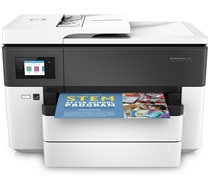
HP Officejet Pro 7730 Ink Cartridges
The following18 products are guaranteed to work in your HP Officejet Pro 7730 printer:
18 products
Sets of ink cartridges for HP Officejet Pro 7730 printer:
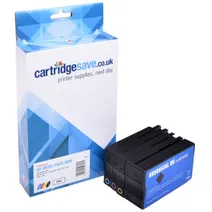
- 1x2000pages
- 1x1450pages
- 1x1450pages
- 1x1450pages
FREE delivery
Save £58.76 compared to HP
FREE delivery
Save £58.76 compared to HP
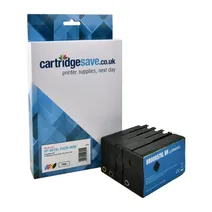
- 1x3000pages
- 1x1450pages
- 1x1450pages
- 1x1450pages
FREE delivery
- Contains
L0R40AE, F6U16AE, F6U17AE, F6U18AE
FREE delivery
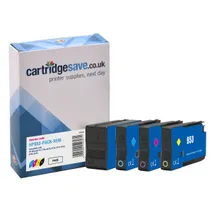
- 1x900pages
- 1x630pages
- 1x630pages
- 1x630pages
FREE delivery
Save £36.60 compared to HP
- Contains
F6U12AE, F6U13AE, F6U14AE, L0S58AE
FREE delivery
Save £36.60 compared to HP
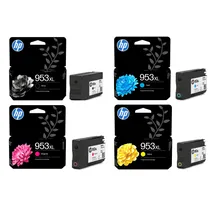
- 1x2000pages
- 1x1450pages
- 1x1450pages
- 1x1450pages
FREE delivery
- Contains
L0S70AE, F6U16AE, F6U17AE, F6U18AE
- Lowest online price guarantee
FREE delivery
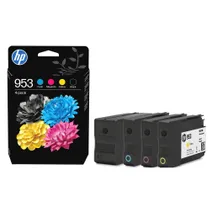
- 1x900pages
- 1x630pages
- 1x630pages
- 1x630pages
FREE delivery
- Contains
F6U12AE, F6U13AE, F6U14AE, L0S58AE
- Lowest online price guarantee
FREE delivery
Black ink cartridges for HP Officejet Pro 7730 printer:
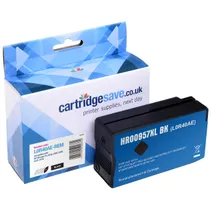
- 1x3000pages
Shipped next working-day
Shipped next working-day
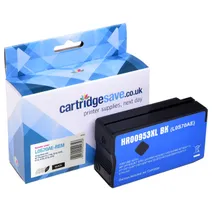
- 1x2000pages
FREE delivery
Save £20.05 compared to HP
FREE delivery
Save £20.05 compared to HP
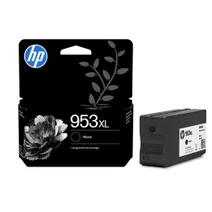
- 1x2000pages
FREE delivery
- Lowest online price guarantee
FREE delivery
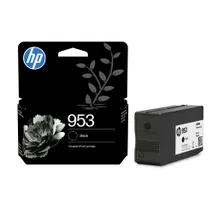
- 1x900pages
FREE delivery
- Lowest online price guarantee
FREE delivery
Cyan ink cartridges for HP Officejet Pro 7730 printer:
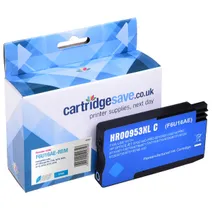
- 1x1450pages
Shipped next working-day
Save £14.86 compared to HP
Shipped next working-day
Save £14.86 compared to HP
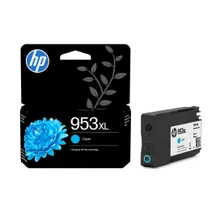
- 1x1450pages
FREE delivery
- Lowest online price guarantee
FREE delivery
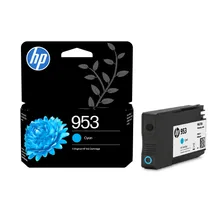
- 1x630pages
Shipped next working-day
- Lowest online price guarantee
Shipped next working-day
Magenta ink cartridges for HP Officejet Pro 7730 printer:
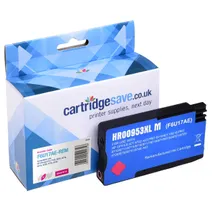
- 1x1450pages
Shipped next working-day
Save £14.86 compared to HP
Shipped next working-day
Save £14.86 compared to HP
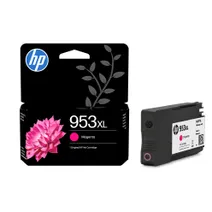
- 1x1450pages
FREE delivery
- Lowest online price guarantee
FREE delivery
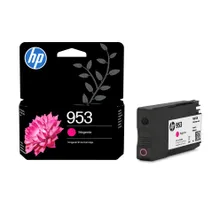
- 1x630pages
Shipped next working-day
- Lowest online price guarantee
Shipped next working-day
Yellow ink cartridges for HP Officejet Pro 7730 printer:
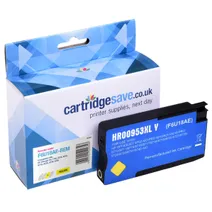
- 1x1450pages
Shipped next working-day
Save £14.86 compared to HP
Shipped next working-day
Save £14.86 compared to HP
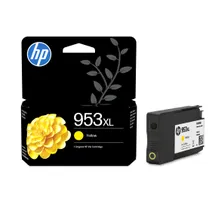
- 1x1450pages
FREE delivery
- Lowest online price guarantee
FREE delivery
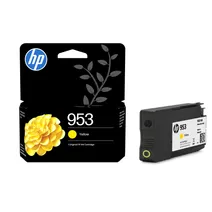
- 1x630pages
Shipped next working-day
- Lowest online price guarantee
Shipped next working-day
What ink does the HP Officejet Pro 7730 use?
The HP Officejet Pro 7730 uses HP 953 ink cartridges. HP 953 ink comes in cyan; the cyan cartridge prints 630 pages.
HP Officejet Pro 7730 Printer Review
Expert review of the HP Officejet Pro 7730 printer
'%20/%3e%3cpath%20d='M%205.454545454545455,0.6060606060606061,1.8181818181818181,12.000000000000002,10.90909090909091,4.7272727272727275,0,4.7272727272727275,9.090909090909092,12.000000000000002z'%20fill='%23d8d8d8'%20transform='translate(24,0)'%20/%3e%3cpath%20d='M%205.454545454545455,0.6060606060606061,1.8181818181818181,12.000000000000002,10.90909090909091,4.7272727272727275,0,4.7272727272727275,9.090909090909092,12.000000000000002z'%20fill='%23d8d8d8'%20transform='translate(36,0)'%20/%3e%3cpath%20d='M%205.454545454545455,0.6060606060606061,1.8181818181818181,12.000000000000002,10.90909090909091,4.7272727272727275,0,4.7272727272727275,9.090909090909092,12.000000000000002z'%20fill='%23d8d8d8'%20transform='translate(48,0)'%20/%3e%3c/svg%3e)
'%20/%3e%3cpath%20d='M%205.454545454545455,0.6060606060606061,1.8181818181818181,12.000000000000002,10.90909090909091,4.7272727272727275,0,4.7272727272727275,9.090909090909092,12.000000000000002z'%20fill='%23edd400'%20transform='translate(24,0)'%20/%3e%3cpath%20d='M%205.454545454545455,0.6060606060606061,1.8181818181818181,12.000000000000002,10.90909090909091,4.7272727272727275,0,4.7272727272727275,9.090909090909092,12.000000000000002z'%20fill='%23edd400'%20transform='translate(36,0)'%20/%3e%3cpath%20d='M%205.454545454545455,0.6060606060606061,1.8181818181818181,12.000000000000002,10.90909090909091,4.7272727272727275,0,4.7272727272727275,9.090909090909092,12.000000000000002z'%20fill='%23edd400'%20transform='translate(48,0)'%20/%3e%3c/svg%3e)
The HP Officejet Pro 7730 is a printer with an A3 sized flatbed that can also scan, copy and fax documents. The size of it makes it the right style for commercial use, and it has the sort of features that make it suited to this purpose. The USB 2.0 port is coupled with the wireless capability to offer numerous ways in which to connect.
Design
The HP Officejet Pro 7730 is a large machine with dimensions of approximately 23 x 15.19 x 17.51 inches which is capable of handling the volume of work that would be required of it in a commercial environment. It is made easier to use with an efficient document feeder, which can hold up to 500 sheets of plain paper in two equal batches and 35 ADF. This means that the paper tray does not require routine replenishing, making it a time-effective printer. The colour LCD touchscreen measures 2.65 inches and offers an easy way to operate all the functions.
Advantages
The rate at which the HP Officejet Pro 7730 prints is 22 pages per minute in mono and 18 pages per minute in colour when using A4. The high print resolution of the 4800 x 1200 dpi ensures that there will continue to be precision in the images and text no matter what the quantity. The choice in respect of how to connect extends to include the availability of AirPrint and Mobile Print.
Disadvantages
The position of the LCD screen on the HP Officejet Pro 7730 can prove to be a little awkward as it means checking the front of the printer whilst operating the top. For such a large device, it is arguable that there should be more than four ink colours. The size of the printer is proportionate to the amount of power it requires.