- Ink Cartridges
- HP Ink Cartridges
- PSC 2100 Ink Cartridges
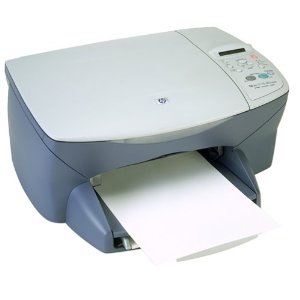
HP PSC 2100 Ink Cartridges
The following4 products are guaranteed to work in your HP PSC 2100 printer:
4 products
Sets of ink cartridges for HP PSC 2100 printer:
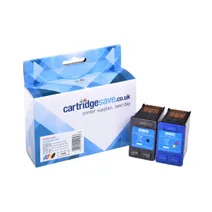
- 1x520pages
- 1x500pages
FREE next-day delivery when you order before 5:15pm
- Contains
C6656AE, C6657A
FREE next-day delivery when you order before 5:15pm
Black ink cartridges for HP PSC 2100 printer:
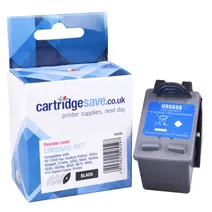
- 1x520pages
Next-day delivery when you order before 5:15pm
Next-day delivery when you order before 5:15pm
Colour ink cartridges for HP PSC 2100 printer:
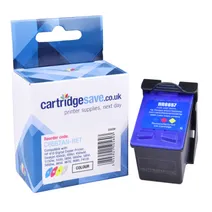
- 1x500pages
FREE next-day delivery when you order before 5:15pm
Save £26.26 compared to HP
FREE next-day delivery when you order before 5:15pm
Save £26.26 compared to HP
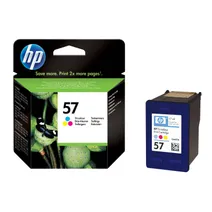
- 1x500pages
FREE next-day delivery when you order before 4:15pm
- Lowest online price guarantee
FREE next-day delivery when you order before 4:15pm
What ink does the HP PSC 2100 use?
The HP PSC 2100 uses Cartridge Save 56 ink cartridges. Cartridge Save 56 ink comes in black; the black cartridge prints 520 pages.
HP PSC 2100 Printer Review
Expert review of the HP PSC 2100 printer
'%20/%3e%3cpath%20d='M%205.454545454545455,0.6060606060606061,1.8181818181818181,12.000000000000002,10.90909090909091,4.7272727272727275,0,4.7272727272727275,9.090909090909092,12.000000000000002z'%20fill='%23d8d8d8'%20transform='translate(24,0)'%20/%3e%3cpath%20d='M%205.454545454545455,0.6060606060606061,1.8181818181818181,12.000000000000002,10.90909090909091,4.7272727272727275,0,4.7272727272727275,9.090909090909092,12.000000000000002z'%20fill='%23d8d8d8'%20transform='translate(36,0)'%20/%3e%3cpath%20d='M%205.454545454545455,0.6060606060606061,1.8181818181818181,12.000000000000002,10.90909090909091,4.7272727272727275,0,4.7272727272727275,9.090909090909092,12.000000000000002z'%20fill='%23d8d8d8'%20transform='translate(48,0)'%20/%3e%3c/svg%3e)
'%20/%3e%3cpath%20d='M%205.454545454545455,0.6060606060606061,1.8181818181818181,12.000000000000002,10.90909090909091,4.7272727272727275,0,4.7272727272727275,9.090909090909092,12.000000000000002z'%20fill='%23edd400'%20transform='translate(24,0)'%20/%3e%3cpath%20d='M%205.454545454545455,0.6060606060606061,1.8181818181818181,12.000000000000002,10.90909090909091,4.7272727272727275,0,4.7272727272727275,9.090909090909092,12.000000000000002z'%20fill='%23edd400'%20transform='translate(36,0)'%20/%3e%3cpath%20d='M%205.454545454545455,0.6060606060606061,1.8181818181818181,12.000000000000002,10.90909090909091,4.7272727272727275,0,4.7272727272727275,9.090909090909092,12.000000000000002z'%20fill='%23edd400'%20transform='translate(48,0)'%20/%3e%3c/svg%3e)
A compact and lightweight all-in-one, the HP PSC 2100 is an easy choice for small offices and even for home use. It has the compact design of a single function printer and the functionality of a copier, scanner, and printer. The HP PSC 2100 also banks on portability. However, it is quite sluggish compared to other models, producing only 2 pages per minute in 'best' mode.
Design
Measuring 5.5x16.6x12.4 inches, the HP PSC 2100 is easy fit to any desktop setup. It features a fold-up paper tray that can hold as much as 80 sheets of plain paper. The HP PSC 2100 uses 2 ink cartridges – one black, and the other tri-colour. This makes replacement easier but not necessarily more cost effective.
Advantages
Major advantages users get from the HP PSC 2100 include multifunctionality, compact design, simple cartridge configuration, and high speed connectivity. The machine also produces high quality prints, especially text and graphics.
Disadvantages
The HP PSC 2100 is not as powerful as other multifunctions in its range. Because it is sluggish, it can slow down productivity, especially in busier work environments. Printing in draft modes is significantly faster, but the quality of the printouts does not look professional.