- Toner Cartridges
- Canon Toner Cartridges
- i-SENSYS LBP7100Cn Toner Cartridges
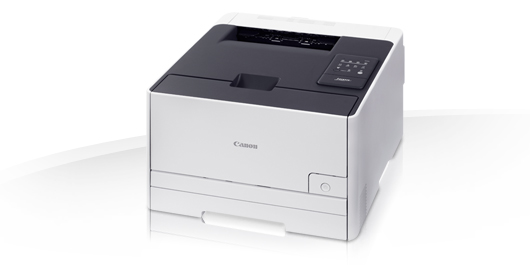
Canon i-SENSYS LBP7100Cn Toner Cartridges
The following14 products are guaranteed to work in your Canon i-SENSYS LBP7100Cn printer:
14 products
Full sets of toner cartridges for Canon i-SENSYS LBP7100Cn printer:

- 1x2400pages
- 1x1500pages
- 1x1500pages
- 1x1500pages
FREE delivery
Save £105.00 compared to Canon
- Contains
731H, 731C, 731M, 731Y
FREE delivery
Save £105.00 compared to Canon
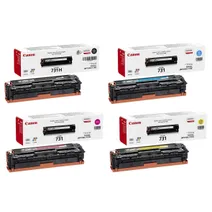
- 1x2400pages
- 1x1500pages
- 1x1500pages
- 1x1500pages
FREE delivery
- Contains
731H, 731C, 731M, 731Y
- Lowest online price guarantee
FREE delivery
Colour toner cartridge packs for Canon i-SENSYS LBP7100Cn printer:
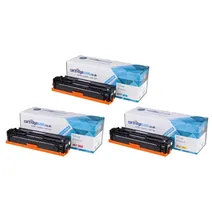
- 1x1500pages
- 1x1500pages
- 1x1500pages
FREE delivery
Save £76.97 compared to Canon
- Contains
731C, 731M, 731Y
FREE delivery
Save £76.97 compared to Canon
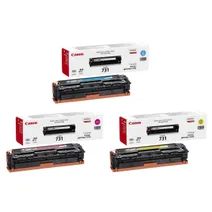
- 1x1500pages
- 1x1500pages
- 1x1500pages
FREE delivery
- Contains
731C, 731M, 731Y
- Lowest online price guarantee
FREE delivery
Black toner cartridges for Canon i-SENSYS LBP7100Cn printer:
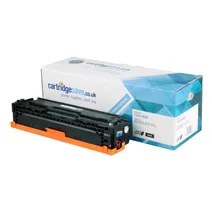
- 1x2400pages
FREE delivery
Save £16.90 compared to Canon
FREE delivery
Save £16.90 compared to Canon
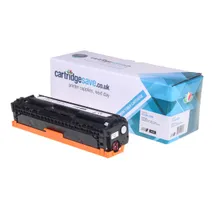
- 1x1400pages
FREE delivery
Save £23.28 compared to Canon
FREE delivery
Save £23.28 compared to Canon
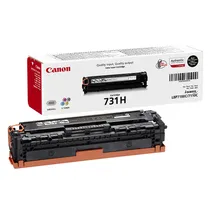
- 1x2400pages
FREE delivery
- Lowest online price guarantee
FREE delivery
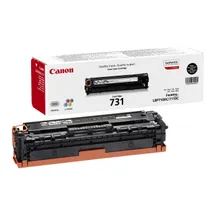
- 1x1400pages
FREE delivery
- Lowest online price guarantee
FREE delivery
Cyan toner cartridges for Canon i-SENSYS LBP7100Cn printer:
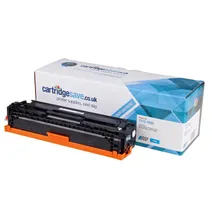
- 1x1500pages
FREE delivery
Save £11.50 compared to Canon
FREE delivery
Save £11.50 compared to Canon
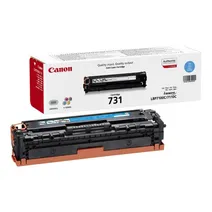
- 1x1500pages
FREE delivery
- Lowest online price guarantee
FREE delivery
Magenta toner cartridges for Canon i-SENSYS LBP7100Cn printer:
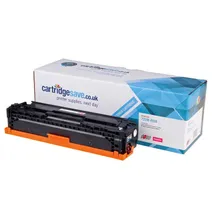
- 1x1500pages
FREE delivery
Save £12.44 compared to Canon
FREE delivery
Save £12.44 compared to Canon
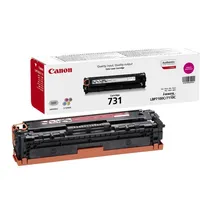
- 1x1500pages
FREE delivery
- Lowest online price guarantee
FREE delivery
Yellow toner cartridges for Canon i-SENSYS LBP7100Cn printer:
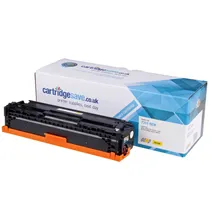
- 1x1500pages
FREE delivery
Save £10.86 compared to Canon
FREE delivery
Save £10.86 compared to Canon
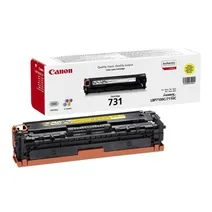
- 1x1500pages
FREE delivery
- Lowest online price guarantee
FREE delivery
What toner does the Canon i-SENSYS LBP7100Cn use?
The Canon i-SENSYS LBP7100Cn uses Canon 731 toner cartridges. Canon 731 toner comes in multicolour; the multicolour cartridge prints 1,500 pages.
Canon i-SENSYS LBP7100Cn Printer Review
Expert review of the Canon i-SENSYS LBP7100Cn printer
'%20/%3e%3cpath%20d='M%205.454545454545455,0.6060606060606061,1.8181818181818181,12.000000000000002,10.90909090909091,4.7272727272727275,0,4.7272727272727275,9.090909090909092,12.000000000000002z'%20fill='%23d8d8d8'%20transform='translate(24,0)'%20/%3e%3cpath%20d='M%205.454545454545455,0.6060606060606061,1.8181818181818181,12.000000000000002,10.90909090909091,4.7272727272727275,0,4.7272727272727275,9.090909090909092,12.000000000000002z'%20fill='%23d8d8d8'%20transform='translate(36,0)'%20/%3e%3cpath%20d='M%205.454545454545455,0.6060606060606061,1.8181818181818181,12.000000000000002,10.90909090909091,4.7272727272727275,0,4.7272727272727275,9.090909090909092,12.000000000000002z'%20fill='%23d8d8d8'%20transform='translate(48,0)'%20/%3e%3c/svg%3e)
'%20/%3e%3cpath%20d='M%205.454545454545455,0.6060606060606061,1.8181818181818181,12.000000000000002,10.90909090909091,4.7272727272727275,0,4.7272727272727275,9.090909090909092,12.000000000000002z'%20fill='%23edd400'%20transform='translate(24,0)'%20/%3e%3cpath%20d='M%205.454545454545455,0.6060606060606061,1.8181818181818181,12.000000000000002,10.90909090909091,4.7272727272727275,0,4.7272727272727275,9.090909090909092,12.000000000000002z'%20fill='%23edd400'%20transform='translate(36,0)'%20/%3e%3cpath%20d='M%205.454545454545455,0.6060606060606061,1.8181818181818181,12.000000000000002,10.90909090909091,4.7272727272727275,0,4.7272727272727275,9.090909090909092,12.000000000000002z'%20fill='%23edd400'%20transform='translate(48,0)'%20/%3e%3c/svg%3e)
Designed for small businesses, the compact Canon i-SENSYS LBP-7100CN is a colour laser printer with built-in networking connectivity. This model can deliver crisp and professional text documents and vibrant coloured images. It has a maximum resolution of 1,200 x 1,200 dpi and uses colour laser beam printing method. The Canon i-SENSYS LBP 7100CN A4 laser printer has a monthly duty cycle of 30,000 pages. Print speed could be faster.
Design
This model comes with a small control panel that has operation keys and LED indicators. The Canon LBP-7100CN colour printer is integrated with 64 MB of memory and it offers USB and Ethernet interfaces. Print speed can go as fast as 14 ppm for both coloured and monochrome output with the first page out in 18 seconds or less. The i-SENSYS LBP7100CN printer has a standard input of 150 sheets and output of 125 sheets.
Advantages
Small workgroups favour the Canon LBP-7100CN i-SENSYS colour workgroup printer as it takes up little space and it comes with Ethernet plus it works on Windows and Macintosh operating systems. This model delivers excellent output and is extremely reliable. The Canon i-SENSYS LBP-7100CN A4 colour laser printer requires low maintenance and is very easy to setup and operate. For lower cost monochrome prints, this machine can run on a high capacity Canon LBP7100CN black cartridge.
Disadvantages
There are new printers that can deliver output faster than the i-SENSYS 7100CN colour printer. This model has low paper handling capacity and it does not offer Wi-Fi connectivity. The Canon 7100CN laser printer also lacks an automatic duplexer for double-sided printing. It would be more convenient if the LBP 7100CN had a large display on its control panel and if it had a USB host.