- Toner Cartridges
- Xerox Toner Cartridges
- VersaLink C9000 Toner Cartridges
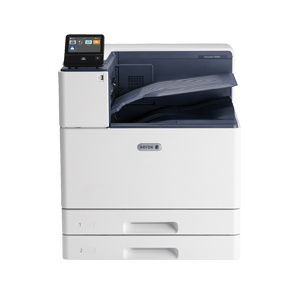
Xerox VersaLink C9000 Toner Cartridges
The following8 products are guaranteed to work in your Xerox VersaLink C9000 printer:
8 products
Full sets of toner cartridges for Xerox VersaLink C9000 printer:
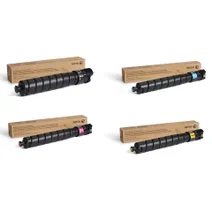
- 1x31400pages
- 1x26500pages
- 1x26500pages
- 1x26500pages
FREE next-day delivery when you order before 5:15pm
- Contains
106R04078, 106R04079, 106R04080, 106R04081
- Lowest online price guarantee
FREE next-day delivery when you order before 5:15pm
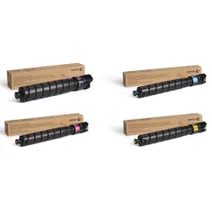
- 1x18900pages
- 1x12300pages
- 1x12300pages
- 1x12300pages
FREE delivery
- Contains
106R04066, 106R04067, 106R04068, 106R04069
- Lowest online price guarantee
FREE delivery
Black toner cartridges for Xerox VersaLink C9000 printer:
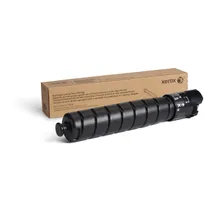
- 1x31400pages
FREE next-day delivery when you order before 5:15pm
- Lowest online price guarantee
FREE next-day delivery when you order before 5:15pm
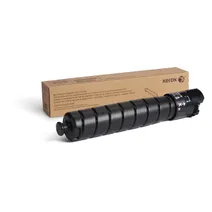
- 1x18900pages
FREE delivery
- Lowest online price guarantee
FREE delivery
Cyan toner cartridges for Xerox VersaLink C9000 printer:
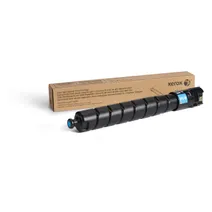
- 1x26500pages
FREE next-day delivery when you order before 5:15pm
- Lowest online price guarantee
FREE next-day delivery when you order before 5:15pm
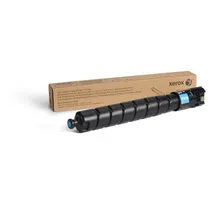
- 1x12300pages
FREE delivery
- Lowest online price guarantee
FREE delivery
Magenta toner cartridges for Xerox VersaLink C9000 printer:
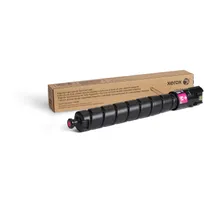
- 1x26500pages
FREE next-day delivery when you order before 5:15pm
- Lowest online price guarantee
FREE next-day delivery when you order before 5:15pm
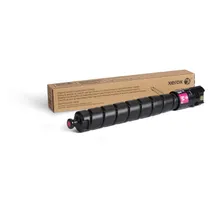
- 1x12300pages
FREE delivery
- Lowest online price guarantee
FREE delivery
Yellow toner cartridges for Xerox VersaLink C9000 printer:
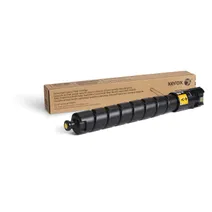
- 1x26500pages
FREE next-day delivery when you order before 5:15pm
- Lowest online price guarantee
FREE next-day delivery when you order before 5:15pm
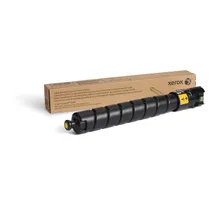
- 1x12300pages
FREE delivery
- Lowest online price guarantee
FREE delivery
Maintenance items for Xerox VersaLink C9000 printer:
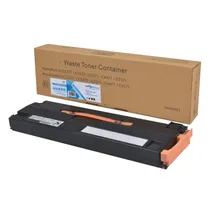
- 47000pages
FREE next-day delivery when you order before 5:15pm
Save £30.56 compared to Xerox
FREE next-day delivery when you order before 5:15pm
Save £30.56 compared to Xerox
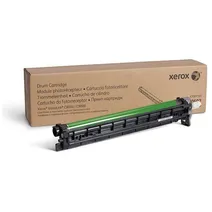
- 190000pages
FREE next-day delivery when you order before 5:15pm
- Lowest online price guarantee
FREE next-day delivery when you order before 5:15pm
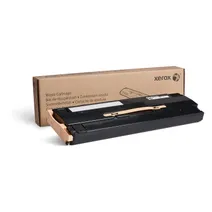
- 47000pages
FREE next-day delivery when you order before 5:15pm
- Lowest online price guarantee
FREE next-day delivery when you order before 5:15pm
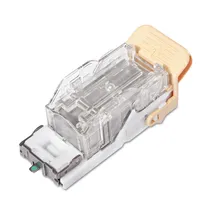
- 5000staples
FREE delivery
- Lowest online price guarantee
FREE delivery
What toner does the Xerox VersaLink C9000 use?
The Xerox VersaLink C9000 uses Xerox 106R04081 toner cartridges. Xerox 106R04081 toner comes in black; the black cartridge prints 31,400 pages.
Xerox VersaLink C9000 Printer Review
Expert review of the Xerox VersaLink C9000 printer
'%20/%3e%3cpath%20d='M%205.454545454545455,0.6060606060606061,1.8181818181818181,12.000000000000002,10.90909090909091,4.7272727272727275,0,4.7272727272727275,9.090909090909092,12.000000000000002z'%20fill='%23d8d8d8'%20transform='translate(24,0)'%20/%3e%3cpath%20d='M%205.454545454545455,0.6060606060606061,1.8181818181818181,12.000000000000002,10.90909090909091,4.7272727272727275,0,4.7272727272727275,9.090909090909092,12.000000000000002z'%20fill='%23d8d8d8'%20transform='translate(36,0)'%20/%3e%3cpath%20d='M%205.454545454545455,0.6060606060606061,1.8181818181818181,12.000000000000002,10.90909090909091,4.7272727272727275,0,4.7272727272727275,9.090909090909092,12.000000000000002z'%20fill='%23d8d8d8'%20transform='translate(48,0)'%20/%3e%3c/svg%3e)
'%20/%3e%3cpath%20d='M%205.454545454545455,0.6060606060606061,1.8181818181818181,12.000000000000002,10.90909090909091,4.7272727272727275,0,4.7272727272727275,9.090909090909092,12.000000000000002z'%20fill='%23edd400'%20transform='translate(24,0)'%20/%3e%3cpath%20d='M%205.454545454545455,0.6060606060606061,1.8181818181818181,12.000000000000002,10.90909090909091,4.7272727272727275,0,4.7272727272727275,9.090909090909092,12.000000000000002z'%20fill='%23edd400'%20transform='translate(36,0)'%20/%3e%3cpath%20d='M%205.454545454545455,0.6060606060606061,1.8181818181818181,12.000000000000002,10.90909090909091,4.7272727272727275,0,4.7272727272727275,9.090909090909092,12.000000000000002z'%20fill='%23edd400'%20transform='translate(48,0)'%20/%3e%3c/svg%3e)
The Xerox VersaLink C9000 is a colour laser printer able to handle media of a variety of sizes including A3. With professional colour management tools, the printer will produce a range of documents to a high standard, making it suitable for firms requiring a high volume of vibrant colour printing, including advertising agencies, photography studios and graphic designers. The range of finishing options will enhance the professional standard the printer delivers. Before purchasing, it is necessary to estimate your likely output. For high volume printing, this is a good option, which will produce consistently superior results. However, for a smaller company, this printer may not be suitable.
Design
With dimensions of 620 x 723 x 809.3 mm, the Xerox VersaLink C9000 is a large device in a grey design. On the front of the device there is a 5-inch colour LCD screen to manage and monitor the printer. Print speeds are 55 ppm in both colour and monochrome, while the maximum print resolution is 1200 x 2400 dpi, the recommended monthly volume is up to 30,000 pages and the monthly duty cycle is 270,000 images. Connectivity is achieved via an Ethernet, USB or wireless interface. Paper is stored in two trays each holding 520 sheets and a 100 sheet bypass tray. If required, paper capacity can be expanded up to 5,140 sheets.
Advantages
Able to handle a variety of media, the Xerox VersaLink C9000 can be used for printing banners. Set up of the printer is straightforward. With fewer moving parts and strengthened paper path components, this printer works reliably and to a consistently high standard. It includes stringent security features which ensure that confidential documents are kept safe. With advanced colour management capabilities, the printer allows vibrant colour printing, and a range of finishing options save time and give documents a professional appearance.
Disadvantages
While ideal for high volume printing, the Xerox VersaLink C9000 is not suitable for small businesses or those with a low printing output.