- Toner Cartridges
- Kyocera Toner Cartridges
- FS-1041 Toner Cartridges
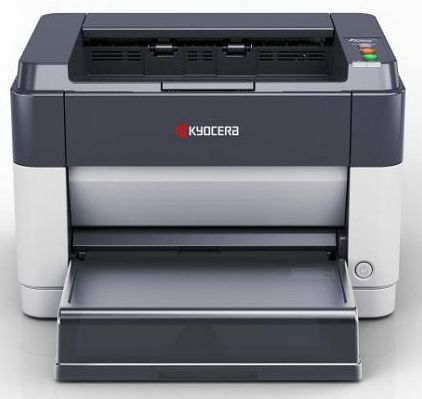
Kyocera FS-1041 Toner Cartridges
The following2 products are guaranteed to work in your Kyocera FS-1041 printer:
2 products
Black toner cartridges for Kyocera FS-1041 printer:
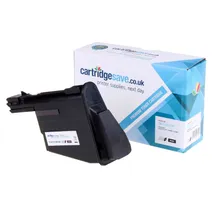
- 1x1600pages
FREE delivery
Save £29.41 compared to Kyocera
FREE delivery
Save £29.41 compared to Kyocera
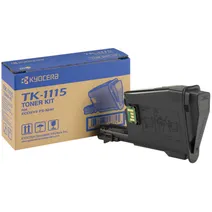
- 1x1600pages
FREE delivery
- Lowest online price guarantee
FREE delivery
What toner does the Kyocera FS-1041 use?
The Kyocera FS-1041 uses Kyocera TK-1115 toner cartridges. Kyocera TK-1115 toner comes in black; the black cartridge prints 1,600 pages.
Kyocera FS-1041 Printer Review
Expert review of the Kyocera FS-1041 printer
'%20/%3e%3cpath%20d='M%205.454545454545455,0.6060606060606061,1.8181818181818181,12.000000000000002,10.90909090909091,4.7272727272727275,0,4.7272727272727275,9.090909090909092,12.000000000000002z'%20fill='%23d8d8d8'%20transform='translate(24,0)'%20/%3e%3cpath%20d='M%205.454545454545455,0.6060606060606061,1.8181818181818181,12.000000000000002,10.90909090909091,4.7272727272727275,0,4.7272727272727275,9.090909090909092,12.000000000000002z'%20fill='%23d8d8d8'%20transform='translate(36,0)'%20/%3e%3cpath%20d='M%205.454545454545455,0.6060606060606061,1.8181818181818181,12.000000000000002,10.90909090909091,4.7272727272727275,0,4.7272727272727275,9.090909090909092,12.000000000000002z'%20fill='%23d8d8d8'%20transform='translate(48,0)'%20/%3e%3c/svg%3e)
'%20/%3e%3cpath%20d='M%205.454545454545455,0.6060606060606061,1.8181818181818181,12.000000000000002,10.90909090909091,4.7272727272727275,0,4.7272727272727275,9.090909090909092,12.000000000000002z'%20fill='%23edd400'%20transform='translate(24,0)'%20/%3e%3cpath%20d='M%205.454545454545455,0.6060606060606061,1.8181818181818181,12.000000000000002,10.90909090909091,4.7272727272727275,0,4.7272727272727275,9.090909090909092,12.000000000000002z'%20fill='%23edd400'%20transform='translate(36,0)'%20/%3e%3cpath%20d='M%205.454545454545455,0.6060606060606061,1.8181818181818181,12.000000000000002,10.90909090909091,4.7272727272727275,0,4.7272727272727275,9.090909090909092,12.000000000000002z'%20fill='%23edd400'%20transform='translate(48,0)'%20/%3e%3c/svg%3e)
Ideal for users who want a compact, quiet, easy to use printer, the Kyocera FS-1041 fits the bill thanks to its small footprint, whisper quiet operation and simple configuration. It prints on different sizes of media up to A4, and it can produce as many as 20 pages per minute. It has a high-speed USB interface and prints are fade resistant for longer using Kyocera's specially formulated toner. The Kyocera FS-1041 single function is a suitable desktop printer, ideal for personal use. However, the device only supports monochrome printing and it does not offer multifunction features.
Design
The Kyocera FS-1041 is compact measuring only 358x262x241 mm. It is designed for use with popular Windows and Mac operating systems and it connects to PC via high speed USB, which means fast and efficient data transfer. The unit has a 250-sheet paper cassette for different types of media and data is handled by the 32 MB of internal memory. It offers fast warm up averages, and it has both eco and quiet modes, ideal when don't want to disturb those around you. The Kyocera FS-1041 has a simple control panel consisting of three buttons for general printer functions.
Advantages
Built for personal and low-volume print work, the Kyocera FS-1041 offers good enough print averages, up to 20 pages per minute. Its powerful print engine can produce high resolutions up to 1200 dpi and the unit has a long life span even with regular use. The device also offers significantly low print costs.
Disadvantages
Colour Laser Printers are available now at similar prices which could detract for what is otherwise a very good printer. For those who maybe have an inkjet for colour printing but have a relatively high output of text only this would be an ideal second printer.