- Ink Cartridges
- Epson Ink Cartridges
- WorkForce WF-2750 Ink Cartridges
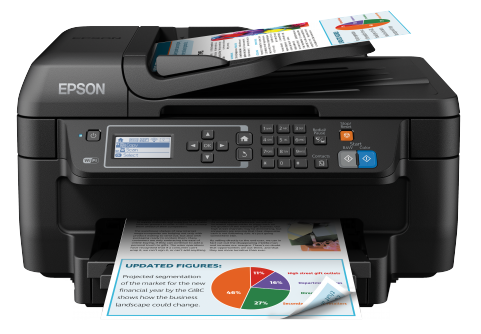
Epson WorkForce WF-2750 Ink Cartridges
The following15 products are guaranteed to work in your Epson WorkForce WF-2750 printer:
15 products
Sets of ink cartridges for Epson WorkForce WF-2750 printer:
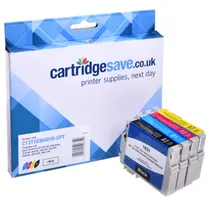
- 1x500pages
- 1x450pages
- 1x450pages
- 1x450pages
FREE delivery
Save £30.24 compared to Epson
- Contains
T1631, T1632, T1633, T1634
FREE delivery
Save £30.24 compared to Epson

- 1x500pages
- 1x450pages
- 1x450pages
- 1x450pages
FREE delivery
- Contains
T1631, T1632, T1633, T1634
- Lowest online price guarantee
FREE delivery

- 1x175pages
- 1x165pages
- 1x165pages
- 1x165pages
FREE delivery
- Contains
T1621, T1622, T1623, T1624
- Lowest online price guarantee
FREE delivery
Black ink cartridges for Epson WorkForce WF-2750 printer:
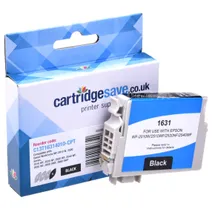
- 1x500pages
Shipped next working-day
Save £9.80 compared to Epson
Shipped next working-day
Save £9.80 compared to Epson

- 1x500pages
Shipped next working-day
- Lowest online price guarantee
Shipped next working-day

- 1x175pages
Shipped next working-day
- Lowest online price guarantee
Shipped next working-day
Cyan ink cartridges for Epson WorkForce WF-2750 printer:
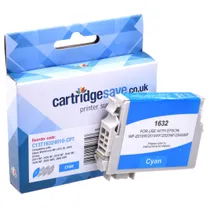
- 1x450pages
Shipped next working-day
Save £7.31 compared to Epson
Shipped next working-day
Save £7.31 compared to Epson

- 1x450pages
Shipped next working-day
- Lowest online price guarantee
Shipped next working-day

- 1x165pages
Shipped next working-day
- Lowest online price guarantee
Shipped next working-day
Magenta ink cartridges for Epson WorkForce WF-2750 printer:
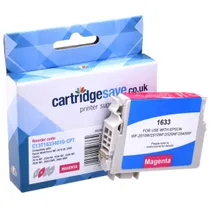
- 1x450pages
Shipped next working-day
Save £7.99 compared to Epson
Shipped next working-day
Save £7.99 compared to Epson

- 1x450pages
Shipped next working-day
- Lowest online price guarantee
Shipped next working-day

- 1x165pages
Shipped next working-day
- Lowest online price guarantee
Shipped next working-day
Yellow ink cartridges for Epson WorkForce WF-2750 printer:
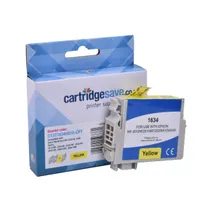
- 1x450pages
Shipped next working-day
Save £7.49 compared to Epson
Shipped next working-day
Save £7.49 compared to Epson

- 1x450pages
Shipped next working-day
- Lowest online price guarantee
Shipped next working-day

- 1x165pages
Shipped next working-day
- Lowest online price guarantee
Shipped next working-day
What ink does the Epson WorkForce WF-2750 use?
The Epson WorkForce WF-2750 uses Epson 16 ink cartridges. Epson 16 ink comes in black; the black cartridge prints 175 pages.
Epson WorkForce WF-2750 Printer Review
Expert review of the Epson WorkForce WF-2750 printer
'%20/%3e%3cpath%20d='M%205.454545454545455,0.6060606060606061,1.8181818181818181,12.000000000000002,10.90909090909091,4.7272727272727275,0,4.7272727272727275,9.090909090909092,12.000000000000002z'%20fill='%23d8d8d8'%20transform='translate(24,0)'%20/%3e%3cpath%20d='M%205.454545454545455,0.6060606060606061,1.8181818181818181,12.000000000000002,10.90909090909091,4.7272727272727275,0,4.7272727272727275,9.090909090909092,12.000000000000002z'%20fill='%23d8d8d8'%20transform='translate(36,0)'%20/%3e%3cpath%20d='M%205.454545454545455,0.6060606060606061,1.8181818181818181,12.000000000000002,10.90909090909091,4.7272727272727275,0,4.7272727272727275,9.090909090909092,12.000000000000002z'%20fill='%23d8d8d8'%20transform='translate(48,0)'%20/%3e%3c/svg%3e)
'%20/%3e%3cpath%20d='M%205.454545454545455,0.6060606060606061,1.8181818181818181,12.000000000000002,10.90909090909091,4.7272727272727275,0,4.7272727272727275,9.090909090909092,12.000000000000002z'%20fill='%23edd400'%20transform='translate(24,0)'%20/%3e%3cpath%20d='M%205.454545454545455,0.6060606060606061,1.8181818181818181,12.000000000000002,10.90909090909091,4.7272727272727275,0,4.7272727272727275,9.090909090909092,12.000000000000002z'%20fill='%23edd400'%20transform='translate(36,0)'%20/%3e%3cpath%20d='M%205.454545454545455,0.6060606060606061,1.8181818181818181,12.000000000000002,10.90909090909091,4.7272727272727275,0,4.7272727272727275,9.090909090909092,12.000000000000002z'%20fill='%23edd400'%20transform='translate(48,0)'%20/%3e%3c/svg%3e)
Ideal for small businesses and home office users, the Epson WorkForce WF-2750 is a compact, 4-in-1 colour inkjet printer that features Wi-Fi and Wi-FiDirect, and is compatible with Epson Direct, so you can connect to quick and easy mobile printing as well as being able to utilise other platforms, including Apple AirPrint and Google Cloud print. There is an option to use USB 2.0, and this multifunctional colour ink printer also offers fax, scan and copy functions. This model’s automatic Wi-Fi setup enables easy connection, and the 150-sheet, front-loading paper cassette is simple to work. It uses a PrecisionCore print head to ensure top-quality performance and has a 30-page automatic document feeder for uninterrupted small multi-page tasks.
Design
This Epson WorkForce WF-2750 Printer compact printer is 425 x 360 x 230 mm (width x depth x height) and weighs 6.6 kg, making it ideal for placing on an office desk. The automatic document feeder sits on top of the scanner and the fixed control panel is on the front. The controls are well laid out and have mechanical rather than touch buttons, although there is also a four-line LCD panel that displays status messages and menus that is easy to read.
Advantages
The Epson WorkForce WF-2750 has a 5.6 cm LCD screen and its user-friendly menu ensures that navigating the printer is simple and speedy. It has a 30-page automatic document feeder and its internet connection facilities allow you to print wirelessly wherever you are. An affordable choice for businesses and the home, it offers flexibility and good print speeds. The quality of the print gives clean, sharp text, and the colour graphics are well reproduced, as are any photo prints.
Disadvantages
This reliable, all-in-one home office printer offers good quality prints at a competitive cost but it is very noisy, which can make it annoying to use as a personal printer on your desk.