- Ink Cartridges
- HP Ink Cartridges
- Photosmart C5275 Ink Cartridges
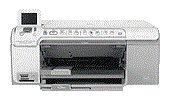
HP Photosmart C5275 Ink Cartridges
The following3 products are guaranteed to work in your HP Photosmart C5275 printer:
3 products
Sets of ink cartridges for HP Photosmart C5275 printer:
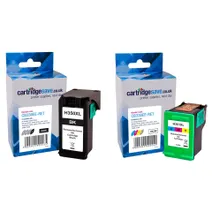
- 1x1000pages
- 1x580pages
FREE next-day delivery when you order before 5:15pm
- Contains
CB336EE, CB338EE
FREE next-day delivery when you order before 5:15pm
Black ink cartridges for HP Photosmart C5275 printer:
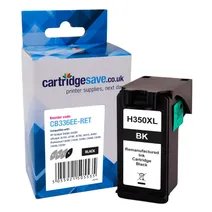
- 1x1000pages
Next-day delivery when you order before 5:15pm
Next-day delivery when you order before 5:15pm
Colour ink cartridges for HP Photosmart C5275 printer:
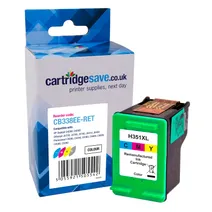
- 1x580pages
Next-day delivery when you order before 5:15pm
Next-day delivery when you order before 5:15pm
What ink does the HP Photosmart C5275 use?
The HP Photosmart C5275 uses Cartridge Save 350XL ink cartridges. Cartridge Save 350XL ink comes in black; the black cartridge prints 1,000 pages.
HP Photosmart C5275 Printer Review
Expert review of the HP Photosmart C5275 printer
'%20/%3e%3cpath%20d='M%205.454545454545455,0.6060606060606061,1.8181818181818181,12.000000000000002,10.90909090909091,4.7272727272727275,0,4.7272727272727275,9.090909090909092,12.000000000000002z'%20fill='%23d8d8d8'%20transform='translate(24,0)'%20/%3e%3cpath%20d='M%205.454545454545455,0.6060606060606061,1.8181818181818181,12.000000000000002,10.90909090909091,4.7272727272727275,0,4.7272727272727275,9.090909090909092,12.000000000000002z'%20fill='%23d8d8d8'%20transform='translate(36,0)'%20/%3e%3cpath%20d='M%205.454545454545455,0.6060606060606061,1.8181818181818181,12.000000000000002,10.90909090909091,4.7272727272727275,0,4.7272727272727275,9.090909090909092,12.000000000000002z'%20fill='%23d8d8d8'%20transform='translate(48,0)'%20/%3e%3c/svg%3e)
'%20/%3e%3cpath%20d='M%205.454545454545455,0.6060606060606061,1.8181818181818181,12.000000000000002,10.90909090909091,4.7272727272727275,0,4.7272727272727275,9.090909090909092,12.000000000000002z'%20fill='%23edd400'%20transform='translate(24,0)'%20/%3e%3cpath%20d='M%205.454545454545455,0.6060606060606061,1.8181818181818181,12.000000000000002,10.90909090909091,4.7272727272727275,0,4.7272727272727275,9.090909090909092,12.000000000000002z'%20fill='%23edd400'%20transform='translate(36,0)'%20/%3e%3cpath%20d='M%205.454545454545455,0.6060606060606061,1.8181818181818181,12.000000000000002,10.90909090909091,4.7272727272727275,0,4.7272727272727275,9.090909090909092,12.000000000000002z'%20fill='%23edd400'%20transform='translate(48,0)'%20/%3e%3c/svg%3e)
The HP Photosmart C5275 printer is an all-in-one solution for printing, copying and scanning. You can print directly from a memory card, and it supports a range of media, including paper, card stock and DVD labels. You can access many functions directly from the control panel, so there is no need to turn on a PC to complete the job. This desktop printer is an excellent choice in homes or smaller offices that need to produce quality copies or scans, and it is small enough to position on a desktop.
Design
This HP Photosmart C5275 printer measures 8.5 x 17.8 x 15.2 inches and weighs 15 lbs, so you can easily relocate it to suit your changing needs. It is designed to work effectively in a temperature range of between 59ºF and 90º F and humidity levels between 15% and 80%. The main input tray for paper media takes up to 125 sheets, but the output tray only takes up to 50 sheets, so you will need to empty it regularly on longer runs. When you print photos, the photo paper tray will take a maximum of 20 sheets.
Advantages
HP has designed the Photosmart C5275 to be an energy efficient printer, and it meets the Energy Star standards for reducing power consumption. From the control panel, it is possible to use the red-eye removal feature when editing images, make reprints and use print preview to check that everything is correct. There is also a zoom-in and zoom-out function for magnifying certain areas of a photo or seeing more of it directly from the control screen.
Disadvantages
The HP Photosmart C5275 printer is designed specifically for printing colour photographs or images. It may not provide all the functionality that an average home or office requires.