- Toner Cartridges
- Samsung Toner Cartridges
- CLX-3180FW Toner Cartridges
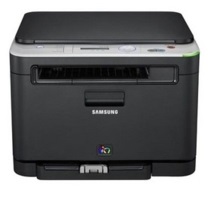
Samsung CLX-3180FW Toner Cartridges
The following6 products are guaranteed to work in your Samsung CLX-3180FW printer:
6 products
Full sets of toner cartridges for Samsung CLX-3180FW printer:
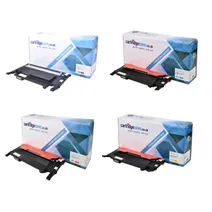
- 1x1500pages
- 1x1000pages
- 1x1000pages
- 1x1000pages
FREE next-day delivery when you order before 5:15pm
- Contains
CLT-K4072S, CLT-C4072S, CLT-M4072S, CLT-Y4072S
FREE next-day delivery when you order before 5:15pm
Black toner cartridges for Samsung CLX-3180FW printer:
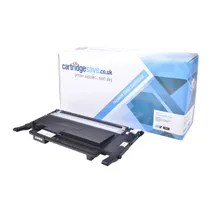
- 1x1500pages
Next-day delivery when you order before 5:15pm
Next-day delivery when you order before 5:15pm
Cyan toner cartridges for Samsung CLX-3180FW printer:
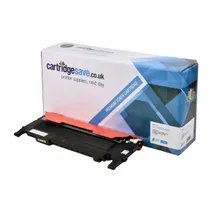
- 1x1000pages
Next-day delivery when you order before 5:15pm
Next-day delivery when you order before 5:15pm
Magenta toner cartridges for Samsung CLX-3180FW printer:
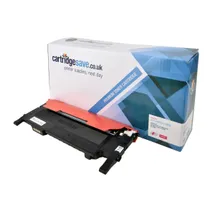
- 1x1000pages
Next-day delivery when you order before 5:15pm
Next-day delivery when you order before 5:15pm
Yellow toner cartridges for Samsung CLX-3180FW printer:
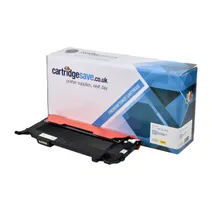
- 1x1000pages
Next-day delivery when you order before 5:15pm
Next-day delivery when you order before 5:15pm
Maintenance items for Samsung CLX-3180FW printer:
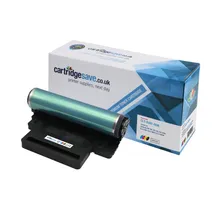
- 1x24000pages
- 1x6000pages
FREE next-day delivery when you order before 5:15pm
FREE next-day delivery when you order before 5:15pm
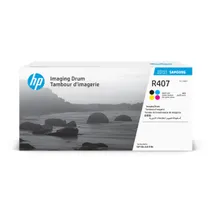
- 1x24000pages
- 1x6000pages
Out of stock
- Lowest online price guarantee
Out of stock
What toner does the Samsung CLX-3180FW use?
The Samsung CLX-3180FW uses Cartridge Save CLT-C4072S toner cartridges. Cartridge Save CLT-C4072S toner comes in cyan; the cyan cartridge prints 1,000 pages.
Samsung CLX-3180FW Printer Review
Expert review of the Samsung CLX-3180FW printer
'%20/%3e%3cpath%20d='M%205.454545454545455,0.6060606060606061,1.8181818181818181,12.000000000000002,10.90909090909091,4.7272727272727275,0,4.7272727272727275,9.090909090909092,12.000000000000002z'%20fill='%23d8d8d8'%20transform='translate(24,0)'%20/%3e%3cpath%20d='M%205.454545454545455,0.6060606060606061,1.8181818181818181,12.000000000000002,10.90909090909091,4.7272727272727275,0,4.7272727272727275,9.090909090909092,12.000000000000002z'%20fill='%23d8d8d8'%20transform='translate(36,0)'%20/%3e%3cpath%20d='M%205.454545454545455,0.6060606060606061,1.8181818181818181,12.000000000000002,10.90909090909091,4.7272727272727275,0,4.7272727272727275,9.090909090909092,12.000000000000002z'%20fill='%23d8d8d8'%20transform='translate(48,0)'%20/%3e%3c/svg%3e)
'%20/%3e%3cpath%20d='M%205.454545454545455,0.6060606060606061,1.8181818181818181,12.000000000000002,10.90909090909091,4.7272727272727275,0,4.7272727272727275,9.090909090909092,12.000000000000002z'%20fill='%23edd400'%20transform='translate(24,0)'%20/%3e%3cpath%20d='M%205.454545454545455,0.6060606060606061,1.8181818181818181,12.000000000000002,10.90909090909091,4.7272727272727275,0,4.7272727272727275,9.090909090909092,12.000000000000002z'%20fill='%23edd400'%20transform='translate(36,0)'%20/%3e%3cpath%20d='M%205.454545454545455,0.6060606060606061,1.8181818181818181,12.000000000000002,10.90909090909091,4.7272727272727275,0,4.7272727272727275,9.090909090909092,12.000000000000002z'%20fill='%23edd400'%20transform='translate(48,0)'%20/%3e%3c/svg%3e)
The Samsung CLX-3180FW is a versatile and compact multifunction printer built to handle small-scale printing in offices and the home. While it boasts high-quality colour print output, it still has some major drawbacks, including a small and outdated LCD display and an average print speed.
Design
This compact printer weighs around 15 kilograms and can easily slide into small corners. The Samsung CLX-3180FW features a superior flatbed type colour scanner. The fax feature is compatible with ITU-T G3, and the copy function is capable of Multi Copy, Clone Copy, ID Copy, and Poster Copy.
Advantages
This good value printer renders a separate copier, fax machine, and scanner redundant. It boasts an efficient 256 MB Memory and is compatible with a range of Windows, Mac, and Linux operating systems. The high-yield ink cartridges save money and drive printing costs down. Wi-Fi is surprisingly easy to set up and other features like Ethernet and USB connectivity make it easy to transfer and print documents.
Disadvantages
The Samsung CLX-3180FW uses an outdated 2-line LCD display which is small and can be difficult to read. For a laser printer, it is rather slow; the speed of 16 ppm (monochrome) and 4 ppm (colour) limits the use of CLX-3180FW to small office settings with average printing requirements.